There’s a new way to do things online, and the top-level domain (TLD) .new is behind it. Google is the registrar for the .new domain. You might have already seen it used with different Google apps.
Who Gets a .new Domain?
Anyone will be able to register a .new domain, but there are conditions that are unique in the TLD world.
 To register a .new domain, it must be used to start an action in a process or content creation. It has to engage the user immediately in the creative action. It must be available to the public within 100 days of registering the domain.Google must be allowed to verify the domain’s action at no cost to Google. That means, if it’s a membership process, then Google doesn’t have to pay for the membership just to test it.
Some of the biggest names on the Internet have already snapped up their domains and put them to use.
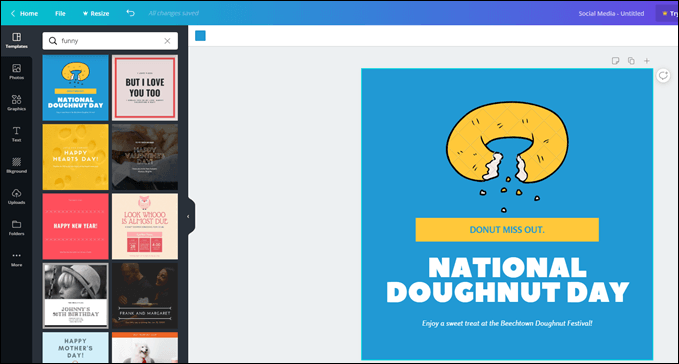
If you’re not using Canva for making online and print graphics, you should check them out. To make it simpler to start creating a new design, Canva acquired the canva.new and design.new domains. Both lead directly to Canva’s online graphic design tool.
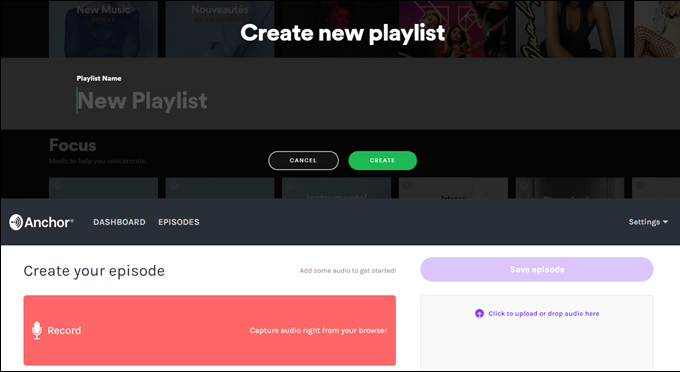
Spotify is all about music and podcasts, so they snatched up the domains playlist.new and podcast.new. As you guessed, playlist.new initiates the building of a new playlist for you.
Podcast.new will tie you into Spotify’s podcast creation service, Anchor, and you can set up your new podcast. If you’re already casting on Anchor, podcast.new will take you to the new episode creation site.
If you haven’t used Webex, it’s worth checking out as a way to host online meetings or share someone’s screen to give them tech support.
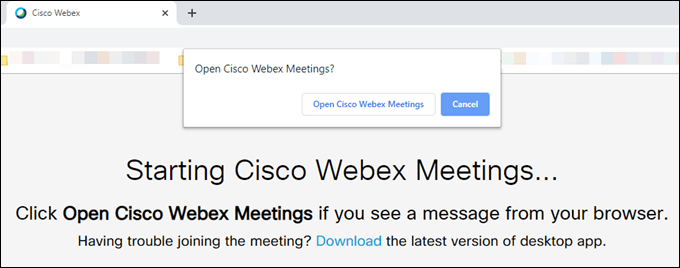
Cisco, owners of Webex, have registered webex.new, letsmeet.new, and mymeet.new. All of these point to the same place to start a new Webex meeting or download the Webex app.
Processing online payment is what Stripe does best. By getting the invoice.new and subscription.new domains, Stripe has taken it just a step further.
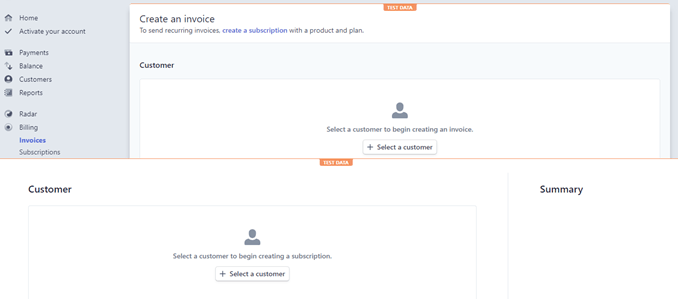
Using invoice.new, you’re taken instantly to create a new invoice on Stripe. Using subscription.new takes you to add a customer to your subscription service to collect recurring payments.
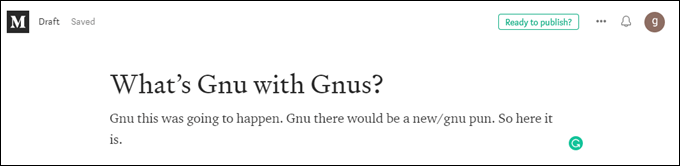
Using the story.new domain will take you to Medium’s story editing page if you have an account. If you don’t have an account, it will first take you to the sign-up page.
Medium continues to grow as a prime spot for budding bloggers and seasoned journalists. Using story.new just makes it one step easier.
Amongst the one name luminaries of the world, there’s a solo Canadian named Drake. You might have heard of him. Drake and friends have a record label called OVO, and grabbed music.new to help promote their artists.
Go to music.new and you can lightly edit a cover to a song by changing the text. We can only assume this was the minimum effort to get the domain to be used for something much cooler later.
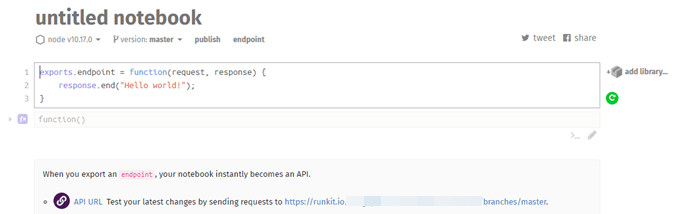
More for the coder crowd, RunKit allows coders to work with the node.js platform online, in a sandboxed, safe, environment. It really is a powerful development tool.
RunKit picked up api.new to streamline access to their Application Programming Interface (API) creation tool.
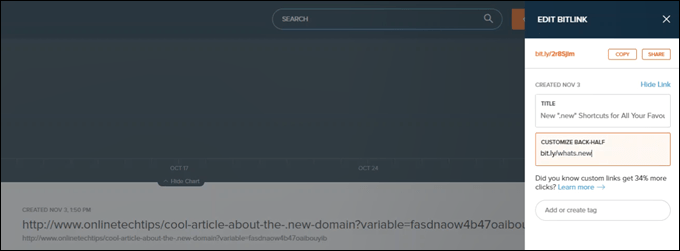
It’s kind of meta that a URL shortening business has acquired domains to shorten their own URLs.
Bitly is the service you use when you want to change a link from something like http://www.onlinetechtips/cool-article-about-the-.new-domain?variable=fasdnaow4b47oaibouyib to something more like http://bit.ly/whats.new.
Get your short links quicker with link.new or bitly.new.
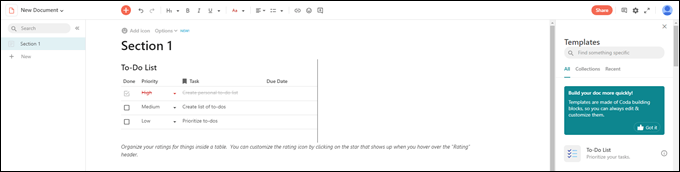
Think of Coda as a sort of Google-Docs-meets-whiteboard-meets-a-team-collaboration app. If that sounds like something you could use, or if you’re using Coda already, try the coda.new domain to start a new document.
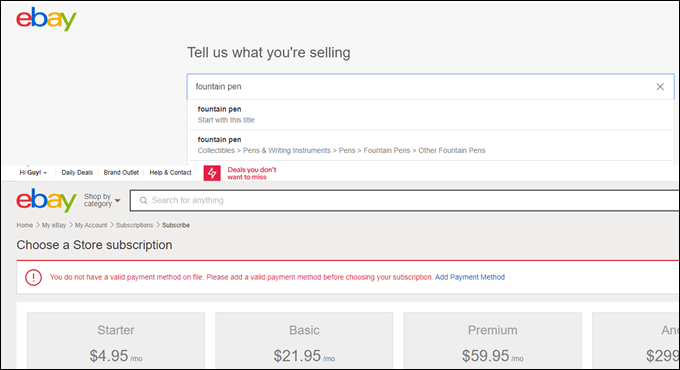
You know eBay. Outside of Amazon, it’s the one place to shop on the web where everybody knows the name. Selling one item or setting up a new shop, eBay has a .new domain for you.
To sell something, go to the sell.new domain or to set up a whole shop go to the shop.new domain.
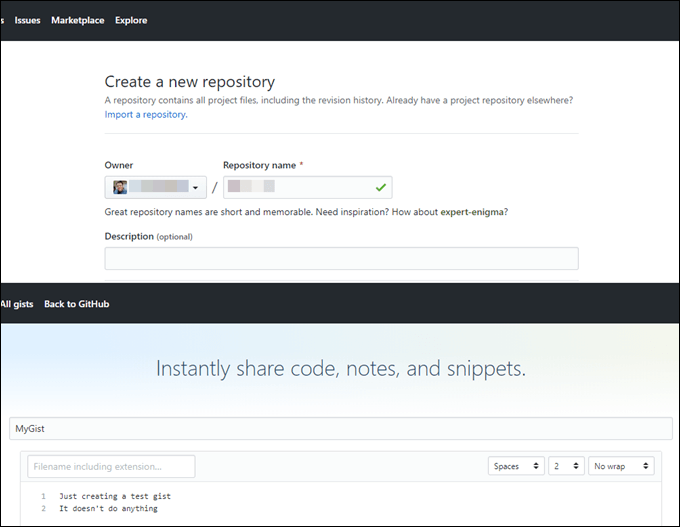
As the repository for so much open source code on the web, GitHub is like the Library of Alexandria for programmers. It’s no surprise that Microsoft bought it. It’s also no surprise that GitHub runs the repo.new and gist.new domains.
Of course, repo.new generates a new repository and gist.new creates a new gist. Think of a gist as being a place to store a small chunk of code, while a repository is for a whole coding project. These .new domains will help you to get the most out of GitHub.
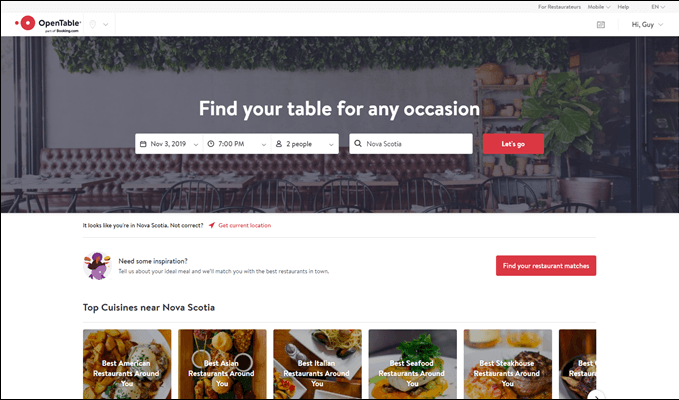
OpenTable is to restaurant reservations as Uber is to ride-sharing. For the starving diner, there’s the reservation.new and restaurant.new to quickly book your next food experience. Either will take you directly to the reservation booking page.
So What Else Is .new?
There will be many more .new domains to come. It’s still in the early days as Google only opened registrations for the .new TLD in October for established brand names.
In December 2019, limited registration will be available for those that wish to apply. Then in July 2020, anyone can register without having to apply. They’ll still need to satisfy the registration criteria, though.
Is .new Worth It?
It’s too new to tell. At $550 per domain, it’s worth it to the big names, but to the lone website owner, it might not be. Right now, it appears that the .new domains are being used simply as redirects to already existing and pretty easy to access features.
Until 2020, when truly creative people can get their hands on the domain, we just don’t know what can really be done with it.
Read more: online-tech-tips.com
Google is making system updates to fight invalid traffic and suspicious activity on its ad networks, the company announced Wednesday. It will also give AdSense and AdMob publishers more information when ad serving is restricted as a result of these new measures.
New risk prediction models. Google said this launch incorporates new machine learning models to predict high-risk ad traffic and block ad requests before they serve. The aim is to “identify potentially invalid traffic or high risk activities before ads are served,” said Andres Ferrate, chief advocate for ad traffic quality, in a blog post Wednesday.
“These defenses allow us to limit ad serving as needed to further protect our advertisers and users, while maximizing revenue opportunities for legitimate publishers,” Ferrate explained.
Site verification paying off. This builds on Google’s existing detection and filtering systems as well as its move last year to require new sites to go through a process to verify domain ownership or authorization to modify a site’s content before being approved to serve ads. Prior to that change, site owners could simply reuse (and misuse) ad code from another site without adding the new sites to their AdSense accounts. Google said Wednesday it now blocks more than 120 million ad requests with this feature.
Publisher notifications. Google says most publishers won’t notice the change, but those who are impacted will be notified about ad traffic restrictions in the AdSense or AdMob Policy Center. In the UI, they’ll see that the number of ads they can show has been limited and recommendations to address the restriction. “This will allow them to understand why they may be experiencing reduced ad serving, and what steps they can take to resolve any issues and continue partnering with us,” said Ferrate.
Publishers that notice declines in ad traffic should check the Policy Center for any notifications related to ad restrictions.
Why we should care. For advertisers, the system updates should provide additional protections against paying to show your ads to bots rather than real people. Advertisers won’t have visibility into which domains are impacted since the blocking happens before ads can serve. Google also isn’t disclosing any specifics about what its systems are designed to detect in order to keep bad actors from potentially reverse engineering its efforts.
The post Google AdSense, AdMob rolling out system updates for preventing ad spend on invalid traffic appeared first on Marketing Land.
Read more: marketingland.com
Posted by Cyrus-Shepard
At Moz, we know the value of premium SEO tools — we've built new tools for 10+ years. Paid tools are hugely valuable in SEO when you need advanced features, increased limits, stored data, or online support.
But for 70 percent of other tasks, a free tool often does the trick. There are literally hundreds of free SEO tools out there, so we want to focus on only the best and most useful to add to your toolbox. Tons of people in the SEO community helped vet the SEO software in this post (see the note at the end). To be included, a tool had to meet three requirements. It must be:
Widely used by the SEO community Broadly useful with a reputation for delivering above-board value Actually, truly free
The tools are categorized by SEO function. Click on a button below to jump to that specific section.
Categories:
Analytics Crawling/Indexing Keyword Research Link Tools Local SEO Mobile SEO Multi-tool On-page SEO Research Site Speed WordPress
The best tools to analyze search performance, monitor SERPs, keywords, and competitor analysis:
1. Bing Webmaster Tools 
While Google Webmaster Tools gets all the glory, folks forget that Bing Webmaster offers a full sweet of website and search analytics. Especially useful are keyword reports, keyword research, and crawling data.
Get it: Bing WebmasterAlso useful: Yandex.Webmaster
2. Data Studio 
If you need to merge data from different sources (say Search Console and Google Analytics), visualize, and share it - this is Google Data Studio's comfort zone. For an idea of all the SEO tasks and dashboards that you can build for free, check out these Google Data Studio Resources from Lee Hurst.
Get it: Data Studio
3. Enhanced Google Analytics Annotations 
How do you know if your dip in traffic (or rise) is associated with a Google Algorithm update, or perhaps a major holiday? This is a highly-recommended Google Chrome plugin that overlays additional data on top of your analytics, so you can easily send screenshots to clients showing exactly how outside forces impacted traffic.
Get it: Enhanced Google Analytics Annotations Alternatives: Panguin Tool, Zeo Tools
4. Google Analytics 
The big kahuna, and the most widely-used web analytics package on earth. For being free, Google Analytics is surprisingly robust and plays well with other Google products, including Optimize, Search Console, and Data Studio. Some folks have privacy concerns with GA — though Google swears they don't use this data for search rankings.
Get it: Google AnalyticsAlternatives: Clicky, Open Web Analytics
5. Search Console 
Probably the most useful free SEO tool on this entire list, it's hard to imagine doing modern SEO without access to the data inside Google's Search Console. This is the most reliable location for information on how Google crawls and ranks your site, and is one of the only places where you can get reliable keyword data.
Get it: Search Console
6. Keyword Hero 
Did somebody say (not provided)? Keyword Hero works to solve the problem of missing keyword data with lots of advanced math and machine learning. It's not a perfect system, but for those struggling to match keywords with conversion and other on-site metrics, the data can be a valuable step in the right direction. Pricing is free up to 2000 sessions/month.
Get it: Keyword Hero
7. MozCast 
The brainchild of Dr. Pete and the original Google SERP tracker, MozCast is the go-to algorithm tracker whenever there's a big update, or not. Also useful are the SERP tracking features showing the prominence of such features as ads and knowledge panels.
Get it: MozCast Also useful: Algoroo, Rank Risk Index, Ayima Pulse
Specific tools to make sure your site is crawlable and optimized.
8. Beam Us Up 
If you need a free, desktop crawler, you can't do better than Beam Us Up. While it doesn't have as many features as Screaming Frog, it does offer 100 percent free crawling with no limits. Windows only.
Get it: Beam Us Up
9. Link Redirect Trace 
A free Chrome extension, lots of SEOs recommend Link Redirect Trace as the "all-in-one redirect path analyzer." The extension reveals information about HTTP headers, rel-canonicals, robots.txt, and basic link metrics from LinkResearchTools. The "Save Screenshot" feature is super useful too.
Get it: Link Redirect Trace
10. Redirect Path 
Similar to Link Redirect Trace, Redirect Path is a nifty tool from the good folks at Ayima that shows redirect paths and header information for every URL you visit. Gotta admit, I've used this extension for years and it's almost "always on" in my browser.
Get it: Redirect Path
11. Screaming Frog 
Aside from having one of the best Twitter accounts of any SEO tool maker, Screaming Frog is the most popular desktop-based crawler available today. Many people don't realize that there's a free version that allows for up to 500 URLs per crawl. While not as fully functional as the paid version, it's great for small projects and smaller site audits.
Get it: Screaming Frog
12. Screaming Frog Log File Analyzer 
Most folks in the SEO space are familiar with Screaming Frog, but many don't realize that the Frog also offers a standalone free/paid Log File Analyzer tool. The free version is very robust, though limited to 1000 lines.
Get it: Screaming Frog Log File Analyser
13. SEOlyzer 
SEOlyzer is a log analysis tool recommended by Aleyda Solis in her very excellent SEO podcast Crawling Mondays. SEOlyzer is a terrific log analysis tool with some cool features like real-time analysis and page categorization.
Get it: SEOlyzer
14. Xenu 
Gotta be honest, although Xenu has been on every "free SEO tool" list since the dawn of, no way did I think it would make this one. This Windows-based desktop crawler has been virtually unchanged over the past 10 years. That said, a lot of folks still love and use it for basic site auditing, looking for broken links, etc. Heck, I'm leaving here for sentimental reasons. Check it out.
Get it: Xenu
Keyword Research 15. Answer The Public 
It's hard not to love Answer The Public. The interface has an almost "Cards Against Humanity" rebel vibe to it. Regardless, if you want to generate a massive list of questions from any keyword set, this is your go-to tool.
Get it: Answer The Public
16. Keyword Explorer 
OMG. 500 million keyword suggestions, all the most accurate volume ranges in the industry. You also get Moz's famous Keyword Difficulty Score along with CTR data. Moz's free community account gives you access to 10 queries a month, with each query literally giving you up to 1000 keyword suggestions along with SERP analysis.
Get it: Keyword Explorer
17. Keyword Planner 
Google's own Keyword Planner was built for folks who buy Google ads, but it still delivers a ton of information useful for SEO keyword planning. It uses Google's own data and has useful functions like country filtering. Be careful with metrics like competition (this is meant for paid placements) and volume — which is known to be confusing.
Get it: Keyword Planner
18. Keyword Shitter 
Yes, it's called Keyword Shitter. It pains me to write this. That said, it says what it does and does what it says. Type in a keyword and it, um, poops out a poop-ton of keywords.
Get it: Keyword Shitter
19. Keywords Everywhere 
An SEO favorite! Install this browser extension for Firefox or Chrome, and see keyword suggestions with volume as you cruise the internet. Works in Google Search Console as well. This one is a must-have for keyword inspiration.
Get it: Keywords Everywhere
20. Ubersuggest 
Sometimes I make fun of Neil Patel because he does SEO in his pajamas. I'm probably jealous because I don't even own pajamas. Regardless, Neil took over Ubersuggest not long ago and gave it a major overall. If you haven't tried it in a while, it now goes way beyond keyword suggestions and offers a lot of extended SEO capabilities such as basic link metrics and top competitor pages.
Get it: Ubersuggest
Tools to find, evaluate, and process backlink opportunities.
21. Disavow Tool 
Google makes the Disavow Tool hard to find because most site owners usually don't need to use it. But when you do, it can be useful for getting penalties removed and some SEOs swear by it for fighting off negative SEO. If you choose to use this tool, be careful and check with this guide on disavowing the right links.
Get it: Disavow Tool
22. Link Explorer 
Link Explorer is arguably the biggest, most accurate link index in the SEO world today, boasting 35 trillion links. The free account access gives you 10 queries and 50 rows of data per query every month, plus adds basic link metrics to the MozBar as you browse the web.
Get it: Link Explorer
23. Link Miner 
Link Miner is a free Chrome extension developed by Jon Cooper, one of the masters of link building. Use it to quickly find broken links on each page, as well as see basic link metrics as you search Google. Simple, easy, and useful.
Get it: Link Miner
Free tools to optimize your on Google Maps and beyond.
24. Google My Business 
Basically, this is the #1, must-have tool for Local SEO — especially if you live in a market served by Google. It allows you to claim your business, manage listing information, and respond to reviews — among other things. Claiming your business profile forms the foundation of most other local SEO activities, so it's an essential step.
Get it: Google My Business
25. Google Review Link Generator 
The Google Review Link Generator by Whitespark solves a simple problem - how do you give your customers a URL to leave a Google review for your business? Reviews drive rankings, but Google doesn't easily provide this. This generator makes it easy.
Get it: Google Review Link Generator
26. Local Search Results Checker 
One of the hardest parts of Local SEO is figuring out rankings from any location — especially when Google stubbornly wants to serve results from the location you're in. BrightLocal solves this with a quick local ranking tool that can virtually drop you into any location on earth to check actual local rankings.
Get it: Local Search Results Checker
27. Moz Local Check Business Listing 
How consistent is your business information across the local search ecosystem? Moz Local lets you quickly check how your business shows up across the web in the major data aggregators that Google and others use to rank local search results. Very handy to understand your strengths and weaknesses.
Get it: Moz Local Check Business Listing
Tools to optimize your website in Google's mobile-first world.
28. Mobile First Index Checker 
Mobile versions of websites often differ significantly from their desktop versions. Because Google has switched to mobile-first indexing, it's important that major elements (links, structured data, etc.) match on both versions. A number of tools will check this for you, but Zeo's is probably the most complete.
Get it: Mobile First Index Checker
29. Mobile SERP Test 
It's amazing how mobile search results can vary by both location AND device. MobileMoxie's mobile SERP test lets you compare devices side-by-side for any location, down to specific addresses.
Get it: Mobile SERP Test
30. Mobile-Friendly Test 
The gold standard for determining if your page meets Google's mobile-friendly requirements. If your page passes the test, then Google counts it as mobile friendly, which is a bonafide (albeit small) ranking factor. If your page isn't mobile-friendly, it will give you specific areas to address.
Get it: Mobile-Friendly Test
Free SEO tools that have so many functions, they have their own special category.
31. Chrome DevTools 
The sheer number of SEO tasks you can perform—for free—with Chrome DevTools is simply staggering. From JavaScript auditing to speed to On-Page SEO, some of the best features are hidden away but totally awesome. Need some specific ways to use it for SEO? Check out these resources here, here, and here.
Get it: Chrome DevTools
32. Marketing Miner 
Marketing Miner has a low profile in the United States, but it's one of the best-kept secrets of Eastern Europe. If you need to pull a lot of SERP data, rankings, tool reports, or competitive analysis, Marketing Miner does the heavy lifting for you and loads it all into convenient reports. Check out this list of miners for possible ideas. It's a paid tool, but the free version allows to perform a number of tasks.
Get it: Marketing Miner
33. MozBar 
One of the original SEO toolbars, the MozBar has seen significant upgrades over the years. Log in with a free Moz account and get link metrics as you browse the web, perform on-page analysis, and SERP analysis. The free version is super-useful by itself, while Pro users get additional functionality like advanced keyword suggestions.
Get it: MozBar
34. SEMrush 
Like Moz, SEMrush offers a full suite of all-in-one SEO tools, and they have a free account option that works well if you only work with a single website, or only need a quick peek at top level data. The free account level gives you access to one "project" which includes basic site auditing, as well as limited keyword and domain reporting.
Get it: SEMrush
35. SEO Minion 
SEO Minion is a very popular Chrome extension that goes beyond most SEO toolbars. Some of the quick functions it performs include analyzing on-page SEO, check broken links, Hreflang checks, a SERP preview tool, and a nifty Google search location simulator. Definitely worth trying out.
Get it: SEO Minion
36. SEOquake 
Out of all the SEO toolbars available on the market, SEOquake is probably the most powerful, and comes with a plethora of configuration options — so you can configure it to adjust to your SEO needs. Aside from offering a boatload of data for every URL you visit, you can also perform basic on-page audits, compare domains, and export your data.
Get it: SEOquake
37. Sheets for Marketers 
Sheets for Marketers isn't a tool per se, but a website that contains over 100+ free templates to perform a huge number of tasks using Google Sheets. Find powerful free sheets for everything including competitive analysis, site audits, scraping, keyword research, and more. This is a website for your bookmarks.
Get it: Sheets for Marketers
Tools to help you maximize your..
Read more: moz.com
At the end of 2018, Google said mobile-first indexing — that is, using a website’s mobile version to index its pages — was being used for over half the web pages in Google search results. Today, Google announced that mobile-first indexing will now be the default for all new web domains as of July 1, 2019.
That means that when a new website is registered it will be crawled by Google’s smartphone Googlebot, and its mobile-friendly content will be used to index its pages, as well as to understand the site’s structured data and to show snippets from the site in Google’s search results, when relevant.
The mobile-first indexing initiative has come a long way since Google first announced its plans back in 2016. In December 2017, Google began to roll out mobile-first indexing to a small handful of sites, but didn’t specify which ones were in this early test group. Last March, mobile-indexing began to roll out on a broader scale. By year-end, half the pages on the web were indexed by Google’s smartphone Googlebot.
Google explained the change to how sites are indexed is aimed at helping the company’s “primarily mobile” users better search the web. Since 2015, the majority of Google users start their searches from mobile devices. It only makes sense, then, that the mobile versions of the website — and not the desktop pages — would be used to deliver the search results.
Mobile-first indexing isn’t the only way that Google has begun catering to the larger mobile majority.
Several years ago, it also began to boost the rank of mobile-friendly webpages in search. Last year, it added a signal that uses page speed to help determine a page’s mobile search ranking. Starting in July 2018, slow-loading content became downranked.
While many sites today now show users across desktop and mobile the same content, those that have not yet achieved this parity have a variety of resources to help them get started. Site owners can check for mobile-first indexing of their website by using the URL Inspection Tool in the search console to see when the site was last crawled and indexed. Google also offers a host of documentation on how to make websites work for mobile-first indexing, and suggests that websites support responsive web design — not separate mobile URLs.
“We’re happy to see how the web has evolved from being focused on desktop, to becoming mobile-friendly, and now to being mostly crawlable and indexable with mobile user-agents,” said Google, in its announcement today.
Read more: techcrunch.com
Google today announced a major new initiative around its Chrome browser that will, in the long run, introduce significant changes to how Chrome handles cookies and enhance its users’ privacy across the web.
With this move, Google is making cookies more private and also adding new anti-fingerprinting technology to its browser. While some of the changes here are happening in the Chrome browser, developers, too, will have to prepare for this change and adapt their cookies to this new reality.
“We’ve been thinking a lot about this topic for a while and think it’s really important that users have transparent choice and control over how they are tracked over the web,” Google’s web platform lead Ben Galbraith said in an interview ahead of the announcement.
There will be a number of UI changes in Chrome to enable this, but the company isn’t disclosing any information about this yet. Instead, it is talking about the necessary changes in the web platform to enable this.
The overall idea here is to provide users with more control over how their data is shared. While cookies are very useful to allow you to keep a persistent login to a site or store your preferences, for example, they are also being used to track you across the web. Few users, however, would want to block all of their cookies and lose these conveniences. The compromise here is to only allow the site that originally set the cookie to access it and block third-party cookies, making it harder for others to track you using these cookies.
To do this, Chrome will move to require developers to explicitly allow their cookies to be used across websites. Using the SameSite cookie attribute, developers have to explicitly opt in to make their cookies available to others. SameSite simply stops the browser from sending it when it receives a cross-site request. There are some security enhancements that come with this, but the main goal here is to prevent tracking.
Right now, all cookies pretty much look the same to the browser, so it’s hard to selectively delete third-party cookies. Because this change also makes it easier to identify tracking cookies in the browser, though, users can then also more easily delete them.
“This change will enable users to clear all such cookies while leaving single domain cookies unaffected, preserving user logins and settings,” Google explains in today’s announcement. “It will also enable browsers to provide clear information about which sites are setting these cookies, so users can make informed choices about how their data is used.”
SameSite isn’t new, but it’s not all that widely used, especially given that browsers don’t have to respect it. In the coming months, however, it will become the default in Chrome.
That’s an important fact to stress: This isn’t just about adding a new feature to Chrome that makes it easier to block or delete tracking cookies — it’s about changing how developers use them at a very fundamental level.
Galbraith also tells me that Google will start experimenting with only allowing cross-site cookies if they are served over an encrypted SSL connection. This is currently hidden behind a flag in the Canary version of Chrome, but it’ll likely become more widely available soon, too.
None of these are immediate changes, though. “I compare this to the deliberate way we moved https to the default in Chrome,” Galbraith said. For this, Google signaled its intent for a few years before finally changing the default.
With its anti-fingerprinting technology, Google is doing something similar to what is happening with cookies. “Because fingerprinting is neither transparent nor under the user’s control, it results in tracking that doesn’t respect user choice,” Google explains. “This is why Chrome plans to more aggressively restrict fingerprinting across the web. One way in which we’ll be doing this is reducing the ways in which browsers can be passively fingerprinted, so that we can detect and intervene against active fingerprinting efforts as they happen.”
For a company that makes most of its revenue from advertising, that’s a pretty bold move. It’s also a bit late, given that users have been asking for these privacy controls for a while. Galbraith acknowledged that “this is increasingly an area of concern for users.”
In a related announcement, the Google Ads team today said that it is “committing to a new level of ads transparency.” The first step in actually providing users with better insights into how ads are personalized for them, Google will launch a browser extension that will disclose the names of the companies that were involved into getting these ads in front of you (including ad tech companies, advertisers, ad trackers and publishers) and the factors that were used to tailor the ad to the user.
This extension is going live today in the coming months and will work for all of Google’s own properties and those of its publishing partners. The company is also making an API available to other advertising companies that want to feed the same information into the browser extension.
Even though in the age of mobile apps, tracking users through browser cookies isn’t quite as important as it used to be, it’s still an important mechanism for many online advertising firms, including Google. Google’s move has wide-ranging implications for online advertising and it’ll be interesting to see how Google’s competitors in this space will react to the announcement.

Read more: techcrunch.com
Posted by MiriamEllis
Staff at your agency get asked this question just about every day, and it’s a local SEO forum FAQ, too:
“I’m located in ‘x’, but how do I rank beyond that?”
In fact, this query is so popular, it deserves a good and thorough answer. I’ve written this article in the simplest terms possible so that you can instantly share it with even your least-technical clients.
We’ll break rankings down into five easy-to-grasp groups, and make sense out of how Google appears to bucket rankings for different types of users and queries. Your clients will come away with an understanding of what’s appropriate, what’s possible, and what’s typically impossible. It’s my hope that shooting this link over to all relevant clients will save your team a ton of time, and ensure that the brands you’re serving are standing on steady ground with some good education.
There’s nothing quite like education as a sturdy baseline for creating achievable goals, is there?
One hypothetical client’s story 
We’ll illustrate our story by focusing in on a single fictitious business. La Tortilleria is a tortilla bakery located at 197 Fifth Avenue in San Rafael, Marin County, California, USA. San Rafael is a small city with a population of about 60,000. La Tortilleria vends directly to B2C customers, as well as distributing their handmade tortillas to a variety of B2B clients, like restaurants and grocery stores throughout Marin County.
La Tortilleria’s organic white corn tortillas are so delicious, the bakery recently got featured on a Food Network TV show. Then, they started getting calls from San Francisco, Sacramento, and even Los Angeles asking about their product. This business, which started out as a mom-and-pop shop, is now hoping to expand distribution beyond county borders.
When it comes to Google visibility, what is La Tortilleria eligible for, and is there some strategy they can employ to show up in many places for many kinds of searches? Let’s begin:
Group I: Hyperlocal rankings 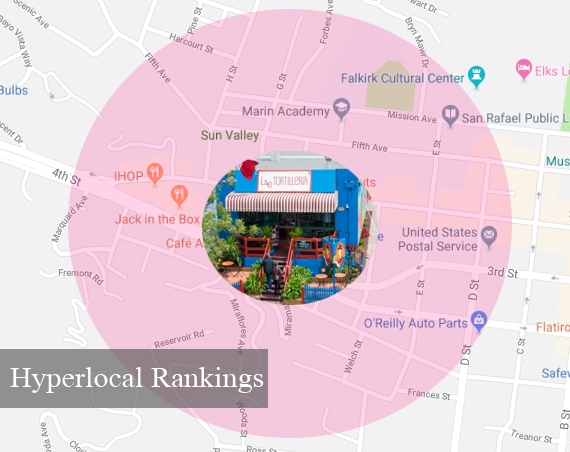 Scenario
Your supreme chance of ranking in Google’s local pack results is typically in the neighborhood surrounding your business. For example, with the right strategy, La Tortilleria could expect to rank very well in the above downtown area of San Rafael surrounding their bakery. When searchers are physically located in this area or using search language like “tortilleria near me,” Google can hyper-localize the radius of the search to just a few city blocks when there are enough nearby options to make up a local pack.
Ask the client to consider:
What is my locale like? Am I in a big city, a small town, a rural area?What is the competitive level of my market? Am I one of many businesses offering the same goods/services in my neighborhood, or am I one of the only businesses in my industry here?
Google’s local pack radius will vary greatly based on the answers to those two questions. For example, if there are 100 tortilla bakeries in San Rafael, Google doesn’t have to go very far to make up a local pack for a searcher standing on Fifth Avenue with their mobile phone. But, if La Tortilleria is one of only three such businesses in town, Google will have to reach further across the map to make up the pack. Meanwhile, in a truly rural area with few such businesses, Google’s smallest radius could span several towns, or if there simply aren’t enough options, not show a local pack in the results at all.
Strategy
To do well in the hyperlocal packs, tell your client their business should:
Create and claim a Google My Business listing, filling out as many fields as possible. Earn some reviews and respond to themBuild out local business listings on top local business information platforms, either manually or via a service like Moz Local. Mention neighborhood names or other hyperlocal terms on the company website, including on whichever page of the site the Google listing points to.If competition is strong in the neighborhood, invest in more advanced tactics like earning local linktations, developing more targeted hyperlocal content, using Google Posts to highlight neighborhood-oriented content, and managing Google Q&A to outdistance more sluggish competitors.
*Note that if you are marketing a multi-location enterprise, you’ll need to undertake this work for each location to get it ranking well at a hyperlocal level.
Group II: Local rankings  Scenario
These rankings are quite similar to the above but encompass an entire city. In fact, when we talk about local rankings, we are most often thinking about how a business ranks within its city of location. For example, how does La Tortilleria rank for searches like “tortilleria,” “tortilla shop,” or “tortillas san rafael” when a searcher is anywhere in that city, or traveling to that city from another locale?
If Google believes the intent of such searches is local (meaning that the searcher wants to find some tortillas to buy near them rather than just seeking general information about baked goods), they will make up a local pack of results. As we’ve covered, Google will customize these packs based on the searcher’s physical location in many instances, but a business that becomes authoritative enough can often rank across an entire city for multiple search phrases and searcher locales.
For instance, La Tortilleria might always rank #1 for “tortilla shop” when searchers on Fifth Avenue perform that search, but they could also rank #1 for “organic tortillas San Rafael” when locals in any part of that city or even out-of-towners do this lookup, if the business has built up enough authority surrounding this topic.
With the right strategy, every business has a very good chance of ranking locally in its city of physical location for some portion of its most desired search phrases.
Ask the client to consider:
Does my location + Google’s results behavior create small or large hurdles in my quest for city-wide rankings? When I look at the local packs I want to rank for, does Google appear to be clustering them too tightly in some part of the city to include my location in a different part of town? If so, can I overcome this? What can I specialize in to set me apart? Is there some product, service, or desirable attribute my business can become particularly known for in my city over all other competitors? If I can’t compete for the biggest terms I’d like to rank for, are there smaller terms I could become dominant for city-wide?How can I build my authority surrounding this special offering? What will be the most effective methodologies for becoming a household name in my community when people need the services I offer?
Your agency will face challenges surrounding this area of work. I was recently speaking with a business owner in Los Angeles who was disappointed that he wasn’t appearing for the large, lucrative search term “car service to LAX.” When we looked at the results together from various locations, we saw that Google’s radius for that term was tightly clustered around the airport. This company’s location was in a different neighborhood many miles away. In fact, it was only when we zoomed out on Google Maps to enlarge the search radius, or zoomed in on this company’s neighborhood, that we were able to see their listing appear in the local results.
This was a classic example of a big city with tons of brands offering nearly-identical services — it results in very stiff competition and tight local pack radius.
My advice in a tough scenario like this would revolve around one of these three things:
Becoming such a famous brand that the business could overcome Google’s famous biasSpecializing in some attribute that would enable them to seek rankings for less competitive keywordsMoving to an office near that “centroid” of business instead of in a distant neighborhood of the large city.
Your specific scenario may be easier, equal to, or even harder than this. Needless to say, a tortilla shop in a modestly-sized town does not face the same challenges as a car service in a metropolis. Your strategy will be based on your study of your market.
Strategy
Depending on the level of competition in the client’s market, tell them they will need to invest in some or all of the following:
Identify the keyword phrases you’re hoping to rank for using tools like Moz Keyword Explorer, Answer the Public, and Google Trends combined with organized collection and analysis of the real-world FAQs customers ask your staff.Observe Google’s local pack behavior surrounding these phrases to discover how they are clustering results. Perform searches from devices in your own neighborhood and from other places around your city, as described in my recent post How to Find Your True Local Competitors. You can also experiment with tools like BrightLocal’s Local Search Results Checker.Identify the top competitors in your city for your targeted phrases and then do a competitive audit of them. Stack these discovered competitors up side-by-side with your business to see how their local search ranking factors may be stronger than yours. Improve your metrics so that they surpass those of the competitors, whether this surrounds Google My Business signals, Domain Authority, reputation, citation factors, website quality, or other elements.If Google’s radius is tight for the most lucrative terms and your efforts to build authority so far aren’t enabling you to overcome it due to your location falling outside their reach, consider specialization in other smaller, but still valuable, search phrases. For instance, La Tortilleria could be the only bakery in San Rafael offering organic tortillas. A local business might significantly narrow the competition by being pet-friendly, open later, cheaper, faster, more staffed, women-led, serving specific dietary restrictions or other special needs, selling rarities, or bundling goods with expert advice. There are many ways to set yourself apart.Finally, publicize your unique selling proposition. Highlight it on your website with great content. If it’s a big deal, make connections with local journalists and bloggers to try to make news. Use Google My Business attributes to feature it on your listing. Cross-sell with related local businesses and promote one another online. Talk it up on social media. Structure review requests to nudge customers towards mentioning your special offering in their reviews. Do everything you can to help your community and Google associate your brand name with your specialty. Group III: Regional rankings  Scenario
This is where we typically hit our first really big hurdle, and where the real questions begin. La Tortilleria is located in San Rafael and has very good chances of ranking in relation to that city. But what if they want to expand to selling their product throughout Marin County, or even throughout several surrounding counties? Unless competition is very low, they are unlikely to rank in the local packs for searchers in neighboring cities like Novato, Mill Valley, or Corte Madera. What paths are open to them to increase their visibility beyond their city of location?
It’s at this juncture that agencies start hearing clients ask, “What can I do if I want to rank outside my city?” And it’s here that it’s most appropriate to respond with some questions clients need to be asking themselves.
Ask the client to consider:
Does my business model legitimately lend itself to transactions in multiple cities or counties? For example, am I just hoping that if my business in City A could rank in City B, people from that second location would travel to me? For instance, the fact that a dentist has some patients who come to their practice from other towns isn’t really something to build a strategy on. Consumers and Google won’t be excited by this. So, ask yourself: “Do I genuinely have a model that delivers goods/services to City B or has some other strong relationship to neighbors in those locales?”Is there something I can do to build a physical footprint in cities where I lack a physical location? Short of opening additional branches, is there anything my business can do to build relationships with neighboring communities? Strategy First, know that it’s sometimes possible for a business in a less-competitive market to rank in nearby neighboring cities. If La Tortilleria is one of just 10 such businesses in Marin County, Google may well surface them in a local pack or the expanded local finder view for searchers in multiple neighboring towns because there is a paucity of options. However, as competition becomes denser, purely local rankings beyond city borders become increasingly rare. Google does not need to go outside of the city of San Francisco, for example, to make up complete local results sets for pizza, clothing, automotive services, attorneys, banks, dentists, etc. Assess the density of competition in your desired regional market. If you determine that your business is something of a rarity in your county or similar geographical region, follow the strategy described above in the “Local Rankings” section and give it everything you’ve got so that you can become a dominant result in packs across nearby multiple cities. If competition is too high for this, keep reading.If you determine that what you offer isn’t rare in your region, local pack rankings beyond your city borders may not be feasible. In this case, don’t waste money or time on unachievable goals. Rather, move the goalposts so that your marketing efforts outside of your city are targeting organic, social, paid, and offline visibility.Determine whether your brand lends itself to growing face-to-face relationships with neighboring cities. La Tortilleria can send delivery persons to restaurants and grocery stores throughout its county. They can send their bakers to workshops, culinary schools, public schools, food festivals, expos, fairs, farmers markets, and a variety of events in multiple cities throughout their targeted region. They can sponsor regional events, teams, and organizations. They can cross-sell with a local salsa company, a chocolatier, a caterer. Determine what your brand’s resources are for expanding a real-world footprint within a specific region. Once you’ve begun investing in building this footprint, publicize it. Write content, guest blog, make the news, share socially, advertise online, advertise in local print, radio, and TV media. Earn links, citations and social mentions online for what you are doing offline and grow your regional authority in Google’s eyes while you’re doing it. If your brand is a traditional service area business, like a residential painting company with a single location that serves multiple cities, develops a website landing page for each city you serve. Make each page a showcase of your work in that city, with project features, customer reviews, localized tips, staff interviews, videos, photos, FAQs and more. As with brick-and-mortar models, your level of rarity will determine whether your single physical office can show up in the local packs for more than one city. If your geo-market is densely competitive, the main goal of your service city landing pages will be organic rankings, not local ones. Group IV: State-wide rankings  Scenario
This is where our desired consumer base can no longer be considered truly local, though local packs may still occasionally come into play. In our continuing story, revenue significantly increased after La Tortilleria appeared on a popular TV show. Now they’ve scaled up their small kitchen to industrial strength in hopes of increasing trade across the state of California. Other examples might be an architectural firm that sends staff state-wide to design buildings or a photographer who accepts event engagements across the state.
What we’re not talking about here is a multi-location business. Any time you have a physical location, you can simply refer back to Groups I–III for strategy because you are truly in the local running any place you have a branch. But for the single location client with a state-wide offering, the quest for broad visibility begs some questions.
Ask the client to consider:
Are state-wide local pack results at all in evidence for my query or is this not the reality at all for my industry? For example, when I do a non-modified search just for “sports arena” in California, it’s interesting to see that Google is willing to make up a local pack of three famous venues spanning Sonora to San Diego (about 500 miles apart). Does Google return state-wide packs for my search terms, and is what I offer so rare that I might be included in them?Does my business model genuinely lend itself to non-local queries and clients willing to travel far to transact with me or hire me from anywhere in the state? For example, it would be a matter of pure vanity for me to want my vacuum cleaner repair shop to rank state-wide, as people can easily access services like mine in their own towns. But, what if I’m marketing a true rara avis, like a famous performing arts company, a landmark museum, a world-class interior design consultancy, or a vintage electronics restoration business?Whether Google returns state-wide local packs or only organic results for my targeted search terms, what can I do to be visible? What are my resources for setting myself apart? Strategy First, let’s take it for granted that you’ve got your basic local search strategy in place. You’re already doing everything we’ve covered above to build a strong hyperlocal, local, and regional digital and offline footprint. If Google does return state-wide local packs for your search phrases, simply continue to amp up the known local pack signals we’ve already discussed, in hopes of becoming authoritative enough to be included. If your phrases don’t return state-wide local packs, you will be competing against a big field for organic results visibility. In this case, you are likely to be best served by three things. Firstly, take publication on your website seriously. The more you can write about your offerings, the more of an authoritative resource you will become. Delve deeply into your company’s internal talent for developing magazine-quality content and bring in outside experts where necessary. Secondly, invest in link research tools like Moz Link Explorer to analyze which links are helping competitors to rank highly in the organic results for your desired terms and to discover where you need to get links to grow your visibility. Thirdly, seek out your state’s most trusted media sources and create a strategy for seeking publicity from them. Whether this comes down to radio, newspapers, TV shows, blogs, social platforms, or organizational publications, build your state-wide fame via inclusion. If all else fails and you need to increase multi-regional visibility throughout your state, you will need to consider your resources for opening additional staffed offices in new locales. Group V: National rankings & beyond 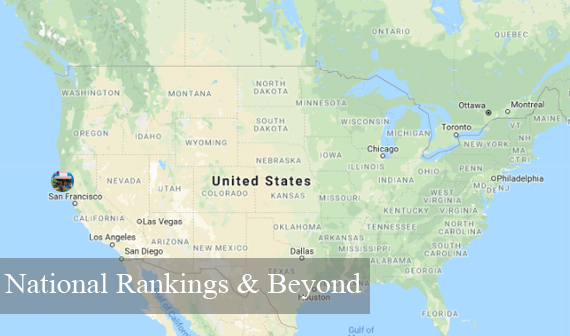 Scenario
Here, we encounter two common themes, neither of which fall within our concept of local search.
In the first instance, La Tortilleria is ready to go multi-state or nation-wide with its product, distributing goods outside of California as a national brand. The second is the commonly-encountered digital brand that is vending to a multi-state or national audience and is often frustrated by the fact that they are being outranked both in the local and organic results by physical, local companies in a variety of locations. In either case, the goals of both models can sometimes extend beyond country borders when businesses go multinational.
Ask the client to consider:
What is my business model? Am I selling B2B, B2C, or both? Which marketing strategies will generate the brand recognition I need? Is my most critical asset my brand’s website, or other forms of off-and-online advertising? Am I like Wayfair, where my e-commerce sales are almost everything, bolstered by TV advertising? Or, am I like Pace Foods with a website offering little more than branding because distribution to other businesses is where my consumers find me? Does my offering need to be regionalized to succeed? Perhaps La Tortilleria will need to start producing super-sized white flour tortillas to become a hit in Texas. McDonald’s offers SPAM in Hawaii and green chile cheeseburgers in New Mexico. Regional language variants, seasonality, and customs may require fine-tuning of campaigns. Strategy If your national brand hinges on B2C online sales, let me put the e-commerce SEO column of the Moz blog at your fingertips. Also highly recommended, E-commerce SEO: The Definitive Guide. If your national brand revolves around getting your product on shelves, delve into Neilsen’s manufacturer/distributor resources and I’ve also found some good reading at MrCheckout. If you are expanding beyond your country, read Moz’s basic definition of International SEO, then move on to An In-Depth Look at International SEO and The Ultimate Guide to International SEO. This article can’t begin to cover all of the steps involved in growing a brand from local to an international scale, but in all scenarios, a unifying question will revolve around how to cope with the reality that Google will frequently rank local brands above or alongside your business for queries that matter to you. If your business has a single physical headquarters, then content, links, social, and paid advertising will be the tools at your disposal to compete as best you can. Rarity may be your greatest strength, as seen in the case of America’s sole organic tulip bulb grower, or authority, as in the case of this men’s grooming site ranking for all kinds of queries related to beards.You’ll be wanting to rank for every user nationwide, but you’ll also need to be aware of who your competitors are at a local and regional level. This is why even national/international brands need some awareness of how local search works so that they can identify and audit strong local brands in target markets in order to compete with them in the organic SERPs, sometimes fine-tuning their offerings to appeal to regional needs and customs. I often hear from digital-only brands that want to rank in every city in the nation for a virtual service. While this may be possible for a business with overwhelming authority and brand recognition (think Amazon), a company just starting out can set a more reasonable goal of analyzing a handful of major cities instead of thousands of them to see what it would take to get in the running with entrenched local and digital brands.Finally, I want to mention one interesting and common national business model with its own challenges. In this category are tutoring businesses, nanny services, dog walking services, and other brands that have a national headquarters but whose employees or contractors are the ones providing face-to-face services. Owners ask if it’s possible to create multiple Google listings based on the home addresses of their workers so that they can achieve local pack rankings for what is, in fact, a locally-rendered service. The answer is that Google doesn’t approve of this tactic. So, where a local pack presence is essential, the brand must find a way to staff an office in each target region. Avoid virtual offices, which are explicitly forbidden, but there could be some leeway in exploring inexpensive co-working spaces staffed during stated business hours and where no other business in the same Google category is operating. A business that determines this model could work for them can then pop back up to Groups I-IV to see how far local search can take them. Summing up
There may be no more important task in client-onboarding than setting correct expectations. Basing a strategy on what’s possible for each client’s business model will be the best guardian of your time and your client’s budget. To recap:
Identify the client’s model.Investigate Google’s search behavior for the client’s important search phrases. Gauge the density of competition/rarity of the client’s offerings in the targeted area.Audit competitors to discover their strengths and weaknesses.Create a strategy for local, organic, social, paid, and offline marketing based on the above four factors.
For each client who asks you how to rank beyond their physical location, there will be a unique answer. The work your agency puts into finding that answer will make you an expert in their markets and a powerful ally in achieving their achievable goals.
Sign up for The Moz Top 10, a semimonthly mailer updating you on the top ten hottest pieces of SEO news, tips, and rad links uncovered by the Moz team. Think of it as your exclusive digest of stuff you don't have time to hunt down but want to read!

Read more: tracking.feedpress.it