
In September 2018, I was just a few months into my journey of learning web development. As I'm sure is the case with many new developers, it was a big task for me to learn not only the basic skills required, but also keeping current with the fast-moving industry. Just as I was getting to the level where it felt as though I could build a simple website, I started to realize that it was only the first step.
Opening up a few HTML pages stored locally on my laptop felt like a million miles away from being able to say to someone, "Hey, check out my website, live on the actual internet!"
But I did it! And the best part is that it wasn't as scary, difficult or expensive as it first felt like it'd be.
It all started with me sending Chris an email, which he used to write an awesome article explaining everything in plain English.
At this point, I didn't have a fully coded website — just an idea for a basic site that I was using to teach myself as I went along. I used the ongoing progress of my site as a push to learn how to get a live website quicker. But I'm sure you could do the whole thing with an HTML document that just says "Hello, world!"
I built my site using Gatsby, a static site generator powered by React. Building a website with these tools in a modular way felt really natural to me. The concept of reusable parts is something I’m familiar with in my career as a physical product designer and mechanical design engineer. It means that you can build in stages, like Lego, brick-by-brick, until you eventually have a life-sized castle you can invite your friends to visit!
This isn't a guide. It's my personal experience in the process of getting a website from my laptop to being live on the internet. Hopefully it'll give you some hope that it's possible and achievable, even by someone who has no formal training in web development and who has only been doing it for 12 months!
Domain registrars
Before I ever bought a domain, it seemed like a pretty serious thing to do. Owning a domain means being responsible for it. People will go to that address and eventually see content that you've put there.
I don’t know if everyone has the same experience, but I spent weeks deciding on a domain name before going for it. It almost became an obsession of mine for a while, searching online for acronym generators to try and be clever, spending hours on dictionary.com trying to find synonyms that were cool. In the end, I settled for my name and what I do: joshlong.design. I still smile a little when I see my name in the address bar.
Since reading Chris' article, I've actually bought two domains from two different providers: a .com and a .design. I realize that I went against Chris' advice of consolidating domain names at a single registrar, but I needed to shop around a bit to get a good deal on my .design domain. I only own two domain names — and one of them I don't actually have any plans for just yet — so keeping on top of where I bought them isn't a task. In fact, I don't remember the last time I needed to login and manage the domain I use on a daily basis!
Buying a domain name was as simple as any other online shopping transaction. Nothing really huge or scary about it. I bought my .com through Namecheap, and my .design through Google Domains, and the process was pretty similar for both. All they needed was my name, address and payment details. Pretty standard stuff!
I don't remember Google trying to sell me a load of extra packages. They seemed happy with me just buying a domain, though they did offer me free WHOIS protection which I snapped up because I didn’t want my contact details freely available for anyone who’s feeling nosey. However, as Chris warned might happen, the other registrar I went through tried really hard to sell me some extras like hosting, email, a VPN (whatever that is!) and SSL certificates.
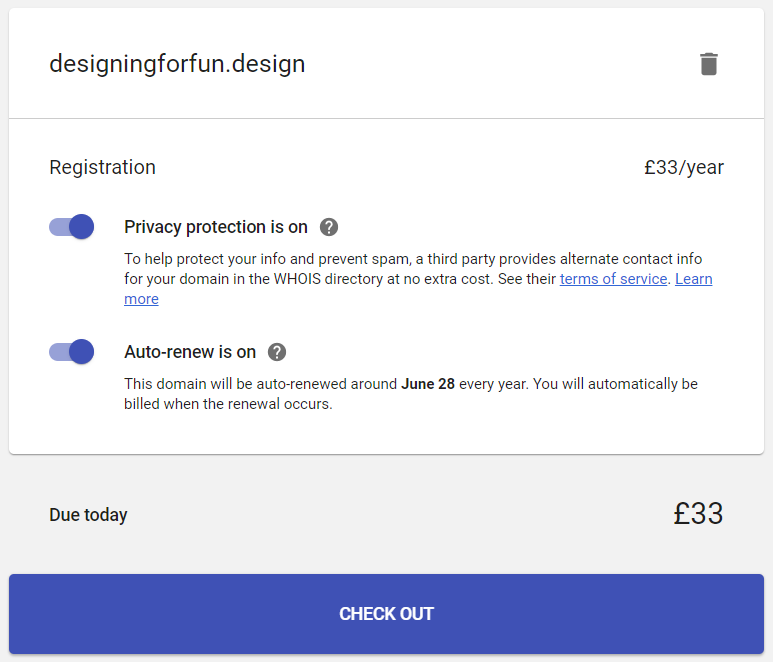 Google Domains checkout is happy just to sell the domain name.
 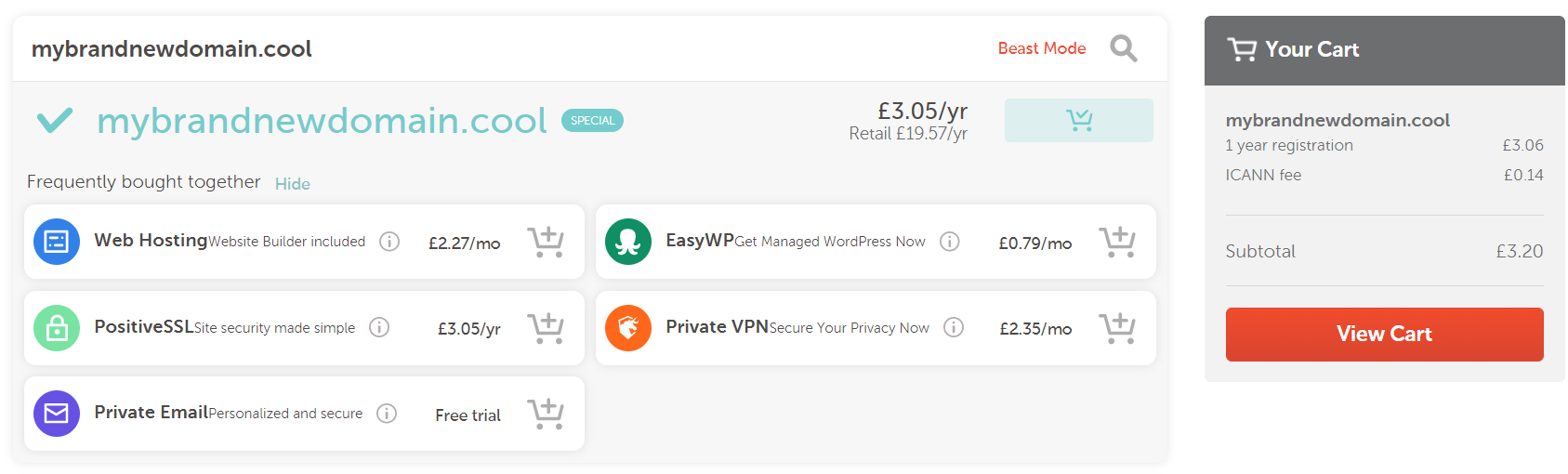 Namecheap tries to sell you all the additional services they offer before getting to the checkout.
I didn't go for any of those extras. I already had a hosting plan, and you can use an alias through Gmail to "fake" having a me@mycoolsite.com email address. I honestly have no idea why I'd need a VPN, and the hosting I was going to go for gave me a free SSL certificate through Let's Encrypt. So just the domain name, please!
Hosting
As Chris suggested it would be, choosing a host was a tad trickier than choosing and buying a domain name. But in the end, the web technology I used to build my site kind of guided me in a particular direction.
My site is built with Gatsby, which means it outputs straight-up static assets, basically as HTML and JavaScript files. That means that I didn't need a host that offered a server (in my most super smart authoritative voice), especially for WordPress with a MySQL database and Apache server, 6 cores @ 3.6 Ghz, 4GB RAM, 5TB bandwidth, 5 IP Addresses and 500GB SSD Storage, etc.
All that jargon goes straight over my head. All I wanted to do was upload my files to the internet and go to my domain to see them all compiled and shiny. Should be easy, right?
Well it turns out that it actually was that easy. As there's been so much hype around it recently, I thought I'd take a look at Netlify.
Netlify is recommended by Gatsby. They have really good documentation, and for my uses I felt as though I could comfortably stay within the free tier that they offer. In fact, at the moment I'm using 0.08% a month of the total bandwidth the free tier offers. Winning! Although maybe that means I’m not doing enough to get people to my site...
A quick aside about GitHub: I'm no expert at it and I don't really know any of the etiquette it entails. All I did was sign up, create a new repository and follow the instructions that they give you. After that, every time I made a change to my site, I used the buttons in my code editor (VS Code) to commit and push my changes. It works, but I have no idea if it's the correct or best practice way of doing it! I'm starting now, though, to understand how to use Git through the command line. I had no idea at all how to do it when I started, but I still muddled through it — and you can too!
Back to Netlify.
I signed up for an account (no credit card details required) and added a new site to Netlify by telling it about the GitHub repository where it was stored. When you’ve connected your repository, you can watch Netlify doing its thing deploying your site.
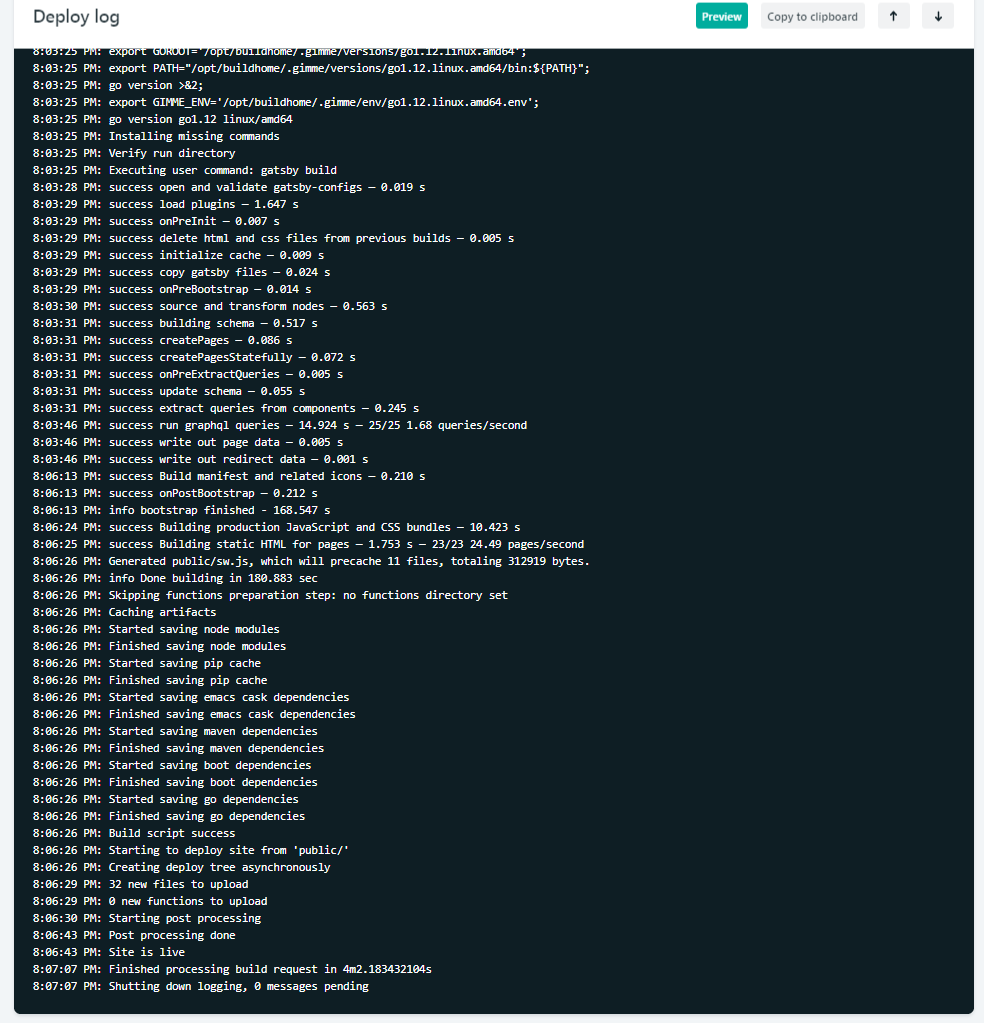 Part of the Netlify’s deploy process is that it shows your website going live in real time. That’s useful for debugging if something goes wrong, or just to watch and get excited like an impatient puppy waiting for a biscuit.
 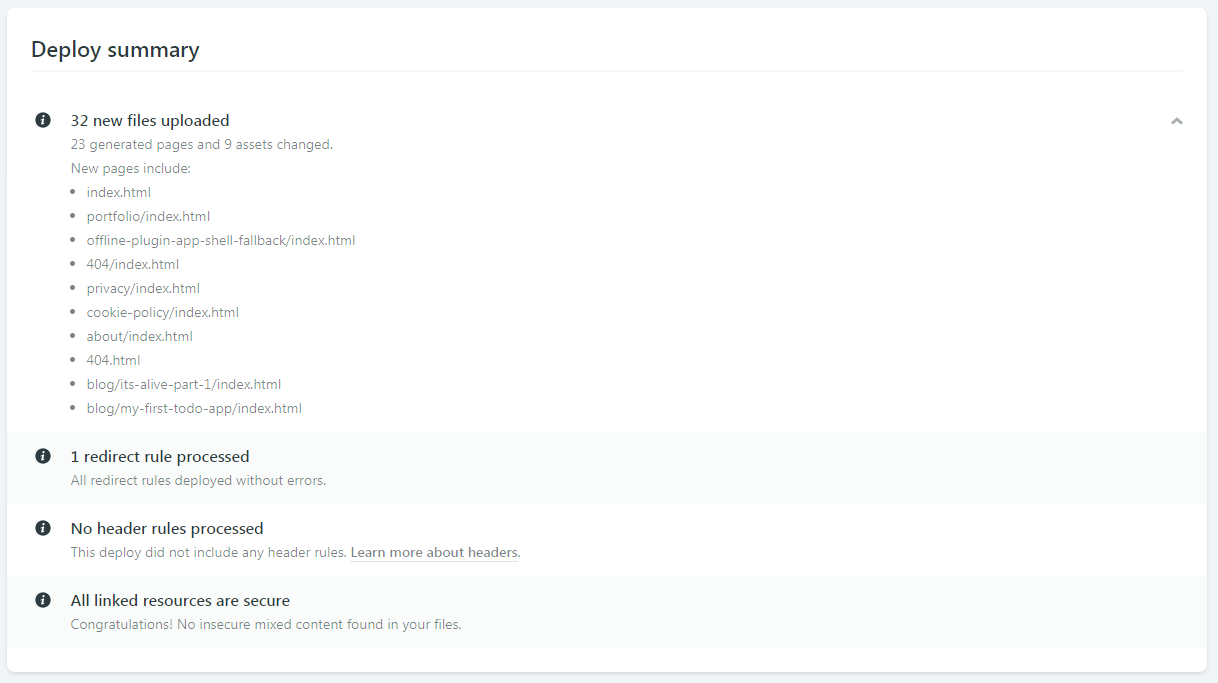 You also get a deploy summary to quickly see what files were uploaded during deployment.
After my site was deployed to the randomly generated URL Netlify gives you, I followed their instructions for adding a domain I had registered elsewhere. They make it so easy!
I assume the instructions will be different for different hosts, but basically, Netlify gave me some server addresses which I then had to go back to my domain registrar to enter them in. These addresses are referred to as nameservers, so look out for that word!
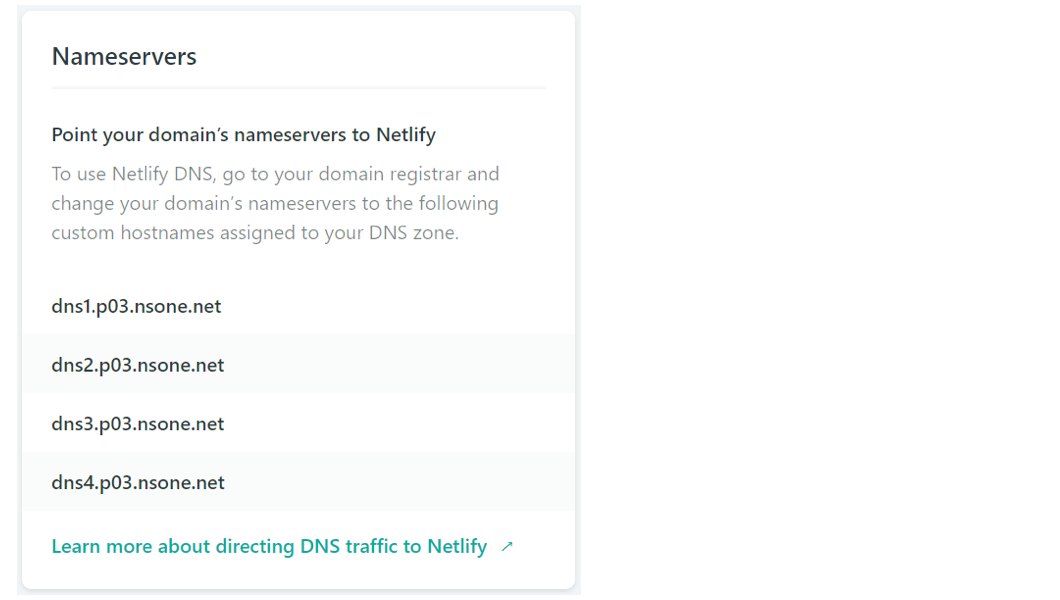 Netlify gives you your nameserver addresses and super easy to understand documentation to set them up with your domain registrar
Once I entered my Netlify nameservers into Google Domains, Google knew where to look to send people who type my domain name into their browser’s address bar. All I had to do after that was wait for some internet magics to happen in the background. That took around three hours for me but can take anywhere from 10 minutes to 24 hours from what I hear.
After that was done, I could type my shiny new domain name into the address bar and — just like that — I'm looking at my own site, hosted live on the internet!
Content Management Systems
The world of Content Management Systems (CMS) is vast, and confusing, but it can also be completely irrelevant to you if you want it to be. I felt so liberated when I realized you don't have to worry about it. It was one less thing in my list of things to do.
My Gatsby site posts and pages (my content) was just a directory of markdown files and my CMS was my text editor. Chris and Dave talked about the idea of this in a recent episode of ShopTalk Show.
 My website content is managed right in my text editor, VS Code.
Because I wanted to have a standard structure for different types of posts and pages, I eventually started using NetlifyCMS which is an open-source CMS which can be included in your site real fast. (Chris also did a video recently about NetlifyCMS for his confer-reference site... see what I did there?!) Now I can create blog posts and drafts from anywhere in the world, straight from my website, as long as I have an internet connection!
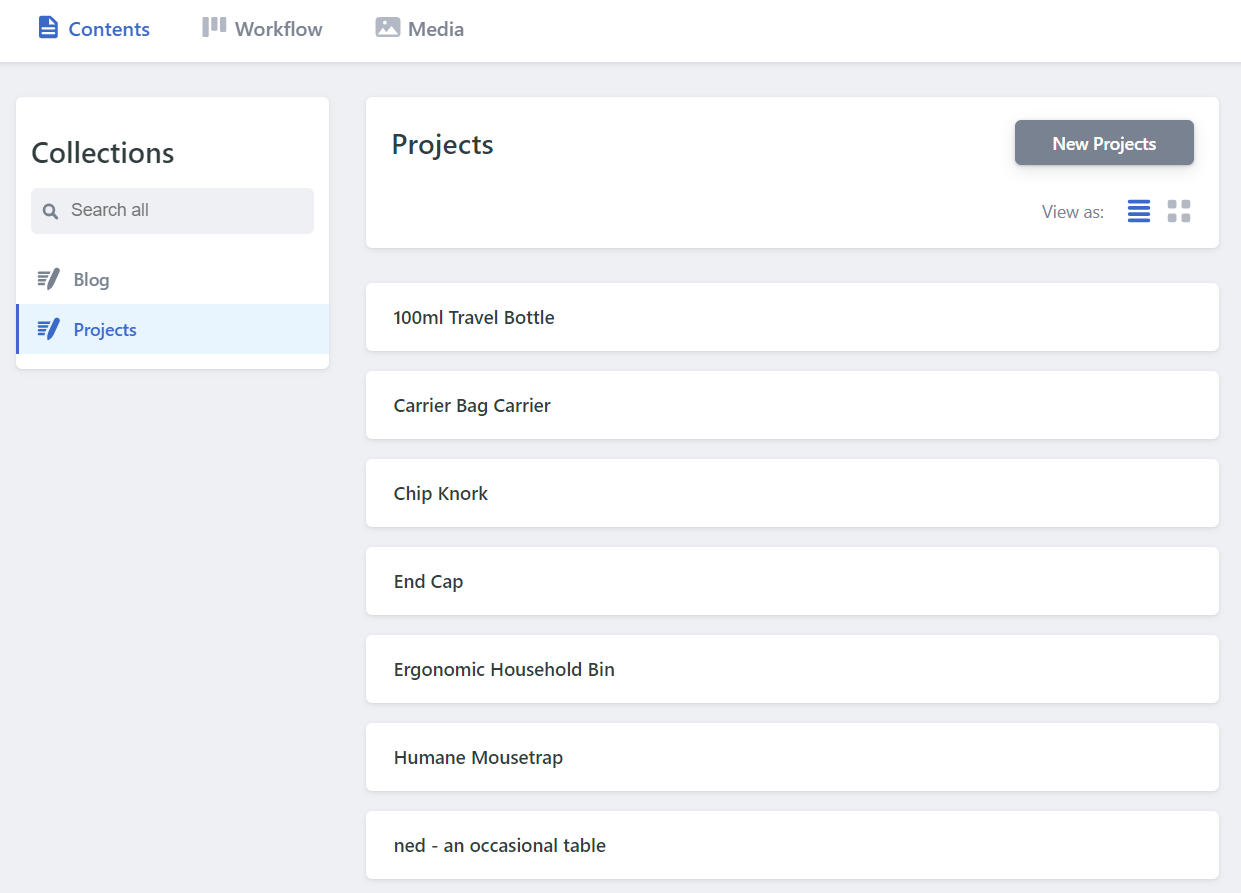 The same content managed through NetlifyCMS, which offers a great UI and GitHub integration Asset Hosting (CDNs)
A Content Delivery Network (CDN), as Chris explained in his article, is basically somewhere on the internet where you store the files you need for your website to run, HTML, CSS, images, etc. When your website needs them, it goes to the CDN and grabs the files for your site to use.
From what I've read, it's good practice to use a CDN, and because of the hosting decision I made, it's not something I have to worry about - it's included by Netlify as standard, for free!
Netlify has it's own CDN where all of the files for your website are stored. When someone goes to your website, Netlify goes to its CDN and grabs the files. It's amazingly quick, and makes your site feel so much smoother to navigate.
It's a long journey, but you can do it!
There was a point, before I set off on the journey of getting my website live, where I tried to convince myself that it's fine to just have local websites, as my career isn’t in web development. The reason for that was because the path felt like it would be difficult, long and expensive.
In fact, it was none of those things! You could get a website live on the internet for £0.99 (~$1.25 for you Americans) or less if you find a deal on a domain name. The domain name was my only expense because for the path I took for hosting, asset management and content management.
At a super basic level, the path looks like this..
Code > Buy Domain > Find/Buy Hosting > Update Nameservers > Upload Code > Live!
If you happen to use the same vendor to buy your domain name and your hosting, you can skip the nameserver step. (Netlify sells domains too!)
It's definitely possible for anyone to get their website live on the internet. There's a process that you need to follow, but if you take your time, it can be relatively straightforward. It's a really wonderful feeling, getting a thing you built in front of people, and it's honestly something that I thought I'd never be able to do. But it's certainly within everyone's reach!
Something I've come to really admire over this process (and thousands of Google searches) is the willingness of everyone in the web community to collaborate and help, accepting me and my questions as I tried to learn what I was doing. It's something that I wish was more common in my own industry.
I'd love to hear other people's experiences getting their first website live. What were your pitfalls and triumphs? Was it as scary as it first seemed?
The post A Beginner’s Journey to Launching a Website appeared first on CSS-Tricks.
Read more: css-tricks.com
SiteGround is one of the most popular web hosting services available on the market today. It’s a safe and reliable way to host your website in 2019.
More than 2 million active domains are hosted with SiteGround.
One of the reasons why this service is so popular is because they offer hosting options and plans suitable for a wide range of websites and businesses. Small personal websites, business websites, and large ecommerce sites alike can all use SiteGround.
For those of you who are looking to find a hosting provider for your new website, SiteGround is definitely a top option for you to consider.
It’s also a great choice for anyone who wants to switch hosting providers for their existing website since SiteGround has plans with a free site transfer. But we’ll talk about this in greater detail as we continue.
I’ll give you a better understanding of the plans, types of hosting, and top benefits offered by SiteGround. You can use this guide to make an informed decision to determine if SiteGround is the best web hosting plan for your needs.
SiteGround Web Hosting Plans
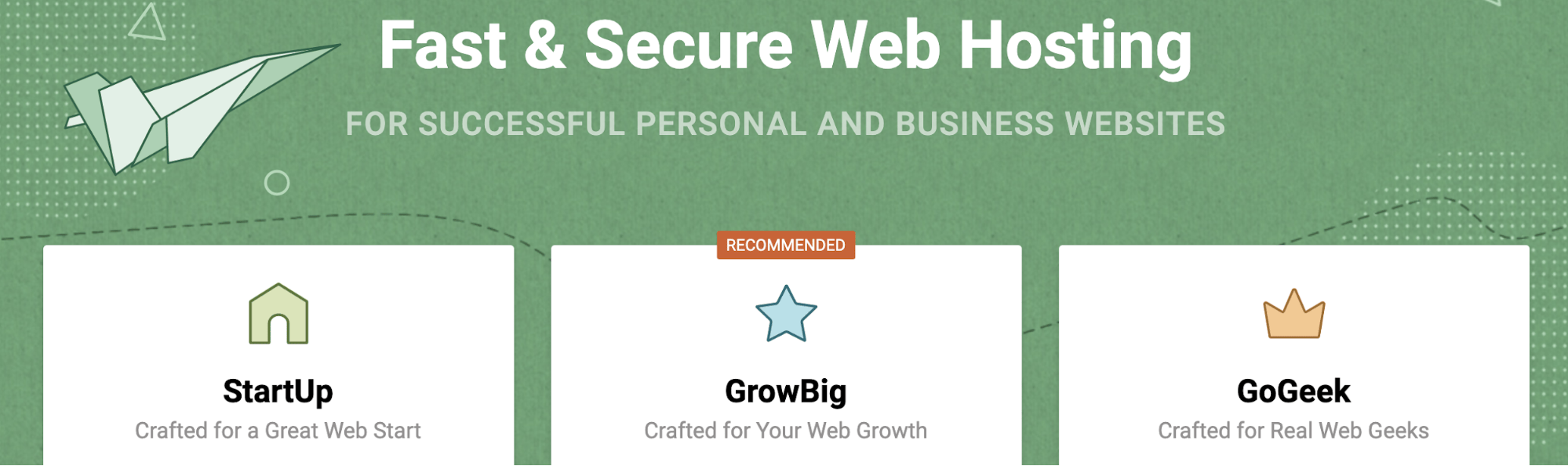
Like most web hosting services, SiteGround offers different plans for websites with varying needs. In this case, there are three tiers for most of their hosting types.
With the exception of cloud hosting and dedicated server hosting, the prices of these three plans will remain the same across the board for shared hosting, WordPress hosting, and Woocommerce hosting. We’ll dive deeper into those plans later in this guide.
For now, I’ll focus on the pricing and features of the three most popular plan options offered by SiteGround.
StartUp
As the name implies, the SiteGround StartUp plan is ideal for new websites. With rates starting at $3.95 per month, this plan is suitable for websites with less than 10,000 monthly visits.
You can only host one website with the StartUp plan, and it comes with 10 GB of web space. Other top features include:
Free site builder Free SSL and HTTPS Free email accounts Free CloudFlare CDN
It’s a basic plan, but definitely appropriate for new websites that are starting from scratch. For those of you who want more features and better performance, you’ll need to upgrade. You’ll also outgrow the StartUp plan as your traffic increases (which is a good thing).
GrowBig
The GrowBig plan starts at $5.95 per month. This is ideal for medium-sized websites averaging up to 25,000 monthly visits. GrowBig has 20 GB of web space and can host an unlimited number of sites.
Unlike the StartUp plan, GrowBig has enhanced caching ability. The SiteGround Supercacher has three levels.
Level 1 — Static content caching Level 2 — Dynamic data caching Level 3 — Database queries caching
StartUp only caches at the first level, but GrowBig caches on all three levels.
If you sign up for the middle-tier plan offered by SiteGround, you’ll also get free on-demand backups, a free site transfer, as well as a staging feature for WordPress and Joomla sites. I’d say that the GrowBig plan will be suitable for most of you who are reading this guide.
GoGeek
GoGeek can accommodate up to 100,000 monthly visits and has 30 GB of web space. Obviously, this plan is made for bigger websites with high volumes of traffic.
Rates for GoGeek start at $11.95 per month, but the plan comes with all of the bells and whistles. In addition to everything that’s available in the GrowBig plan, GoGeek offers:
Advanced priority support (expedited customer service to the most experienced agents) PCI compliant servers (necessary for those of you who process payments online) Git pre-installed (for creating repositories on your site)
The name for this plan was inspired by technology geeks. So it’s made for those of you who want more control of your site. If you don’t understand some of the tech lingo that’s being mentioned in the GoGeek plan, it’s probably not for you. The only other reason why you’d need to upgrade to GoGeek is if you’re getting tons of monthly site traffic.
WordPress hosting
SiteGround offers hosting options specifically designed for WordPress users. This will save you time since you won’t need to manually download, install, and configure WordPress.
With SiteGround, you can take advantage of their automated process that’s as simple as clicking a button. This plan also makes it easier for you to customize your WordPress site by choosing a theme, picking your site functionalities, and installing marketing tools.

The WordPress Starter Kit from SiteGround is a great added feature for new WordPress sites. You don’t need any technical knowledge or experience to set this up.
If you have an existing WordPress site, SiteGround offers a free WordPress transfer. The SiteGround Migrator plugin takes care of everything for you. This is a secure way to transfer your site.
Alternatively, if you have a GrowBig or GoGeek plan, you can get your WordPress site migrated by one of the experts at SiteGround. This is a free service for one website before rates start at $30 per site.
WooCommerce hosting
SiteGround also has hosting options for ecommerce shops using WooCommerce.
The quick install and integration with WooCommerce is an easy way for you to create a professional theme for your online store. You can get the site up and running in minutes.
Just migrate your WooCommerce site using the migrator plugin. Just like WordPress hosting, WooCommerce migrations done by a SiteGround expert is free for one website if you’re on the GrowBig or GoGeek plan. Then you’ll have to pay $30 per each additional site.
If you have WooCommerce, you’re going to need to the GoGeek plan anyways, since that comes standard with PCI compliant servers.
Cloud hosting
Cloud hosting is a new way to host websites. The process uses multiple remote servers and is a great option for those of you who have websites that have outgrown the shared hosting plans.
With cloud hosting, SiteGround gives you guaranteed resources to meet your needs. Your own RAM and CPU won’t be shared with any other websites.
It’s also easy for you to scale your website with this type of web hosting.
You can upgrade your RAM, CPU, and disk space on-demand at any time. You don’t need to get approval to do this, and it happens without any website downtime.
Rather than always doing this manually, you can set up automatic scaling with SiteGround. It will adjust your CPU and RAM to meet the needs of unexpected traffic surges, but you still have control of all the parameters.
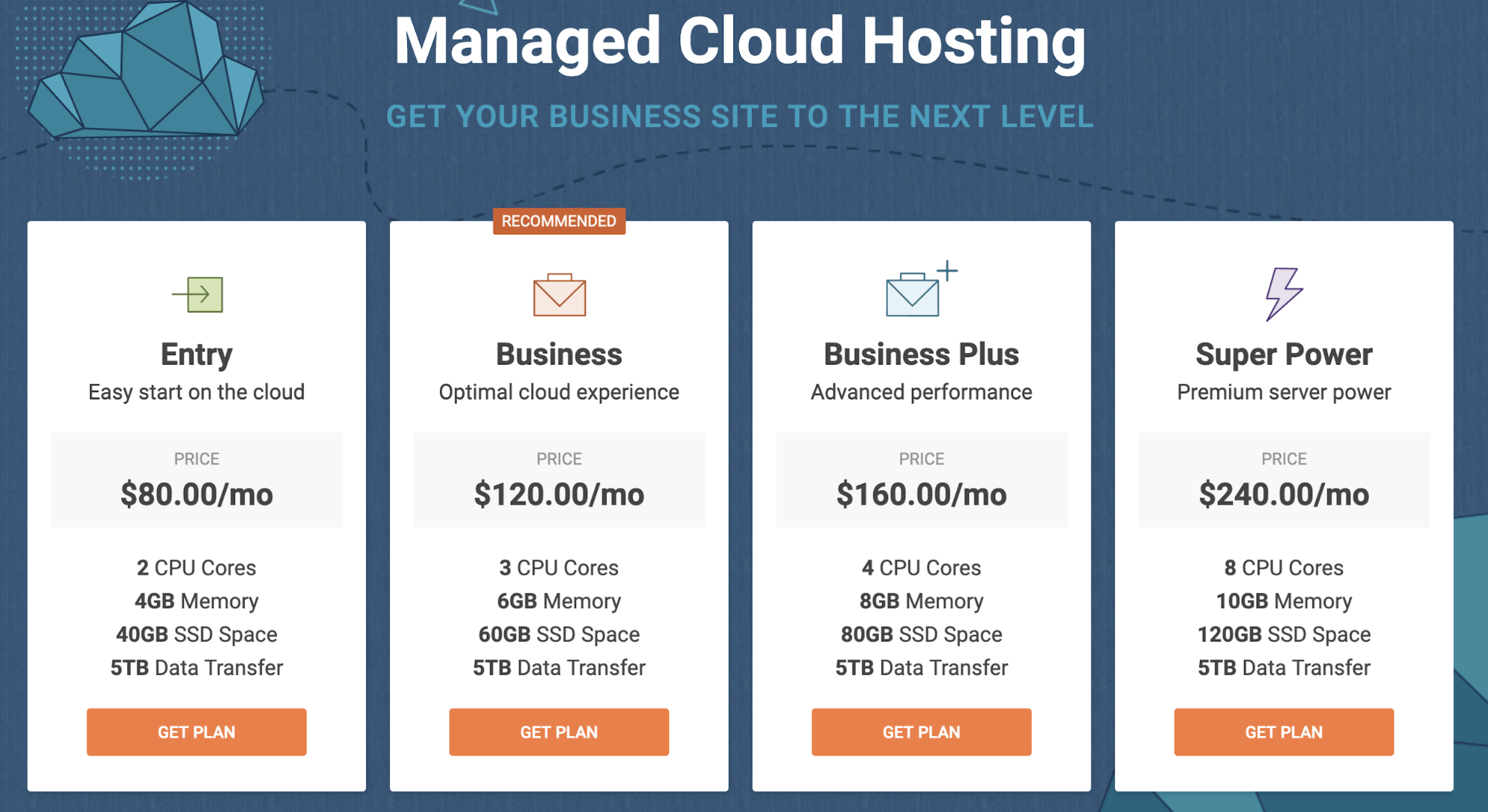
There are four plans for SiteGround Cloud hosting. As you can see from the image above, the plans range from $80 to $240 per month. So there’s definitely plenty of options to choose from.
I’d say that the business plan will likely be a suitable choice for most of you who are using a cloud hosting service for the first time.
Dedicated servers
For those of you who don’t want to use cloud hosting or shared hosting, SiteGround offers dedicated server options as well.
This is perfect if you don’t want any restrictions in terms of the software you use on your website. You’ll also be able to make changes directly to your server if you go with this route.
All servers are managed by the experts at SiteGround. They also offer software designed to boost the performance of your server and provide added functionality.
You can also choose the location of your data center.
United States Europe Asia-Pacific
There are three dedicated server plans offered by SiteGround:
Entry Server Power Server Super Power Server
These plans start at $269 per month, $349 per month, and $729 per month, respectively.
Benefits of SiteGround for web hosting
There is plenty of upside to using SiteGround as a web hosting service. I just want to quickly highlight and explain why this platform stands out from its competitors.
High uptimes
When it comes to measuring how good a web host is, uptime is the ultimate metric. By definition, this is the amount of time that a server stays up and running.
A recent study shows that SiteGround has exceptionally high uptimes, on average, over a twelve-month stretch.
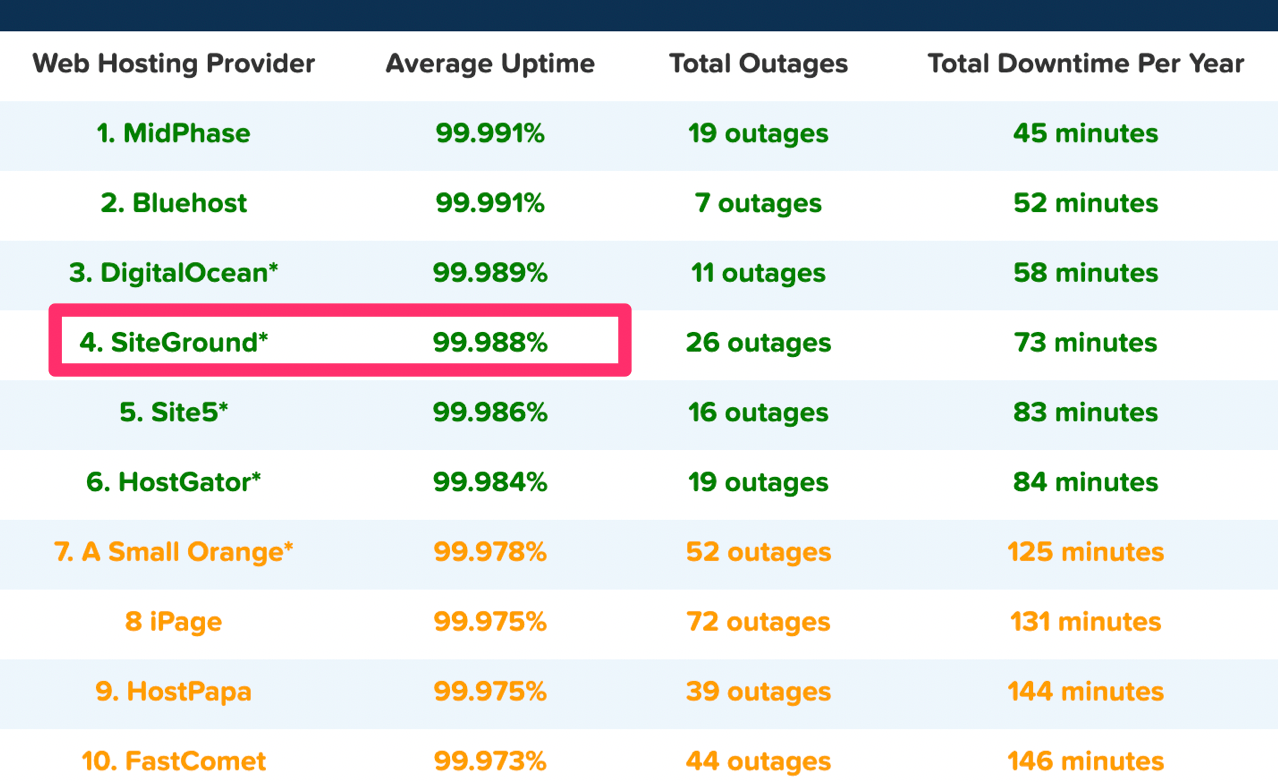
In 2018, SiteGround ranked fourth compared to other web hosts judging by average uptime. As you can see, they were just barely beat out for the third place spot by a one-thousandth percentage point.
Overall, the average uptime for the 32 shared web hosting services in the study was 99.59%. SiteGround was significantly higher than the average and near the top of the list.
High uptimes ensure that your site will nearly always be up and running around the clock.
Fast load times
Just because your site is up, it doesn’t always mean that it will be fast. But take a look at the response time for this SiteGround test website that was set up by Hosting Facts.
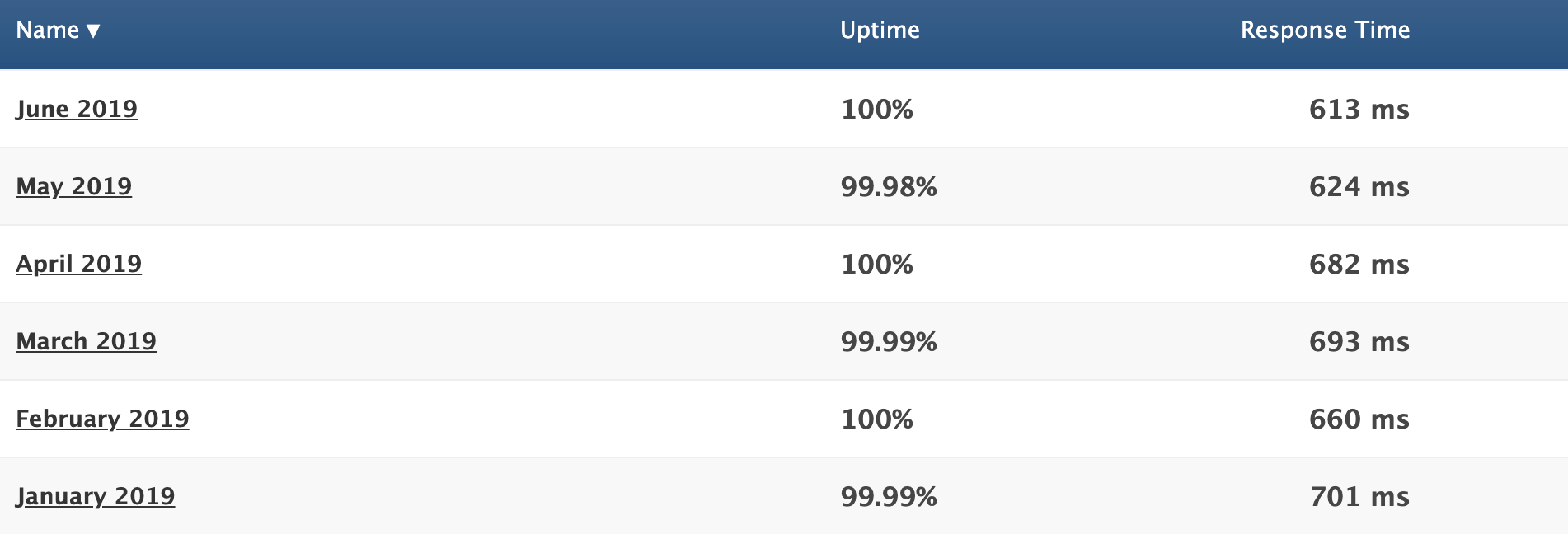
We already talked about the great uptime, but now you can refer to the response time column.
The average response time for the first six months of 2019 was 662 ms. That’s phenomenal. In addition to using a good web host, you should also know the other top principles that boost website loading times.
Great customer support
Hopefully, you don’t have any issues with SiteGround. But in the event that you run into a problem, have a question, or need some assistance, it’s nice to know that they provide excellent customer support.
You can access phone support as well as live chat 24/7. As I mentioned earlier, you’ll have priority support if you have a GoGeek plan. This means that you’ll be connected with the most experienced SiteGround technicians whenever you need help.
Free features
Web hosting services will always try to hit you with add-ons at an upcharge. But SiteGround throws in some great features at no extra charge.
Your membership comes with one free site migration. This can be done with their migrator plugin, which we talked about earlier. If you have the GrowBig or GoGeek plan, a SiteGround professional will do the migration for you.
SiteGround plans also come with a free CDN and free SSL certificate.
Cloudflare CDN keeps images, videos, and other large files off of your server. As a result, your server is always fast. Since SiteGround users servers all over the globe, the CDN makes sure that files are stored closer to website visitors for fast delivery.
The SSL certificate is required for all websites. It protects private information being transmitted between devices and websites. SiteGround throwing this in for free is a nice touch since you’d need to get one regardless.
Flexible
Nearly any website can be hosted on SiteGround.
It’s a great web hosting service for beginners and experienced users alike. You don’t need to be too tech-savvy to understand how the platform works and get your site hosted. But on the other hand, if you like to be more hands-on with the server and take advantage of certain features, SiteGround has plans with you in mind.
There are also enough options on SiteGround to accommodate different web hosting needs, such as shared hosting, dedicated server hosting, and cloud hosting.
They have plans suitable for a wide range of average site traffic as well. So as your website scales, you can always upgrade to a plan that will meet your needs.
Money back guarantee
SiteGround offers a 30-day money back guarantee for their shared hosting plans. This shows that they stand behind the services that are offered.
Dedicated servers and cloud hosting plans have a 14-day money back guarantee, which is still enough time to tell if you’re happy with your service.
SiteGround will also refund you if they fail to meet a 99.9% uptime rate. This is clearly written in their terms of service.
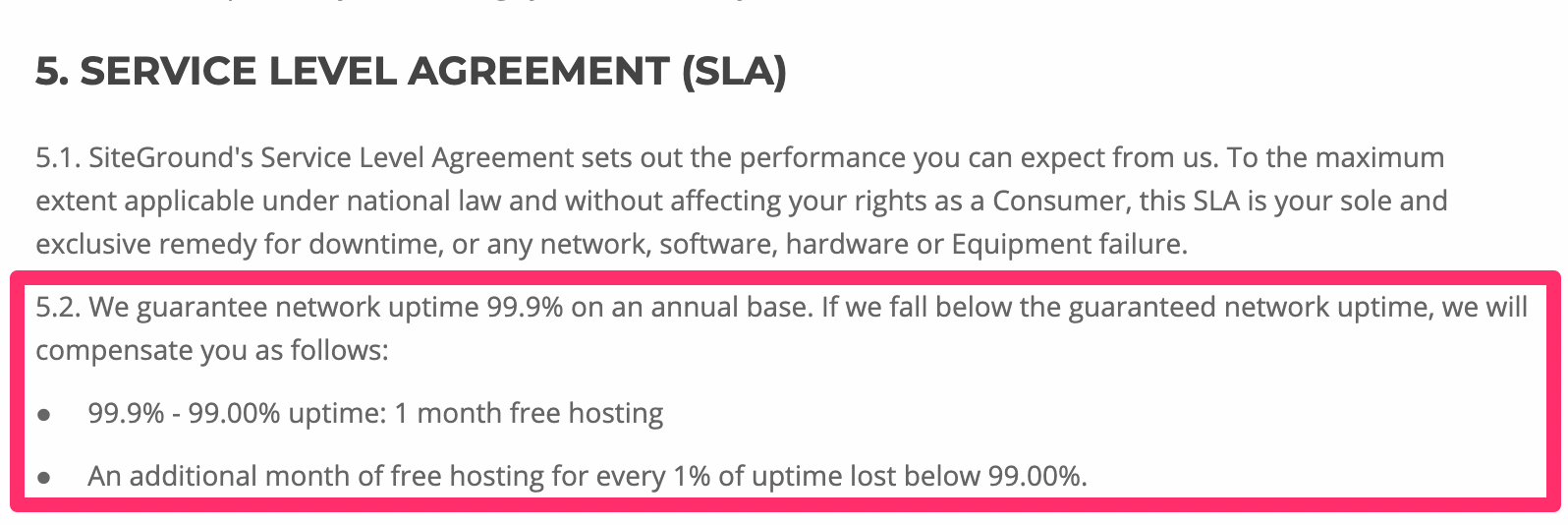
This relates back to what we talked about earlier, in terms of their high uptime rates. There’s a reason why it’s so high—SiteGround has a promise to stand behind.
Other considerations
There’s no such thing as a perfect web hosting service. While SiteGround is great, there are a few downsides that you should be made aware of before you proceed.
Setup fee
SiteGround charges a one-time setup fee for $14.95 with all of their plans. It’s not a deal breaker by any stretch, but it means you can’t just sign up for their lowest plan and be out the door for $3.95.
Renewal rates
At first glance, SiteGround’s pricing is very attractive. But those are only promotional rates.
When you renew, your rates will jump as follows:
$3.95 to $11.95 per month $5.95 to $19.95 per month $11.95 to $34.95 per month
The cost essentially triples across the board. So I’d recommend locking in the longest contract possible when you first sign up, which is 36 months. This will guarantee you a low rate for a while before you’re forced to renew.
Limited budget plan
For those of looking for the best cheap web hosting service, SiteGround’s StartUp plan for $3.95 per month is definitely attention-grabbing.
It’s a great choice for those of you with smaller websites, but it’s fairly limited for anyone who plans on getting more than 10,000 visitors per month. You may have to upgrade faster than you anticipated if you start with their lowest priced web hosting plan.
No free domains
While SiteGround throws in a fair amount of free features, a free domain isn’t on the list.
That’s a bit surprising, considering that this tends to be the standard with other reputable web hosting services. At the very least, the cost of the domain is covered for the first year. But again, SiteGround doesn’t offer that.
Conclusion
I’ll get straight to the point—I would definitely recommend SiteGround for web hosting.
This platform offers a wide range of hosting types and plans to accommodate the needs of nearly any website, large or small. SiteGround stacks up well compared to its competitors in terms of features and performance.
While the hosting service it’s perfect, it still gets the nod from us here at Quick Sprout. I’m confident that it will fulfill your web hosting needs.
Read more: quicksprout.com
As a content management system, WordPress offers one of the easiest and quickest ways to set up your own blog or website. With a few clicks of the mouse, you can select from one of hundreds of templates, as well as create interactive content such as contact forms.
The usefulness of WordPress has not been lost on website hosting providers. In this guide, you’ll discover some of the very best vendors on the market today who offer managed WordPress hosting.
This is a great way to avoid the time and trouble of hosting your content from scratch as managed WordPress hosting providers take the trouble of creating and maintaining your website away from you.
The best Managed WordPress hosting provider of 2019
WP Engine might be a slightly more onerous proposition for the casual user, but a more demanding audience will love WP Engine's speed, power and high-end premium features as well as the profusion of high quality WordPress themes it can provide through StudioPress
We've also highlighted the best WordPress hosting
WP Engine
WP Engine is the leading WordPress digital platform. It hosts excellent uptime, WordPress specific security and unlimited monthly transfers.
WP Engine includes many great tools needed for web hosting. These range from automated backups to 24/7 support (phone support on Growth and Scale packages).
You can use WP Engine’s ‘actionable intelligence’ to gain insight into the performance of your pages, content and applications.
WP Engine has four different price plans. All include free migration and free page performance. If you pay for a year’s subscription upfront, you get three months free.
Prices start off at $35 per month which include a 60-day risk free guarantee. WP Engine also have a ‘Custom’ tier for larger businesses who want a plan more tailored for their individual needs.
Some users have asked for a mid-range pricing option between the $35 and $115 tiers with the most expensive tier, Scale, costing $290 per month and offering support for up to 15 sites. At the moment, if you choose monthly billing, there is a 10% discount on all plans for your first payment.
You can sign up for WP Engine here
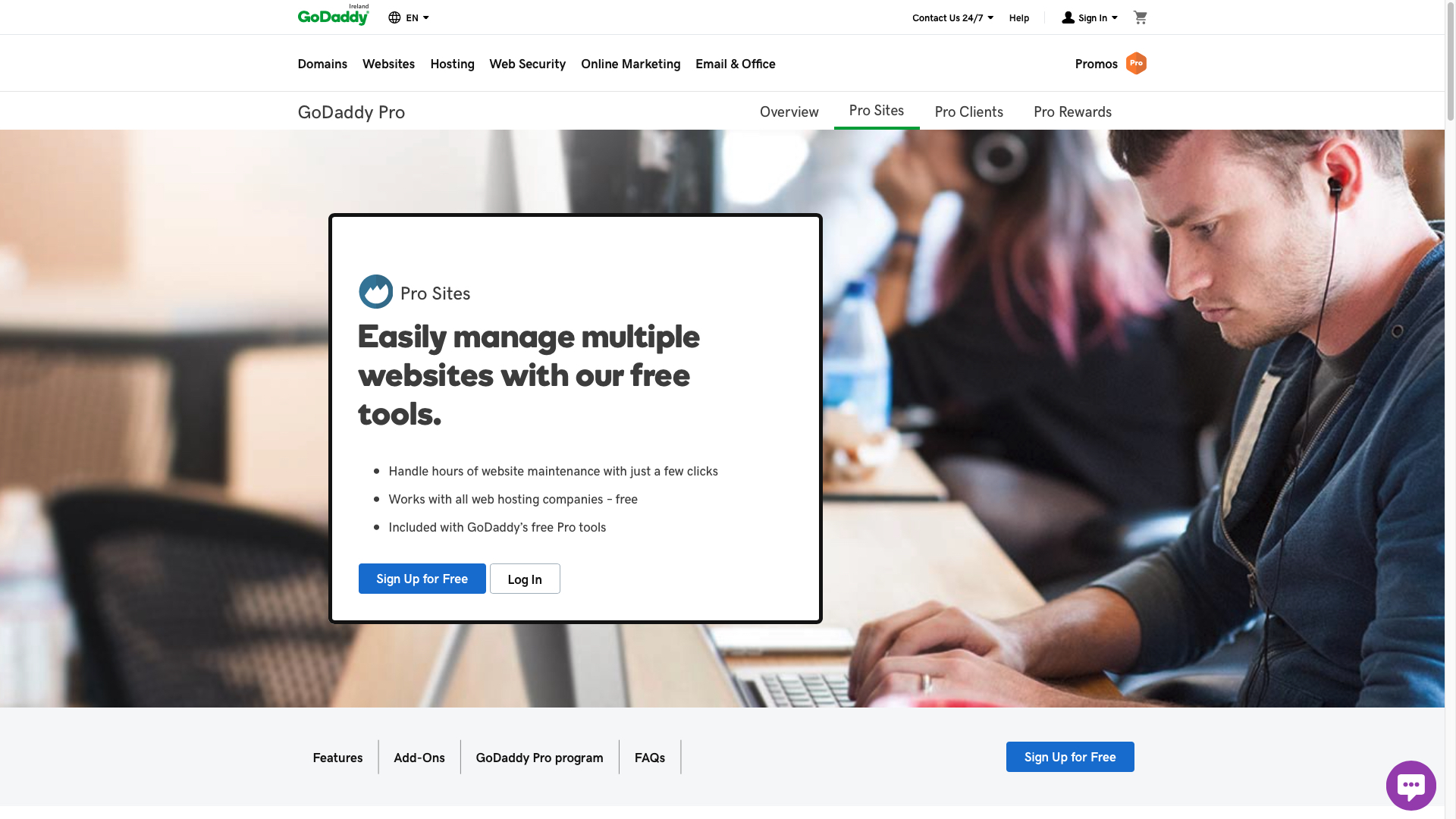
GoDaddy Pro
GoDaddy Pro is part of GoDaddy Inc, founded in 1997. It offers users a more robust, wider range of tools for developers and businesses. While it doesn't mention WordPress in the opening few introductory phrases, GDP is actually wholly focused on WordPress installs.
GoDaddy Pro offers client management tools and advanced support. This solution allows developers to add multiple clients and manages their accounts from one single dashboard.
GoDaddy gives users access to a management dashboard. From here all products and clients can be viewed. The dashboard can alert the user via SMS and email to any issues the client may have.
As GoDaddy Pro has been designed to make developer’s lives easier, the platform is user-friendly and everything is at your fingertips via the dashboard.
Access to the dashboard is free and includes reporting and basic maintenance for as many WordPress sites as needed. Paid services include cloud backups, migration, uptime monitoring and automated security checks. These can be purchased as add-ons to your free plan.
Users have noted that bandwidth monitoring is not included.
You can sign up for GoDaddy Pro here

Bluehost
Bluehost is a web hosting company owned by Endurance International Group. It was founded in 2003. It’s part of a web hosting family that includes HostMonster, FastDomain and iPage.
Bluehost tries to make the daunting task of starting a new web site easy. It offers plenty of options to those new to web hosting while still offering tools for the more experienced user.
All new subscribers can set up a WordPress site with a single click of their mouse. Also, newbies can rely on Blue Spark, a specialized service that helps new users with everything WordPress related.
Bluehost are currently offering all their WordPress plans at a reduced rate. Prices start at $2.95 (£2.2) a month for a single WordPress site complete with 50GB of website space. The ‘Plus’ and ‘Premium’ packages are on offer for $5.45 (£4.10) per month. These both include unlimited WordPress sites and unlimited website space. The ‘Premium’ package includes domain privacy and SiteBackup Pro. Furthermore, WP Pro plans are available, which bring additional improvements and features with prices starting at $19.95.
More inexperienced users have reported that the dashboard can be difficult to navigate if you do not know all the terminology.
You can sign up for Bluehost here
WordPress VIP
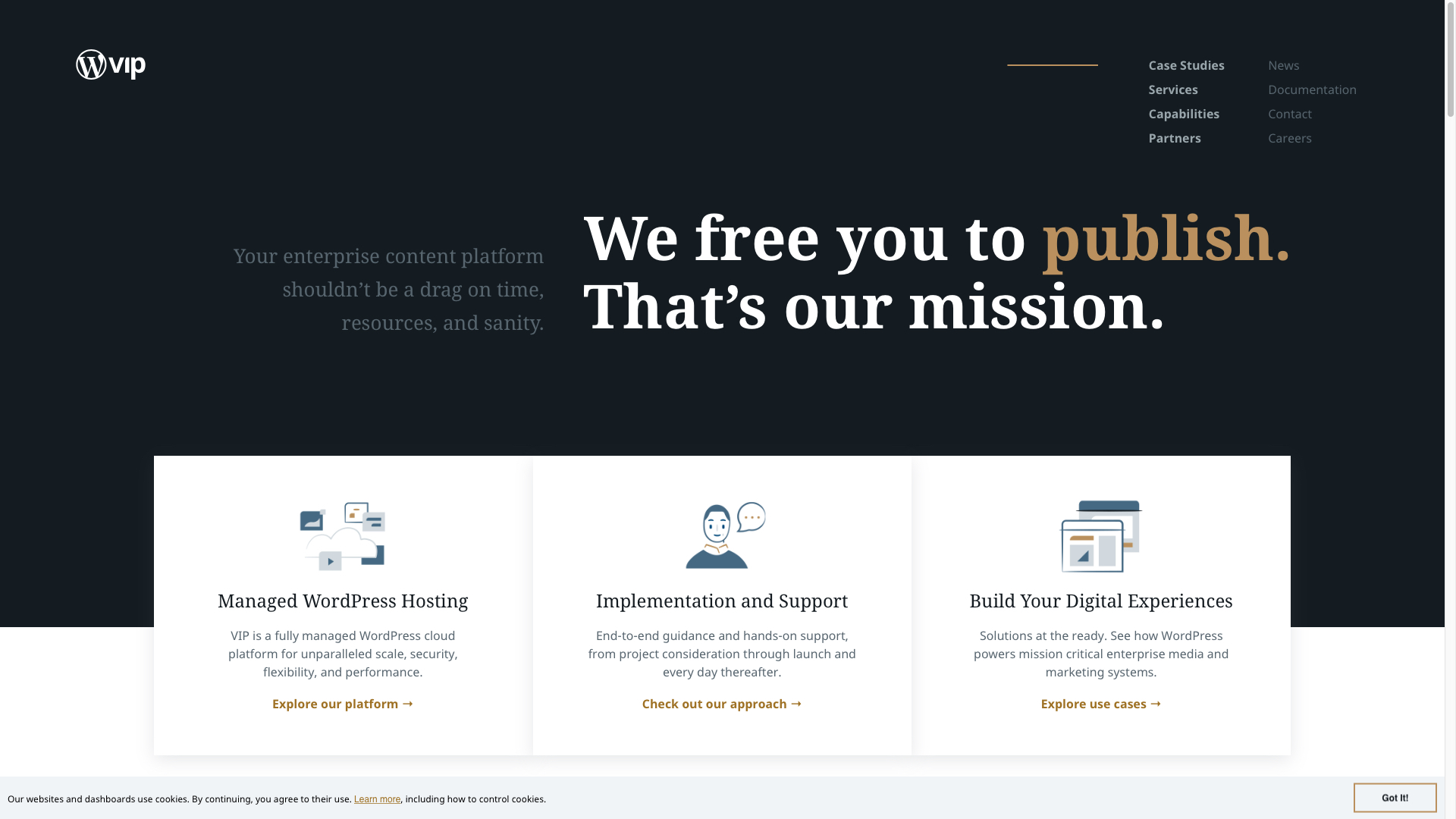
WordPress VIP is a fully managed cloud platform. Users of VIP have access to expert guidance, code review and around the clock support.
Users get their own Git repository and ZenDesk account. Once your code is ready, you send it to the VIP team. Experts at VIP go through each line of code in your repository. This can take 4-6 weeks. If any issues are found, they’re raised on GitHub. Once these have been removed the code is transferred to your project and you are online. VIP adhere to strict coding standards.
One of the main attractions of VIP, is their ‘always on’ support. VIP engineers watch for any issues that may arise and fix them proactively on behalf of the client. Once rectified, a report will be sent to you explaining what occurred.
Users will need to contact VIP directly in order to get a quote.
Some users have reported delays with setting up and building sites.
You can sign up for WordPress VIP here
SiteGround
SiteGround was founded in 2004. It provides shared hosting, cloud hosting and dedicated servers.
SiteGround lets you choose from one of their four data centers on which to host your website. These are based in the US, Amsterdam, Singapore and the UK.
SiteGround offers users CloudFlare CDN, free SSL certificates and daily backups of their website’s data. All of their shared hosting plans include managed WordPress.
The platform’s customer support includes live chat as well as a phone in option. All support services are available 24/7.
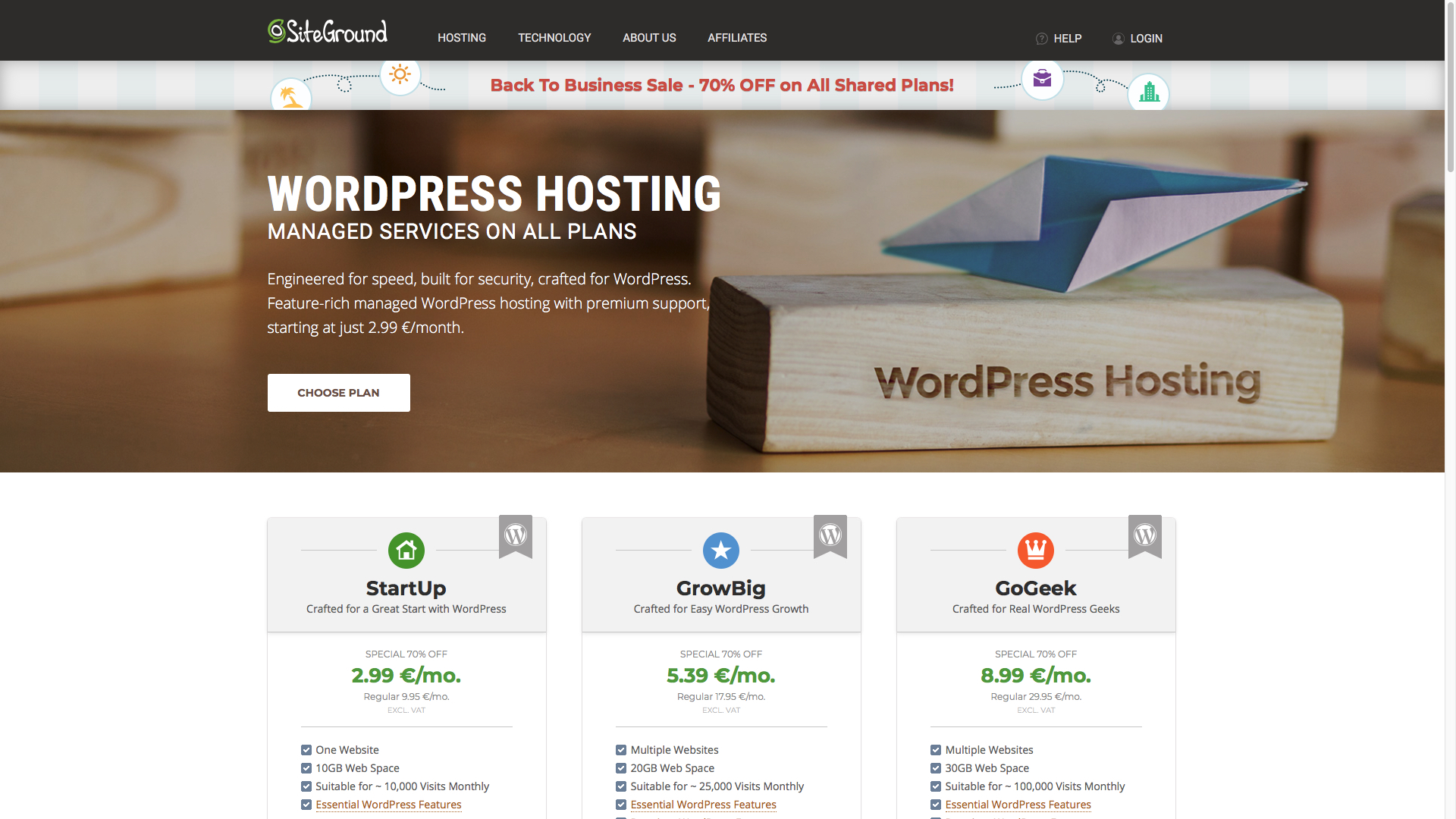
The ‘StartUp’ plan begins at $11.95 (£9.28) per month ($3.95 for initial payment) which includes one website, 10GB web space and is suitable for 10,000 visits monthly. The ‘GrowBig’ plan for $19.95 (£15.47) monthly ($5.95 for initial payment) allows for multiple websites, 20GB of web space and is suitable for 25,000 visits. SiteGround’s ‘GoGeek’ plan starts at $34.95 (£27.08) per month ($11.95 for initial payment) which includes 30GB of web space and is suitable for 100,000 visits monthly. SiteGround do not offer a free trial but do have a 30-day money back guarantee.
Some users reported issues with being automatically logged out when signing in on multiple devices.
You can sign up for SiteGround here
DreamHost
DreamHost is owned by New Dream Network, LLC which was founded in 1996. It’s both a web hosting provider and a domain name registrar.
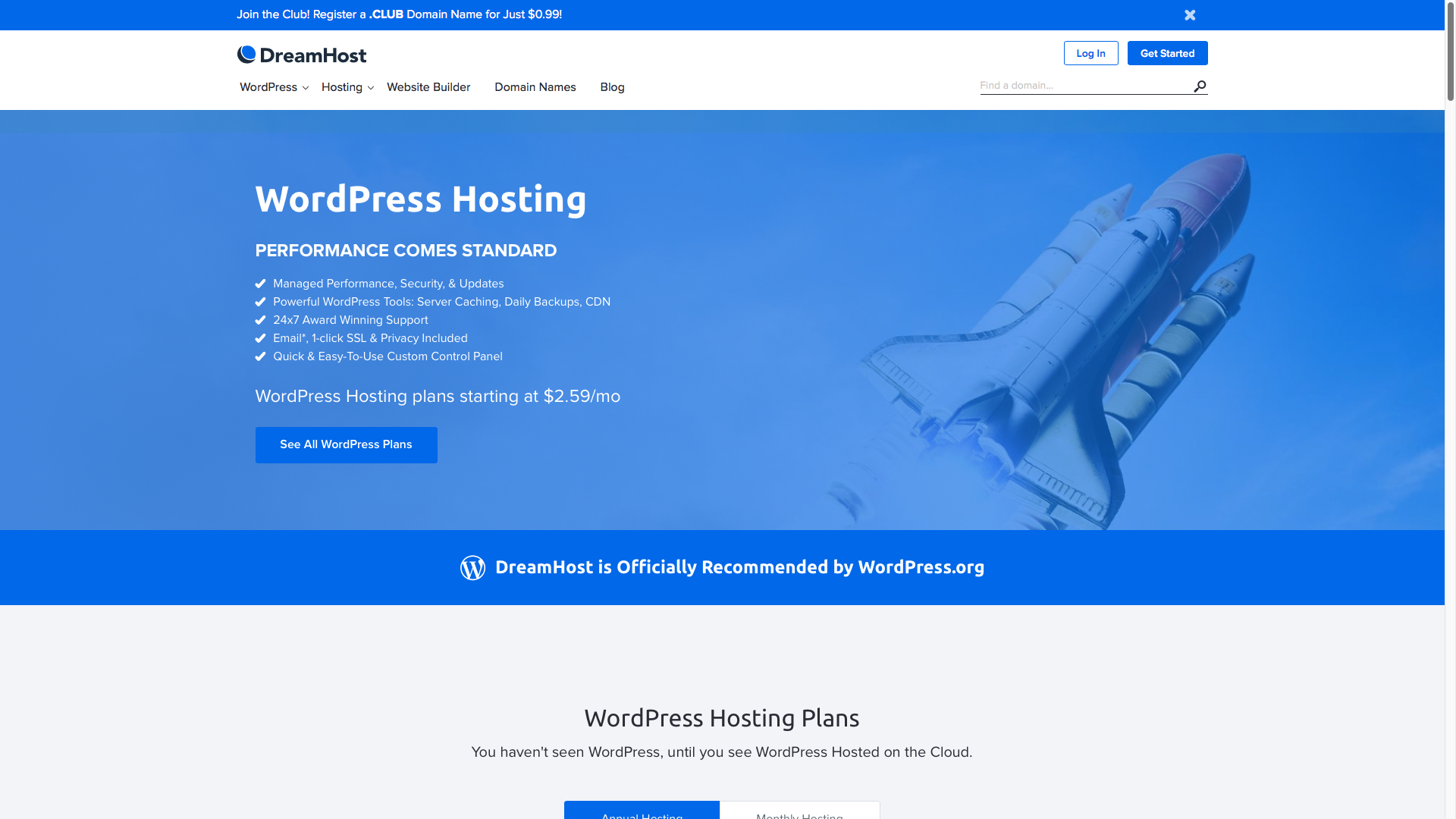
DreamHost’s ‘Shared Starter’ plan starts at $2.59 (£2) per month. This includes a shared hosting server, 1 WordPress website, unlimited traffic, 1-click SSL certificate, fast SSD storage, 24/7 support and an upgrade to add email.
The ‘DreamPress’ package starts at $16.95 (£12.8). This includes all of what the ‘Shared Starter’ plan has to offer along with 30GB SSD storage, JetPack free preinstalled, daily backups and a few other things.
All of DreamHost’s hosting solutions are a fully managed service.
Inexperienced users have reported issues with getting started.
You can sign up for DreamHost here
InMotion
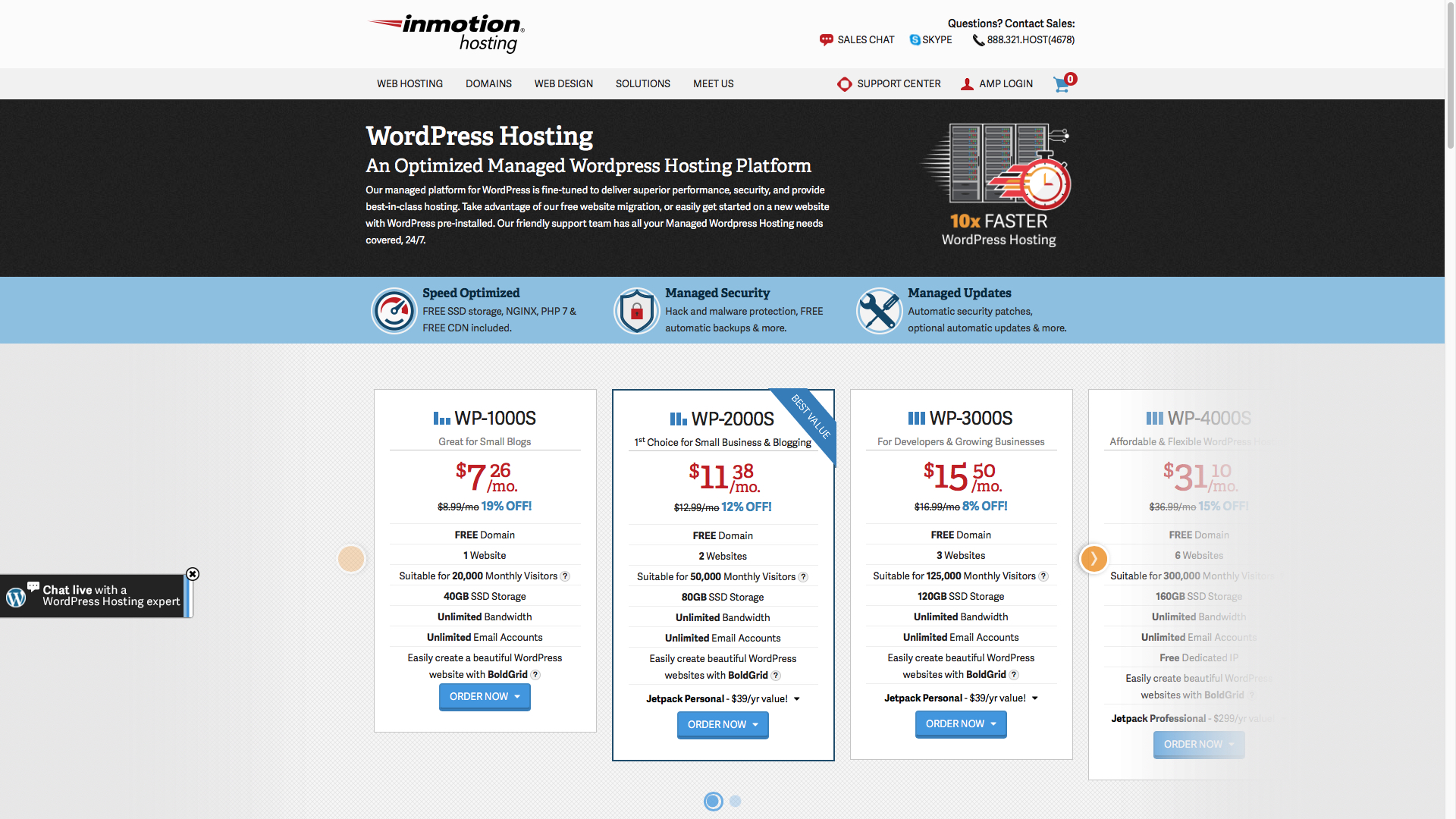
InMotion Hosting is an employee-owned and -operated domain name and web hosting company founded in 2001.
InMotion offers dedicated, shared, virtual private server and WordPress hosting along with several Ecommerce tools.
Their WordPress hosting plans start off at $4.99 (£3.8) per month (for initial payment) and include one website, 40GB SSD storage and is suitable for 20,000 visitors a month. InMotion have six price plans available and all of them offer unlimited data transfers.
Besides having numerous price plans for each of their hosting options, InMotion have numerous free add-ons, free ecommerce tools and unlimited emails. While they do not have a free trial, they do include a 90-day money back guarantee.
Some users have complained that InMotion is not as competitively priced as other hosting providers.
You can sign up for InMotion here
HostGator
HostGator was founded in 2002. It provides shared, reseller, VPS and dedicated web hosting.
HostGator’s Website Builder comes with a handy drag and drop feature. The builder includes a wide range of themes. Some of the features are pre-built to help make the process easier and faster.
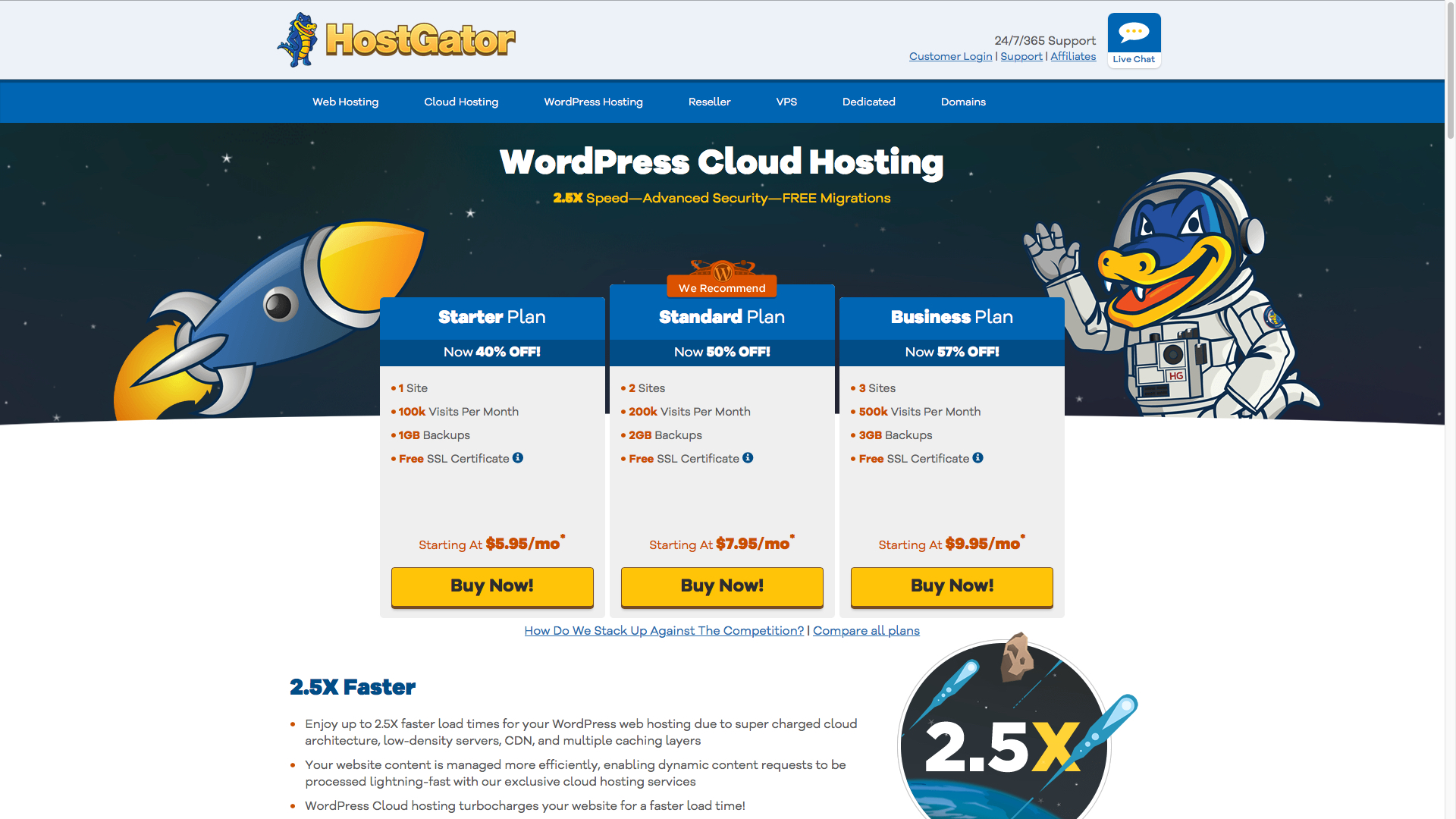
HostGator claim that load times for WordPress sites are up to 2.5 times faster than other providers due to their superior server architecture.
The utility offers a WordPress Cloud Interface where you can manage backups, access all your email accounts and other hosting options. You can also allocate server bandwidth from here.
HostGator offer three WordPress cloud hosting plans. The ‘Starter’ plan is currently $5.95 (£4.64) per month for 1 site, 100,000 visits per month, 1GB free backups and a free SSL certificate. The ‘Standard’ plan is on offer at $7.95 (£6.19) per month for 2 sites, 200,000 visits per month, 2GB backups and a free SSL certificate.
HostGator’s ‘Business’ plan is also on offer at $9.95 (£7.73) per month. This includes 3 sites, 500,000 visits, 3GB backups and a free SSL certificate.
According to online commentators, the purchase price for additional domains can be quite steep.
You can sign up for HostGator here
1&1 IONOS
1&1 (called 1&1 IONOS since October 2018) is owned by German company, United Internet. It was founded in 1988. It offers domain registration, cloud servers, virtual private servers and dedicated servers.
1&1 boasts excellent customer support and easy to use web creation tools. More inexperienced users might find this provider more suitable to their needs.
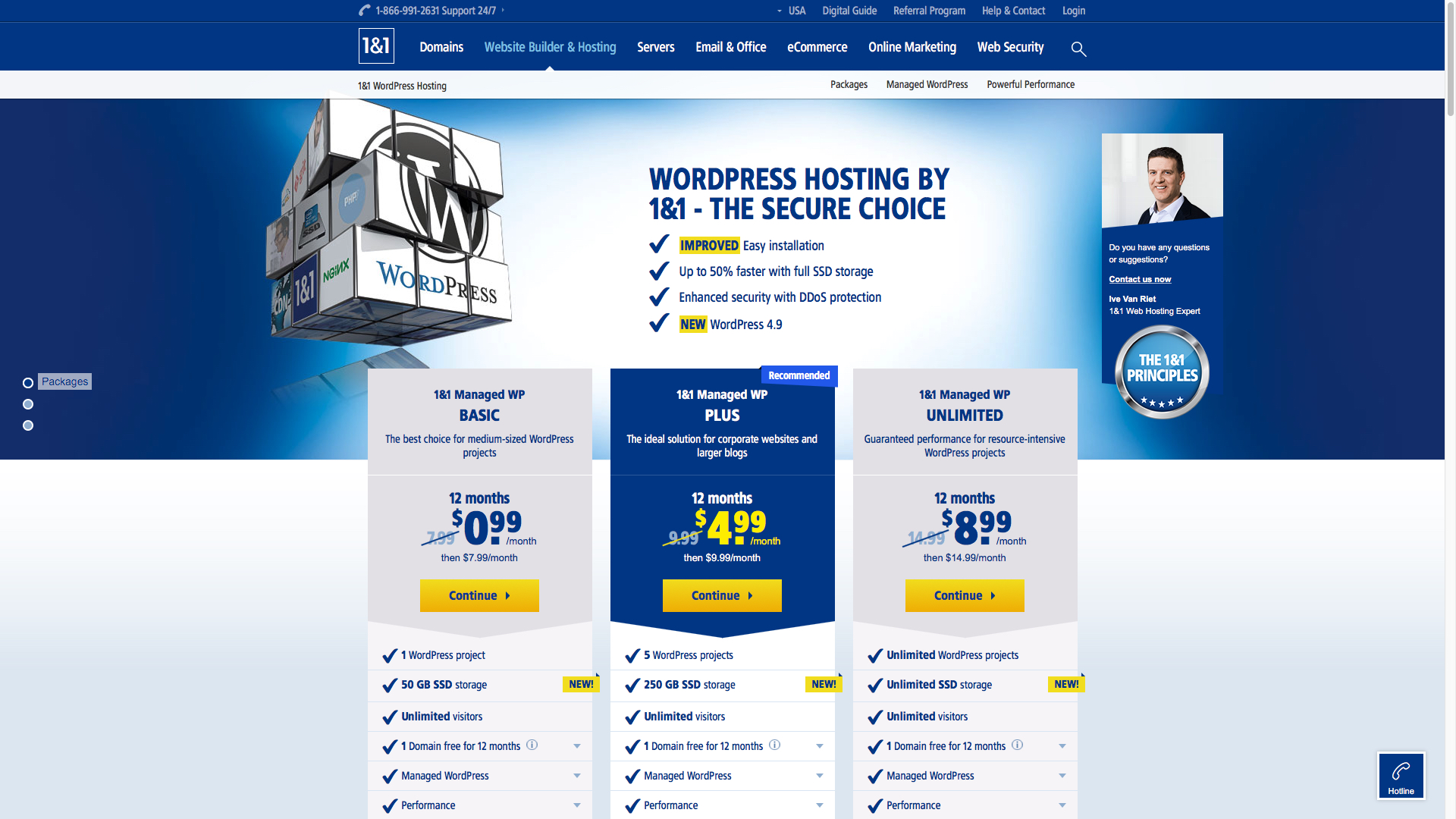
1&1’s ‘Basic’ packages starts at $1 (£1 for UK) per month for the first 6-months and then $9 (£6 for UK) per month thereafter. This includes 1 WordPress project, 25GB SSD storage, unlimited visitors and managed WordPress. Upon registration you are offered a domain name free for 12 months. This is only valid upon purchase of any of their plans.
Users that sign up for the ‘Business’ plan receive 2 WordPress projects, 100GB SSD storage and unlimited visitors. This plan starts at $1 (£1 for UK) per month for the first 12 months and then $11 (£8 for UK) per month thereafter.
The ‘Pro’ plan starts at $1 (£1 for UK) for the first 6 months and then $15 (£1 for UK). It includes 5 WordPress projects and 200GB SSD storage, as well as SiteLock malware protection and RailGun CDN.
Online commentators have complained about long periods of downtime.
You might also want to check out our other website hosting buying guides:
WordPressCloud hostingE-commerceDedicated serverSmall businessWindowsManagedGreenBusinessColocationEmail hostingResellersVPSSharedCheapWebsite buildersBest website hosting
Read more: techradar.com