
Nearly half of all online consumers will abandon a page that takes more than 2 seconds to load.
That means you need your website or mobile app to be fast to delight visitors. To speed up your web assets, you need a CDN.
Don't know what a CDN is? That's okay. It's one acronym in a sea of marketing acronyms that all relate to the inner workings of your business.
To understand what a CDN is, imagine you have a website hosted on a server in Denver, Colorado. We don't often think about websites as being in a physical location because the internet makes it seem everywhere, but a website and all of its content assets have to be based in what's called an origin server.
So how do those assets get routed from the origin server in Denver to a visitor's browser in Boulder? Or Boston? Or Tokyo? You might have guessed the answer is a CDN, but still don't know what it is or how it works.
In this post, we'll define what a CDN is, what its primary purpose is, how it works, and how to use one. Then we'll explore some of the best CDN providers in the market so you can create a fast website or speed up an existing one.
What is a content delivery network?
A content delivery network, shortened to CDN, is a distributed system of servers designed to deliver web content as quickly as possible.
To understand how, let's return to our website in Denver, Colorado. Every time a visitor types your site address into their browser, the browser has to call upon your origin server to send, assemble, and display your content assets on their screen. That's not so hard if the visitor is in Boulder, Colorado. But it becomes more challenging if you have visitors from Boulder, Boston, and Tokyo, for example. Not only is that a lot of distance for your content to travel, it also requires very different routing paths.
This is where a CDN comes to the rescue. Rather than have one server send content from Denver to Boulder, Boston, and Tokyo, the CDN will tap different servers in the network that are closest to each visitor to deliver the assets.
What is the primary purpose of a content delivery network?
The primary purpose of a content delivery network is to deliver content efficiently and securely to visitors, no matter where they are in the world.
To do so, CDNs have to take two major factors into consideration. The first is geographical distance. When a visitor accesses your website — whether they're from Boulder, Boston, or Tokyo — you want the server closest to them to deliver and display your website. That's because the closer the server is to the user geographically, the faster the content will be delivered.
The second factor a CDN has to consider is traffic.
Imagine that you post a blog on your website and it goes viral. Or imagine there's a more nefarious reason for a rush of external requests like a DoS attack. Any surge of traffic to your website will put a lot of strain on your server. Without a CDN, this might cause your server to go offline and prevent visitors from accessing your site. With a CDN, however, this traffic will be distributed across multiple servers, reducing the strain on your origin server and keeping your site online.
For these reasons, CDNs are essential for improving the speed and overall performance of websites that have a global reach as well as websites that experience surges in traffic or high traffic regularly.
Now that we understand the definition and purpose of a CDN, let's take a closer look at how it actually works.
How does a CDN work?
Once a visitor accesses your website and the server closest to them delivers and displays your website, that server makes a copy of your web assets. These cached files — which include your HTML pages, javascript files, stylesheets, images, and videos — are then stored on solid-state and hard-disk drives (SSD and HDD) or in random-access memory (RAM) for safekeeping.
That way, when another visitor in the same part of the world tries to access your website, the CDN can redirect the request from the origin server to the server closest to them. That server can then deliver the cached content much more quickly because it has less distance to travel.
This is all imperceptible to the end user, so they simply see the page loading as expected and benefit from reduced wait times without getting bogged down in the details.
Beyond accelerating content delivery, CDNs can also help protect your site because they are located in front of your backend server.
From this position in your network perimeter, they can act as a bouncer for your site, blocking attacks on your website and controlling the flow of incoming traffic so that the load on each server is balanced.
How to Use a Content Delivery Network
There are a two ways you can use a CDN. You can choose a website building platform with a built-in CDN, or you can purchase one from a CDN vendor.
If you purchase one from a third-party vendor, you'll have to make it the default inbound gateway for all incoming traffic by modifying the DNS configurations of your root domain and subdomains That'll ensure all visitors are routed to your CDN instead of your server.
This might sound complicated, but most vendors offer step-by-step tutorials or hands-on assistance to simplify the process.
Below we'll take a look at a few different options for building a site with a CDN.
Best CDNs
CDNs can reduce latency, increase page speed, minimize bandwidth consumption, and block data scrappers and other forms of spammers targeting your site. To improve the speed and security of your site, choose a platform with a built-in CDN or a CDN vendor. Let's look at a few options below.
1. CMS Hub
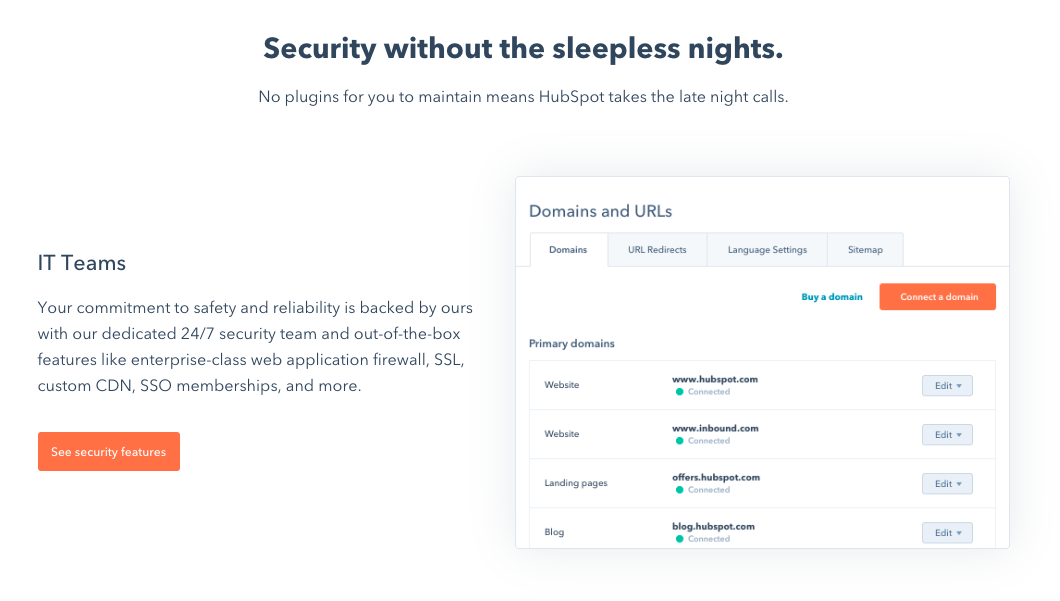
If you use CMS Hub to host your website, you'll already have a built-in CDN. There's no configuration, setup, or additional accounts required, and you won't have to purchase and install one from a third-party provider.
With this CDN, not only will your content be delivered quickly, securely, and with less latency around the globe — you'll also be able to track the volume of potential attacks or probes into site vulnerabilities to keep your CMS-hosted website, blogs, and landing pages safe.
That means you can focus on building a great site without worrying about distribution, cache invalidation, or online attacks.
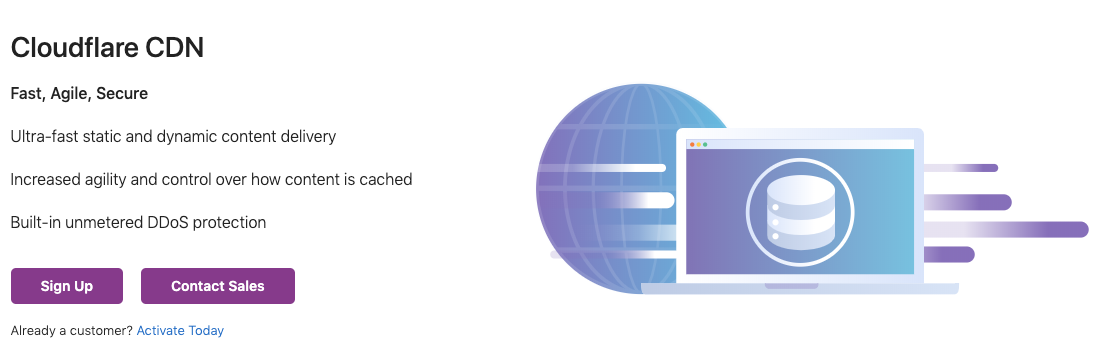
Cloudflare has a global network of data centers that spans 200 cities in more than 90 countries and supports over 26 million internet properties. By combining data with machine learning, Cloudflare sends content requests along the fastest and most reliable paths on its network.
Cloudflare offers a free plan as well as three paid plans for small and enterprise businesses, starting at $20 per month.
Amazon CloudFront is a CDN service that securely delivers data, videos, applications, and APIs to customers across the globe. Known for its low latency and high transfer speeds, Amazon CloudFront is used by Hulu, Dow Jones, Condé Nast, and other major companies to deliver solid streaming or user experiences and manage spikes in traffic and security.
Amazon offers a pay-as-you-go pricing model with no upfront fees or required long-term contracts.

Speed Up and Grow Your Site
Looking for accelerated web performance, DDoS protection, data loss prevention, and bot mitigation? Try a CDN.
Whether you're using a website building platform with a built-in CDN or looking to incorporate one from a third-party vendor, such a service can enable you to create or grow into a high-traffic website that reaches a global audience.
Editor's note: This post was originally published in July 2014 and has been updated for comprehensiveness.

Read more: blog.hubspot.com
If you’ve gone into Google Analytics lately to look at your website performance, you’ll notice a large chunk of traffic and conversions attributed to “Direct.”
It’s tempting to think all those visitors came to your website because they either already know your brand, or saw some kind of offline advertising you did. But in this post, we’ll lay out a few reasons why that isn’t always the case, and what you can do to get a true understanding of your brand strength in Google Analytics.
Some Background on “Direct” Traffic
A very common misconception in digital marketing is that Direct traffic is registered when a user visits your website by typing your URL into their browser, or from bookmarking the site.
This might have to do with Google’s definition of Direct source traffic, which is as “users that typed your URL directly into their browser, or who had bookmarked your site.”
This is true, but not comprehensive.
Direct traffic is actually:
Users who type your URL directly into their browser Users who bookmark your site and navigate to it from their bookmark Users from any source where Google Analytics can’t detect referral information
That third grouping of traffic can create a black box for marketers.
We hope to shed some light into that black box and provide you with a handful of metrics and reports to better show the strength of your brand through Direct traffic.
Direct Traffic That isn’t Actually Direct
When traffic arrives on your site that doesn’t fit any other Google Analytics channel and can’t be considered actual Direct traffic, we refer to it as “dark” traffic.
Recently, Portent Analytics Architect Michael Wiegand did a study and found that an average of 17.6% of our clients’ traffic was dark.
For example, if you’re getting Direct traffic to pages deep in your website, or to URLs that would be unnatural for someone to type into a browser, then that traffic is likely “dark” traffic. Depending on the page content and volume of landing page sessions, a bookmark may also not be likely.
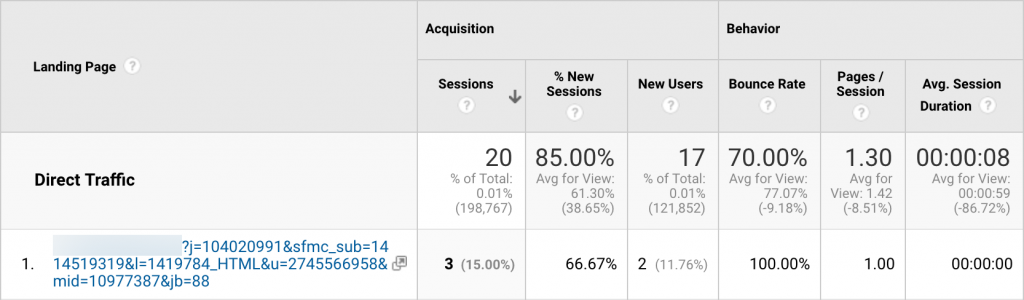

However, “dark” does not necessarily mean “bad” traffic. It simply means that Google Analytics cannot track where the user came from when they arrived on your site. The reality is that there is a growing number of reasons for this. Some examples of sources that GA sometimes cannot track are:
App referrals Text messages Incognito/secure browsing Social platforms Bots
However, there are tools at your disposal to make corrections for some of these instances. If you know you are sending traffic to your site that is not within Google defined segments, you can build your own custom segment and capture some of that misattributed traffic.
Another common source of Direct traffic comes from third-party booking sites, which can be fixed with cross-domain tracking.
Mobile traffic also tends to generate more traffic than Desktop. Redirects from HTTP to HTTPS may also break the user path in a way that Google can’t track. Even the browser you use may contribute to what Source/Medium data is available to GA. These instances are where “Direct” becomes a catch-all for anything GA can’t attribute with a defined Source or Medium.
Direct Traffic That is Actually Direct
While those caveats might seem overwhelming, it’s not time to throw out your Direct traffic metric just yet. There is obviously a good portion of your Direct traffic that is truly Direct.
Reviewing the landing pages of your Direct traffic is a good indication of what is legitimate.
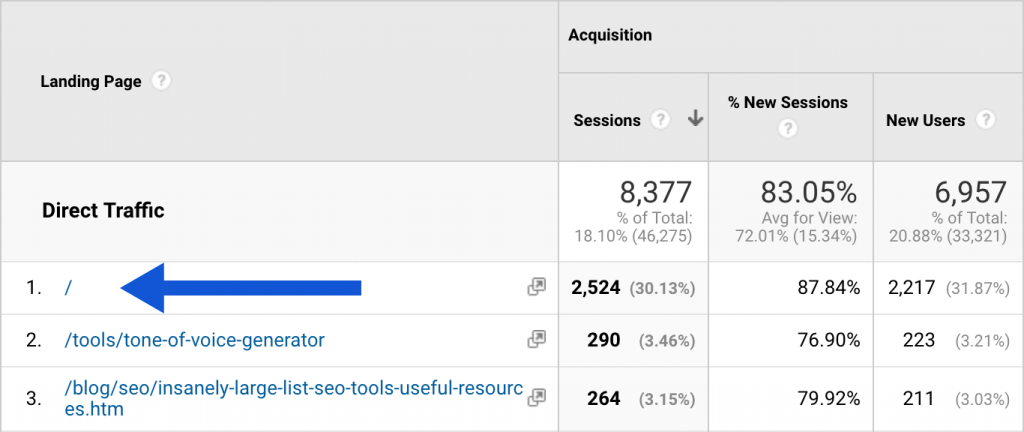

Traffic that lands directly on the homepage is likely real Direct traffic because that is what users are most likely to type into a browser. Direct traffic to other URLs with short page paths may also be legitimate traffic.
In terms of visibility, this difference in Direct traffic to the homepage could be a good indication of how well-known your brand is to users on the internet. Big brands like Nordstrom will tend to see higher volumes of Direct traffic, where small start-ups don’t see the same level of brand recognition reflected in their Direct traffic.
For example, we work with a large e-commerce retailer whose brand name is commonplace. Over the past quarter, 68% of their Direct traffic was to the homepage. For a smaller client brand, around 20% of Direct traffic went to their homepage.
Direct Traffic as a Piece of the Brand Strength Puzzle
Now that we have an understanding of the right components of Direct traffic to be looking for, how do we use it as an indicator of brand strength?
To get a full picture of brand strength in GA, we recommend combining the following sources:
“Real” Direct traffic. Likely by homepage landing page traffic, and other pages you determine are appropriate. Organic traffic to the homepage. This captures people who type brand names into a search engine and click the homepage link in the search engine results. Traffic from Paid Search campaigns that are triggered by branded keywords. This captures the second group of brand-name-Googlers who click on paid branded ads, instead of the organic homepage listing.
We’ve built this out in Google Analytics as a custom segment, free for your use. Download it and update the “Landing Page” and “Keyword” fields to capture information specific to your company.
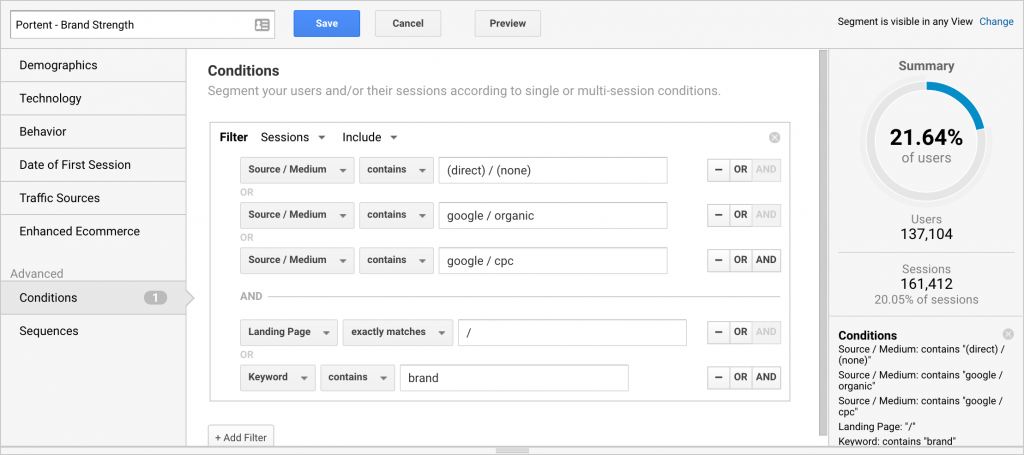

The next time you’re asked about brand strength, refer back to what we’ve laid out here to get an answer backed by your data. There are so many ways to gauge the strength of your brand but by using Google Analytics and understanding the appropriate indicators, you can be readily equipped to clearly answer that question.
The post Is Direct Traffic an Indicator of Brand Strength? appeared first on Portent.
Read more: portent.com