

Cyber threats are having a significant impact on businesses — that much is clear. Budget and resources are being dedicated to securing infrastructure and applications, and educating staff on the dangers of phishing, malware and social engineering. For marketers, cyber security is quickly encroaching on brand protection as a whole, and rightly so. The lines between the two areas are blurring and in the future it is conceivable that the two disciplines are far more integrated than they are now.
But what about domains? How does domain security factor into wider online brand protection initiatives? While domain registration, renewal and management are an integral part of online brand protection, does security gain the same attention?
Regardless of the current approach, marketers should be focused on this aspect, especially seeing as the threat is increasing in the domain name system (DNS) space. Historically this wasn’t a target for cyber criminals or hackers, but as they become bolder and more sophisticated, nothing is off limits.
What’s the damage?
In an internet-enabled world, any issues with a brand’s website can have potentially devastating consequences, from loss of sales and revenue, to diminished customer trust. So how can hackers cause damage and disruption by launching a domain attack? Firstly, they can take your website offline. No website means no customers and no sales. Secondly, they can redirect traffic from your website to another one that may look like yours. In this way they can capture customer data, such as personal information or payment card details, or they can use the misdirection to sell counterfeit goods. Lastly, they could also possibly hack into your DNS account and transfer your domain away from your organisation.
Domain protection
Given the importance of domains, what should brands do to secure them and mitigate the risk?
Work with the right corporate registrar
Choosing the right corporate registrar is the first step in a domain security plan. The right register will have hardened security practices in place and an excellent understanding of the landscape, the threats and the ways to mitigate them. Such a registrar will also have specialised security features for preventing, detecting and responding to attacks against any domains, including:
Restricting access to a portal via an IP address Sending notifications on any name changes Avoiding automated emails as a primary means of communication Keeping activity logs to track all domain name updates Maintaining strong password management to force password changes Offering multiple levels of access Consolidate your portfolio
The best way of securing your domains is to know which ones you own — maintain careful records of all domain names across all your brands, offices and locations. Ideally, this should be a centralised, global view to ensure you’re always looking at the whole domain picture.
Monitor critical domains
It’s also important to constantly monitor the domains that are core to your brand. Again, working with the right registrar can help here, as they can monitor for differences between the nameservers stored at the registry compared to the nameservers stored in their databases. A mismatch could be the first sign someone has broken into a registry system and made an unauthorised update.
Use two-factor authentication as standard
When accessing a domain management portal or DNS management portal, use two-factor authentication because it provides an extra layer of security that requires not only a password and username, but also something that only the user can give, such as a one-time password via a physical token.
Use domain locking
To mitigate the threat of domain name hijacking, you should ensure your domains are locked. This means they can’t be transferred. Taking this a step further, you should also implement registrar locking, which is an elevated locking mechanism that freezes all domain configurations until the registrar unlocks them upon completion of a customer-specified security protocol. This should be applied to your most mission-critical domains such as transactional sites, email systems, intranets and site-supporting applications.
Moving forward
The threat that cyber criminals and hackers pose to brands shows no sign of abating. While the consequences of an attack could be severe for an organisation, there are ways to mitigate the risk, especially when it comes to domain security. Importantly, domain security needs to be considered as part of a much wider online brand protection strategy that also takes the cyber threat into account. As a result, working with the right partners and having the right processes in place can position your organisation to effectively deal with the threat.
 Interested in hearing leading global brands discuss subjects like this in person?
Find out more about Digital Marketing World Forum (#DMWF) Europe, London, North America, and Singapore.
Read more: marketingtechnews.net
In this post, I’ll teach you how to extract your competitors backlinks.
It’s a simple process that allows you to mine for the link profile of other sites.

However, the biggest challenge is knowing what to do with your competitor backlinks.
But don’t fret – we will detail everything about this SEO process.
Let’s start, shall we?
Table of Contents 1. Why Keep Track of Competitor Backlinks? 2. How to Track The Backlinks of Your Competitors? 3. What to do with Competitors Backlink Data? 3.1. Identify your Competitor’s Best Backlinks and Acquire Them 3.2. Check Where Competitors Publish Guests Posts 3.3. Check Where Your Competitors Leave Comments 3.4. Capitalize on “Lost” Backlinks 3.5. Make Your Content 10x Better 4. Conclusion Why Keep Track of Competitor Backlinks?
Monitoring your competitor’s backlinks brings lots of benefits.
For starters, tracking your competitor’s backlinks allows you to analyze their link profile.
By monitoring their backlinks, you’ll see how many sites are linking to them.
Having this information in your fingertips will be beneficial to you as a site owner.
Because here’s the kicker:
You can get a holistic view of how they reached the top of the SERPs!

Of course, and as mentioned earlier, there’s more to monitoring backlinks. The list of backlinks won’t mean much if you don’t do anything about it!
What does this mean?
So you have a list of sites that link back to your competitors.
Next, you must filter the results to only see the authoritative sites.
Last, you must then find a way to get a backlink from the same sites as well.
Here’s one thing going for you regarding competitor backlinks:
Since they already linked to your competitors, there’s a good chance they will also link back to yours!
Spying on competitor links plays a critical role in building authoritative backlinks to your site. It is a scalable and sustainable technique to help improve your site’s SEO performance.
Gone are the days when building links is a numbers game. Nowadays, you have to work hard and smart to churn out high-quality backlinks to your site.
For instance, a single link from a site like Mashable or TechCrunch possesses more valuable than thousands of links from mediocre sites.
So by focusing your efforts on gathering competitive backlinks, you can fast-track your site to success!
How to Track The Backlinks of Your Competitors?
Now that we’ve established the value that competitor backlink research brings to the table, it’s time to discuss the exact process of finding them.
In particular, we’ll discuss about the most basic way to find backlinks of your competitors using Google search.
On the search bar, type the following:
Link:[competitor URL] -site:[competitor URL]
For this search query, we are using Google search operators to help us filter the results.
“Link” refers to the site that links back to the competitor URL.
Keep in mind that this search operator has been deprecated since 2017. However, it remains a useful alternative for finding backlinks on Google.
“Site” shows you indexed pages of the competitor URL.
The “–” sign before “site” means that we are excluding pages from the competitor URL. This way, we only see pages from other sites that link to your competitor.
When using this search query, replace competitor URL with your own.
Running this query, we’ll check out Neil Patel’s link profile:

On the results below, you will see sites that link to Neil Patel’s. The search query also hides pages from Neil Patel’s site.
Also, to generate 100 URLs for every page, click on Setting > Search settings from the page.

Then you need to toggle to results per page to “100.”

Once done, go back the SERPs to extract the backlink information for easy reference.
To do this, you need to download SEOQuake.

It’s a Chrome extension and Firefox add-on that helps you break down SERPs and web pages according to different SEO metrics.
Once you’ve downloaded and installed SEOQuake, you should see this section on SERPs:

Click on “Export CSV” to download the sheet.
Once done and after you open the file, the data would look like this:

It doesn’t make any sense because the formatting of the sheet is off.
Therefore, before opening the file from SEOquake, make sure to convert it first into .xls or .xlsx so you can open the file using Microsoft Office or Google Sheets without problems.
After converting the file correctly, the data should look like this:

Each link is broken down into SEMrush’s different metrics.
When building links, you want to focus your energies on acquiring links from sites with high SEO scores.
For example, if the site where your competitor got a link from has an SEMrush Rank within 100, then you need to find a way to get a link from that site.
By working on getting links from the best sites, you can accelerate your SEO growth soon!
However, we’ve just downloaded the top 100 results. Neil Patel has over 503,000 backlinks that you can check and review.
To move on to the next 100 links, go to the next page and repeat the process.
Now, I’ve detailed this process for you to understand the difficulty of spying on your competitor backlinks using the manual way.
Because I don’t recommend you doing this at all!
As mentioned earlier, Google discontinued the “link” search operator and no longer returns fresh results.
Also, repeating the exact process for every 100 links from SERPs is a futile exercise.
There’s so much more you can do with your time than by extracting backlinks from competitor sites!
So what do you do?
SEMRush: A Better Alternative for Competitor Backlink Research
For SEO specialists, SEMRush needs no introduction.
This all-in-one SEO software has been around a long time and trusted by experts. It has proven to be one of the best backlink audit and analysis tools over the years.
Best of all, you can generate data and filter them with just a few clicks of a button!
No need to repeatedly save the results on a spreadsheet which could rob hours of your precious time!
EXCLUSIVE 14-DAY TRIAL OFFER
As readers of Master Blogging, I am giving you an opportunity to be better than your competitors by spying on their SEO!
Click here to sign up for a prolonged trial of SEMrush to boost your blog’s SEO performance!
So how does this tool work, you ask?
Typing the domain name on the Domain Overview bar yields you a wealth of information not available from free tools.
A quick search of a domain immediately shows you impressive data about organic search, display advertising, paid search, and more.

As a backlink research tool, SEMrush doesn’t disappoint one bit. It provides an exhaustive list of backlinks broken down into different metrics.

The first two columns of the results are the Page and Trust Scores. The higher they are, the more authority the site wields.
Therefore, if you want to organize the authority of your competitor backlinks, then list them down from highest to lowest.
This removes the process of finding out which site is the best place to get a backlink from.
You can also see organic competitors that have a similar link profile as yours. It lists down sites that share the same referring domains as you do.

The table also shows the Competition Level. The higher the level, the more similar you are with that site. It’s a good index to see which sites to watch out for when running your link building campaign.
Another feature that makes SEMrush unique is the Backlink Gap.
List down your competitor sites to see if you have backlinks from the best sites.

If not, use this as an opportunity to learn how they got the link from the site so you can replicate it!
Now, I’m not going to lie to you. I’ve covered other backlink checker tools in this post to help you spy on your competitor’s link building strategy.
But I’m featuring SEMRush in this post alone as my most recommended backlink analysis tool.
That’s how much I trust and believe in this tool. And so should you!
Again, click here to sign up for a 14-day trial and give this tool a spin. Cancel your subscription anytime.
Now, let’s see…
What To Do With Competitors Backlink Data?
We’ve discussed the things you could do with all the backlinks you’ve gathered using SEMRush.
But what’s more important is knowing what to do with all that data.
The goal is to use your competitor’s link profile to build yours. You may even need to “steal” most of them by getting a link from the site where they have one.
But all is fair game in link building! It’s just a matter of putting the data to good use.

Below are some ideas you can turn competitor backlinks into yours.
1. Identify Your Competitor’s Best Backlinks and Acquire Them
This could be done through any other backlink checking tool. But, to be frank, none are more effective than SEMRush.
In particular, SEMRush has a feature called Backlink Gap that works best for this purpose.
What Backlink Gap does is compare the backlink profiles of five competing websites at the same time.
All you need is to supply the URLs and SEMRush does its thing. Doing this would reveal sites that are linking to your competition but not to you.
As more backlinks are discovered, you’re able to identify the “gaps” or links/sites you could be capitalizing on.

In the example above, four of the biggest shoe brands are put head-to-head to see where each brand’s backlinks are coming from.
There is even additional information when you click on specific dates. You’re shown a brief summary of the day’s backlink activities. That’s incredibly useful for anyone interested in daily reports.

So what do you do when you have a list of missed backlink opportunities?
Simple:
You reach out to these sites (the high-quality ones, anyway) and you try to get your links added.
You analyze the backlinks and figure out why your competitors are being mentioned while you are snubbed.
In most cases, you’ll be surprised at how your link can be added by getting in touch with the author.
For example, if your competitor was linked in a post that curates a list of products related to your business, ask if the author would consider adding yours as well.
The same goes in scenarios where your competitor is giving direct quotes about your industry. You can offer to add a different perspective in exchange for a link.
How frequently you reach out is entirely up to you. What’s important is that you remain courteous and never come off as annoying.
2. Check Where Competitors Publish Guests Posts
Doing guests posts is definitely not dead. You’ll be surprised at how many of your competitor’s backlinks are byproducts of guest posting.
So why not capitalize on it?
Your competitor’s backlinks are a treasure trove of guest post opportunities. You need to get on top of that right away.
To find opportunities using SEMrush, type in the domain of your competitor and click on Backlinks.
From here, you need to filter the results using these options:
Search by anchors – [name of blogger] By Type – Text Click “Follow” instead of “All links”
Once you set up the filters correctly, you should see something similar like this:

Again, not all results will show you sites where your competitors published a guest post or two. Still, it wouldn’t hurt to run through the list to see sites where you can potentially place your own guest post.
Because here’s the thing:
If your competitor was somehow able to land a spot at a high-quality site that accepts guest posts, then so can you!
Every site is different but there’s nothing wrong with sending the site an email introducing yourself and offering your services.
If they are interested in the types of subjects your competition has to offer, then there’s a good chance you have something of value to add.
>> Check out my detailed guide to learn how to leverage guest blogging.
3. Check Where Your Competitors Leave Comments
Backlinks can come in the form of comments.
Your competitor will leave comments in online forums, blog posts, and other places online.
And, sometimes, these comments make for amazing backlinks.
By looking at your competitor’s backlinks, you’re able to see where they have been leaving comments. And if you’re smart, you’d use this opportunity to leave comments as well.
To do this on SEMrush, go to Domain Analytics > Backlinks then click on Anchor on the menu.

Next, scroll down and locate the name of the blogger or person who owns the site.

We want to see the backlinks that use the name as anchor text. It is what most blogger use when leaving comments on a site.
You should see something something like this after clicking:

Read more: masterblogging.com
Affiliate marketing is the key to generating income from websites that might otherwise struggle to sell advertising space, or else service as an additional revenue stream for those websites already active in the advertising space.
The concept of affiliate marketing is relatively simple: you sign up for a program for a particular product or service, and if accepted for it, you can then using existing marketing materials and/or links with a unique URL. In the event that someone signs up for that product or service using that URL, you earn a commission.
As a way of making money online it sounds easy enough, but there are a lot of potential complications with affiliate marketing. For a start, the affiliate tracking must be precise and accurate, so that you are rewarded for the sales you actually made.
On top of that, you need products and services of actual interest to consumers. While many big brands are actively involved in affiliate marketing, there are various restrictions that may make them less attractive than alternatives.
For example, the time between a customer clicking a link and making a sale can be a number of days, so affiliate tracking that takes this into account will likely be more favorable to the affiliate marketer than ones that only reward instant sales, and therefore ignore the possibility of browsing.
You also need to actively promote affiliate products, something a lot of website owners overlook - or even overdo. But done right, it's possible to make a significant income from it.
Here then are the best affiliate marketing websites out there at the moment.
We've also highlighted the best website builders Want your company or services to be added to this buyer’s guide? Please email your request to desire.athow@futurenet.com with the URL of the buying guide in the subject line.
Image Credit: Clickbank
Clickbank is a major affiliate marketer which has been around for years, with 200 million customers. They feature a variety of products to partner with, across many categories, particularly eBooks. It is simple for a novice to get started as anyone can create an online account, and it is free with no signup fee, so it is great for startups. They are also notable as Clickbank is known for having a higher commission rate than other affiliate marketers. They even run a Clickbank University to teach the ins and outs of affiliate marketing to those new to the field.
The downside of Clickbank is most of the products for sale are eBooks, and while they span several categories, most are lower quality offerings, without name brand recognition.
You can sign up for Clickbank here
Image Credit: ShareASale
ShareASale is another affiliate marketer, with a longstanding reputation across eighteen years, and were acquired last year by Awin, an international affiliate marketer. They feature a large catalog of products to partner with from beauty supplies, to branded sports gear, luxury goods, and eyewear- almost 5,000 vendors in total, making it easy to find products that tie into your site.
With so many options, ShareASale uses a Power Rank system to clue you in to the most popular vendors. The signup process to get started has no cost, and is quite painless, with owner’s of multiple sites able sign them all up in ‘one fell swoop.’
The drawbacks of ShareASale center around the payouts. The payout threshold of $50 can be difficult to reach for newer websites still building their traffic. In addition, to add insult to injury for a struggling site, they can actually delete your account if your account remains under $25.
You can sign up for ShareASale here
Image Credit: JVZoo
JVZoo is relative newcomer with six years of experience, and takes a SaaS approach to affiliate marketing; they must be doing something right as they were named by Inc among the ‘5000 Fastest Growing Companies in America’ for 2016 and 2017.
Product creators can list their products in their marketplace for free, and JVZoo gets a standard 5% commission on anything that sells - and nothing before that. Marketing affiliates get instant payments to their PayPal accounts as soon as the item sells, with no payout threshold required. In addition, there is opportunity to make money as affiliates can get a cut of sales of any affiliates that they have recruited, termed a ‘Second Tier Commission.’ Finally, if the buyer that was referred purchases another product (that was not specifically referred), the affiliate gets the commission- permanently.
The downsides include that payments are only made via the PayPal platform, with no option for direct bank transfers. Also, looking at the top selling products, they are all digital downloads, and of lower quality, that could potentially lower the quality of a website. Finally, the affiliate marketing commissions will be taken back for a buyer that requests a refund.
You can sign up for JVZoo here

Image Credit: CJ Affiliate
CJ Affiliate is a popular affiliate marketing program with global reach, formerly known as Commission Junction which goes back to 1998. CJ Affiliate features Product Widgets that are embedded on your site, and can then feature multiple products via a slideshow, collage or grid to increase sales. Additional functionality includes deep link automation to automatically monetize links that lead to a CJ advertiser domain, and real time transaction monitoring.
While this all sounds good, the stumbling block is the application process. First you need to apply with your website, which needs to be found worthy of becoming a partner, based on traffic, optimization and quality of content. However, this is only the first step, as then you need to apply individually to each vendor for the products that you wish to sell, and you may not be accepted into their individual affiliate programs, making this one of the harder programs to get up and running with.
You can sign up for CJ Affiliate here
Image Credit: Amazon
Just about everyone already has an Amazon account and buys stuff from them, so it certainly makes a ton of sense to partner with them as an affiliate marketer in their Amazon Associates program. They also sell, well, just about everything, so you can be sure that they have a product to market that is relevant to the content on your website.
It is also free to join, and once accepted to the program you can sell any Amazon product, including third party ones without getting into individual programs. You also get the opportunity to get commissions on not only the specific product that was advertised, but any other purchases that are made at Amazon for 24 hours post referral.
A policy change in March 2017 has frustrated many users, as the commission rate is as high as 10%, but most categories are less, in fact quite a bit so. For example, the commission rate on video games is only 1%, and on televisions it is a low 2%, making it difficult to generate larger profits.
You can sign up for Amazon Associates here

Image Credit: Pixabay
Other affiliate marketing programs to consider
There are a number of other affiliate marketing programs, including some major platforms not yet covered, which either bring together a large number of vendors under one place, or else are large retail platforms in themselves which offer affiliate payments. Then there are other programs where you don't even need to add any marketing or product information, but instead have affiliate links or advertising directly automatically inserted into your website pages. Here we'll look across the board at these options:
Awin is a huge affiliate marketing platform that boasts of over 13,000 advertisers, 110,000 active publishers, and generated 148 million sales in 2017. Publishers can sort through different advertisers to apply for the products or services that might work best, then if accepted, apply targeted links to generate sales. Despite the size of the platform it's actually quite easy to use.
Tradedoubler is another big advertiser, especially in European markets. Like with CJ Affiliate and Awin you need to apply to different advertisers to be accepted, once that happens it's easy to get started. You can use simple links, or any of the promotional banners provided.
eBay partner program is specific to the eBay platform, a huge online marketplace populated by many small sellers. The advantage here is that you can list eBay products and be paid for any link clickthroughs that result in sales, without having to actually market any products directly through eBay itself.
Google Adsense may be seen less of an affiliate program as much as an advertising solution. However, if you're looking to monetize your website you should probably look to Google Adsense as one of, if not the main, source of income for those pages. While the payout isn't high it does add up, and can help support your affiliate marketing campaign and revenue.
Skimlinks is a program that replaces keywords in your text with paid-for links, from which you get paid per click. The advantage is that the links work directly in your copy so you don't need to make room for adverts, but the disadvantage is that some malware can do something similar, so Skimlinks might not look the best for your users. However, it's another option to consider on topic of your affiliate marketing and Adsense to help provide an additional revenue stream.
Read more: techradar.com
The ecommerce industry is booming. It seems like everyone is coming up with different ways to get into this space.
But when we think of ecommerce our minds typically don’t jump to food. Most entrepreneurs seem to focus their efforts on inventing or modifying a new product that can solve problems
With that said, there is lots of money to be made in the online food industry.
As of 2018, the online grocery shopping in the United States is a $17.5 billion industry. But there are plenty of other ways to sell food online as well.
For example, maybe you have a restaurant and want to expand the way your customers order takeout. The global online food delivery market is growing at a 14.8% year-over-year rate.
That’s not all. Take a look at this graph from eMarketer on the projections for total online food and beverage ecommerce sales in the coming years.
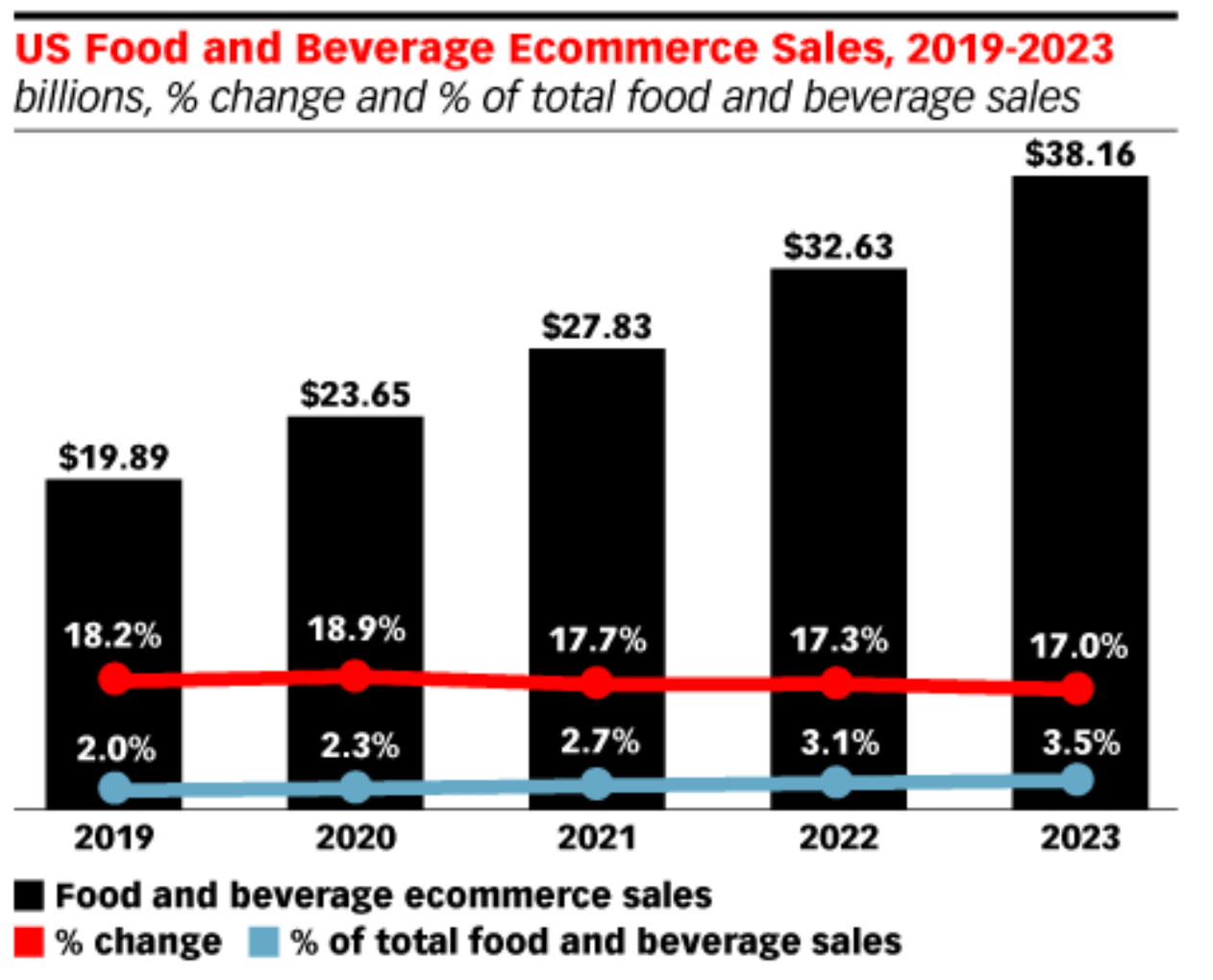
Online sales in the US alone are expected to double over the next four years. So it’s safe to say that there is plenty of money to be made in this space.
Here’s the reality of the situation. Everything in our lives has gone digital. We’re ordering everything else online, so it’s only natural that online food sales is the way of the future as well.
But when you search the web for how to create an ecommerce site, the resources for selling food online are pretty scarce. That’s what inspired me to create this guide. I’ll tell you everything you need to know about building an online platform for selling food.
Understand the law
Before you do anything, you need to make sure that you’re familiar with all of the legal regulations for selling food online. This will vary depending on your location, as well as the type of food you’re selling.
For example, if you’re selling in the United States, you’re going to have to follow different guidelines than if you were selling in Europe.
Here’s something else to take into consideration. Are you planning to prepare and sell food out of your home? Or are you selling out of an industrial kitchen?
Let’s say you were making homemade cupcakes in your kitchen at home. The rules that apply to you will be different than someone who is jarring sauce in the kitchen of their restaurant.
In the United States, you’ll need to follow the Cottage Food Laws, which vary slightly from state to state. Regardless of your location, here are some guidelines that are pretty standard across the board:
Annual inspection from the department of health. Zoning permits from the department of health and/or the department of agriculture. Valid business license in your operating state. Ability to properly store food (cold, dry, etc.). No pets in the home or kitchen.
These are just the minimum requirements, and it barely scratches the surface. So be sure to fully review your local requirements before you start selling any food online. Otherwise, you’ll risk violations that can shut your operation down.
Find a supplier
No matter what you’re planning to sell, you need to source a reputable supplier. Whether you’re planning to sell pre-made products or if you’re cooking everything on your own, this still applies to you.
The most challenging part about finding the right supplier is establishing their legitimacy.
For example, let’s say you’re planning to prepare food in your home kitchen. Costco would be considered a reputable supplier for your ingredients. Picking apples, tomatoes, or peppers from your neighbor’s garden is not reliable, reputable, or trustworthy.
If you’d rather use an online supplier, you can try using a resource like Food Master.
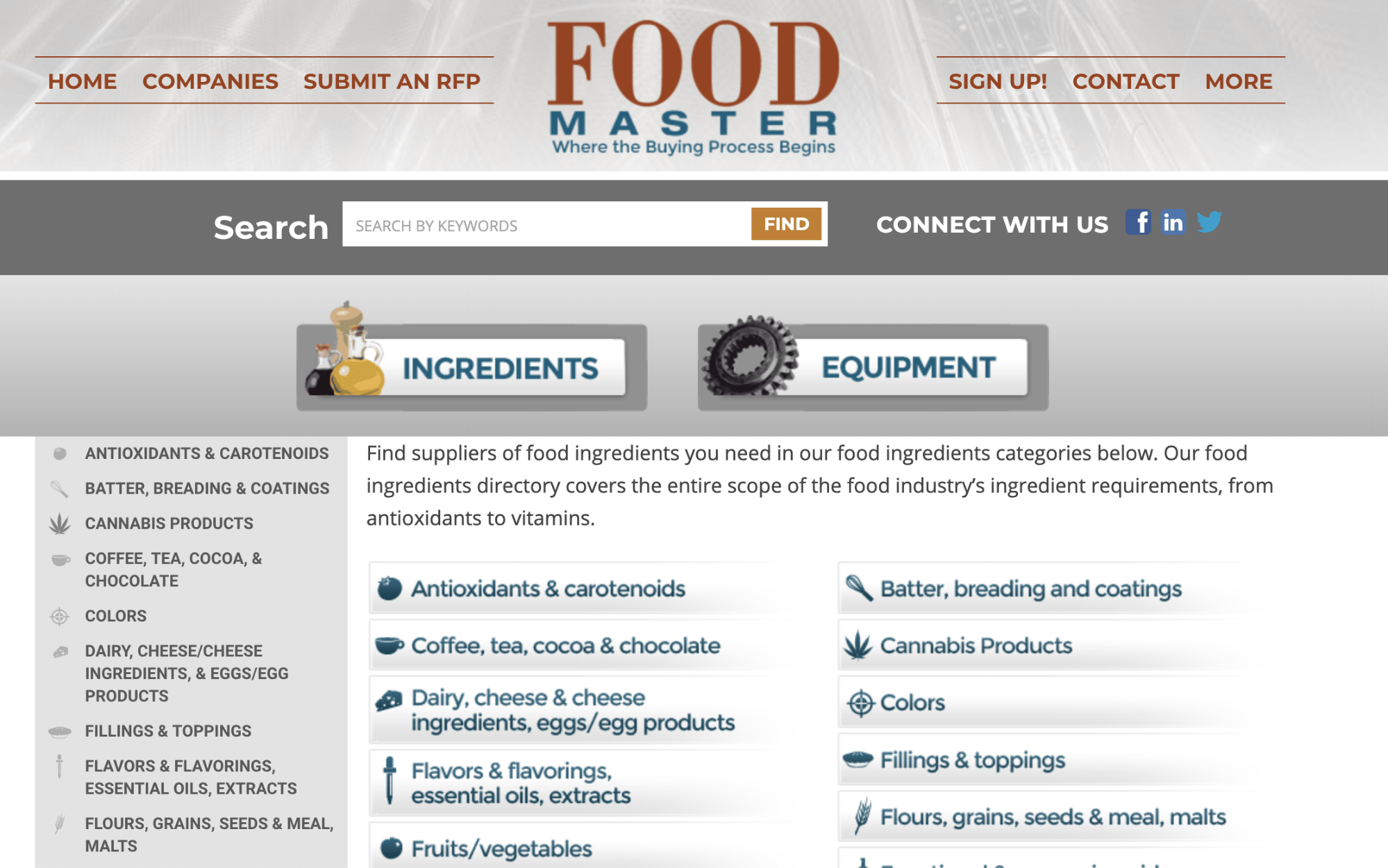
This is a massive online directory of ingredients. You can browse what you’re looking for by category, or search for specific keywords.
If you’re on the fence about a supplier’s reputation, it’s perfectly reasonable to ask them for their credentials. After all, the products you buy from your supplier will ultimately be consumed by your customers. So whatever you buy from them will directly impact your business.
Just because your supplier claims that it’s selling organic produce, it may not necessarily be true. Follow the supply chain to fact check everything.
Know your niche
Everybody eats. But that doesn’t mean that everyone is a potential customer.
This is a mistake that I see new entrepreneurs in the online food industry make all of the time. They assume that everyone will enjoy what they’re selling, and they don’t go after a specific niche.
You’ll have much more success if you can clearly define your target audience before you proceed. Then you’ll be able to make necessary adjustments to meet their needs.
For example, take a look at the meal plan options offered by Green Chef.
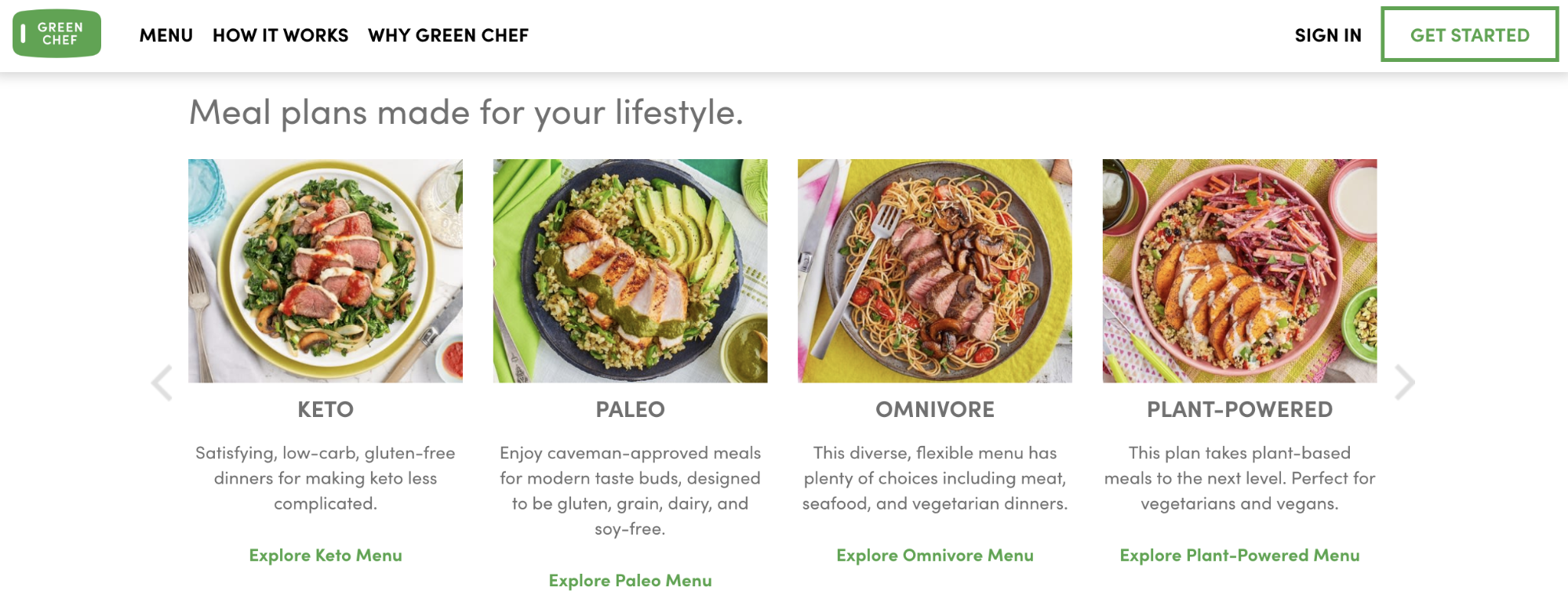
This company is targeting people with special diet needs, such as keto, paleo, or plant-based diets.
Are you going to target working professionals who don’t have time to cook? Or are you targeting families who need healthy options for their children?
Does your site want to focus on college students living in dorms? Or elderly residents who are living on their own?
As you can gather from just these handful of potential examples, the food you’re selling and the way you market yourself would be drastically different in all of these scenarios.
So rather than trying to compete in an over-saturated industry, pick a niche and run with it.
Focus on branding
Once your niche has been established, it will be much easier for you to go through the branding process. Your brand will be a combination of what you’re offering as well as who you’re offering it to.
People can buy food anywhere. Your brand needs to explain why they should buy it from you.
Think of a company like McDonald’s. When you hear the name or see their golden arches, you automatically have an association with what they’re offering. They are the epitome of a fast food burger chain. You know exactly what you’re getting and how you’re going to get it.
That’s because they’ve done an excellent job branding themselves. In the online food industry, these are the components you need to prioritize to establish proper branding.
Brand name
Your name should go far and beyond what you’re selling. This is another common mistake that I see new food entrepreneurs make all of the time.
For example, let’s say you currently sell cupcakes out of your home kitchen. You might be tempted to name your company something like Cassie’s Cupcakes.
But this name puts you in a box. What happens when you want to start selling brownies, cookies, and other baked goods? Don’t let your brand name restrict the future expansion of your company.
Use a domain registrar like Namecheap to see if the domain name for your brand is available.
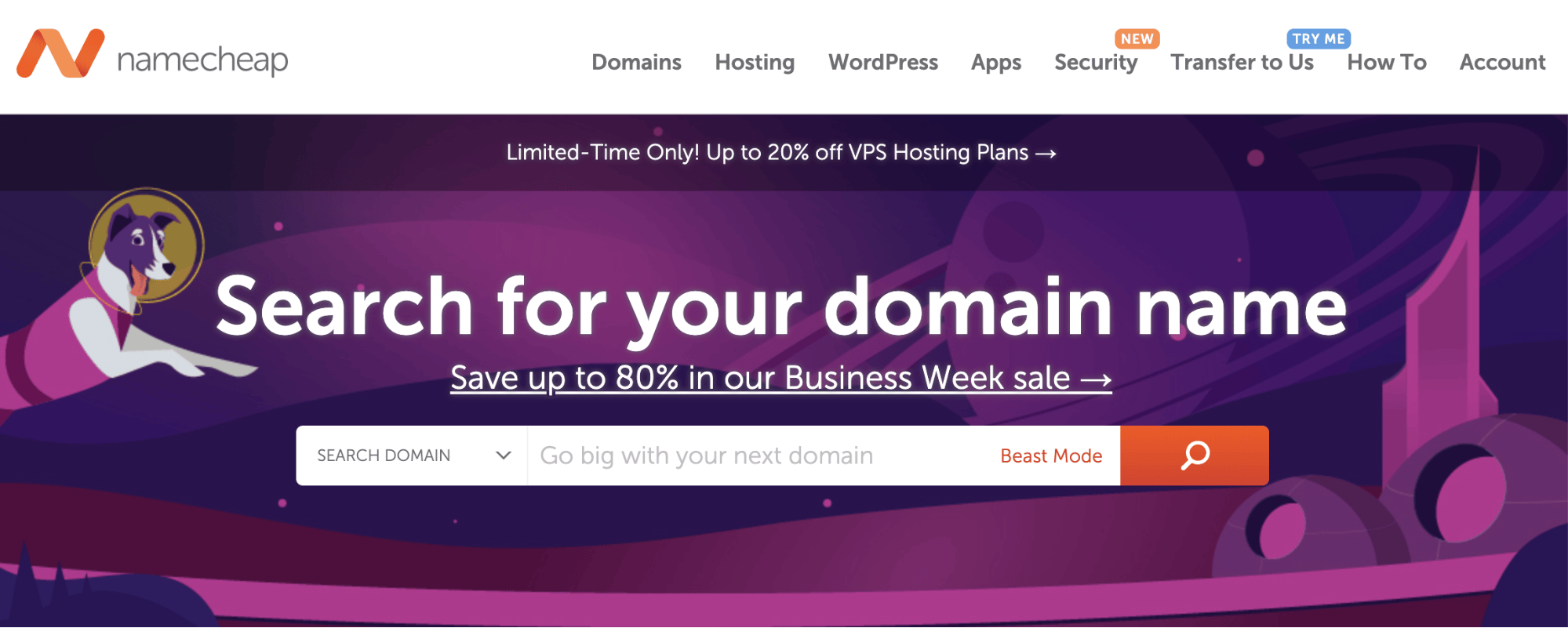
If your name isn’t available, and can’t be purchased for a reasonable price, it’s definitely in your best interest to think of another name. I’d also recommend reviewing my guide on how to choose a brandable domain name for help with this process.
Colors
Your brand’s colors will be synonymous with your branding strategy.
Don’t think colors are that important? Think again. Let me give you an example to show you what I’m talking about.
Starbucks.
Without even showing you a picture of this company, their website, or their products, I can almost guarantee that a color popped into your head when you saw the name. That’s because the brand has done a great job with their branding strategy.
I’ll give you another example from the online food space. Let’s take a look at the Blue Apron website.
This is a fairly obvious example since there’s a color in the brand name. But as expected, the business has a blue logo and the website has a blue theme. If this company had a red or an orange color scheme, then it wouldn’t make sense.
Make sure your colors appeal to your niche. It’s also important to know how certain colors are perceived.
For example, let’s say you’re planning to sell fruits and vegetables online. Having a black or brown color scheme isn’t very appealing. It doesn’t give the perception of products that are fresh. In this case, you’d be better of going with some lighter and brighter tones.
Packaging and labeling
Like any product, the packing of the food that you’re selling online needs to be carefully thought out. In addition to having your brand name, logo, and colors integrated on the package, there are other things to take into consideration as well.
Food needs to be packaged in a way that keeps it preserved. If perishable items need to be kept cold, the packaging should reflect that.
There are also certain regulations that need to be followed for shipping foods that are perishable or fragile.
Furthermore, there are other requirements for labeling food. Your labels need to include:
Complete list of ingredients. Net quantity. Weight of all combined ingredients. Name and location of the company. Names and locations of suppliers. Expiration or “best by” dates.
Some of the packaging and labeling aspects of selling food online will fall within the legal scope of your operation, which we discussed earlier.
But it’s important to find a balance between a packaging that’s appealing to your customers while meeting all of those legal requirements.
Figure out your pricing strategy
Now it’s time to figure out how your online food store is going to make money.
You can’t just pull a price out of thin air. It’s important to factor in all of your operational and business costs to ensure that your products are priced in a way that is profitable for you. Your pre-defined niche will also factor into your pricing strategy.
For example, a business professional living and working in New York City will likely be willing to spend more on a single serving than a family of five living in the midwest.
You’ve got to come up with a pricing formula that drives ecommerce conversions. Take a look at Freshly’s pricing as a reference.
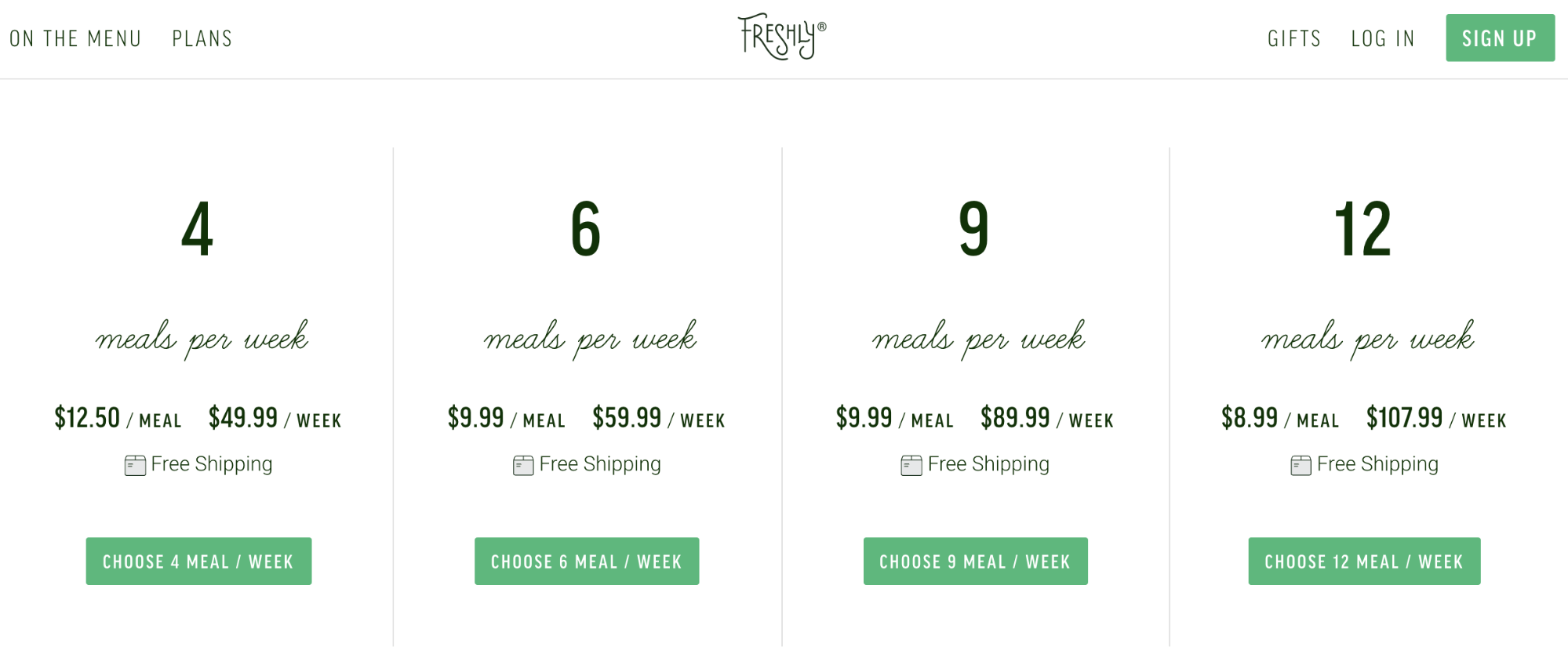
They’re using an age-old strategy, that’s not limited to the online food industry. As quantity increases, price decreases.
The cost per meal drops nearly 30% if a customer orders 12 meals per week as opposed to just 4. Sure, they’re making less per meal, but they’re getting more than double the weekly revenue from one subscription over the other.
If the cost per meal didn’t change based on quantity, then it doesn’t give your customers an incentive to spend more money.
Here’s something else to consider with the Freshly pricing strategy. All of the plans offer free shipping.
This is all related to perceived value. If you charge extra for things like shipping, it lowers the overall value of what you’re selling.
Review my guide on how to generate more profits by focusing on your pricing strategy. All of these concepts can be applied to businesses that sell food online.
Create an online store
There are two ways to sell food online. Each one is very different.
First, you can sell through online marketplaces, like Etsy or Amazon. Alternatively, you can sell through your own ecommerce platform.
If you’re going to use a marketplace, you need to meet additional regulations. These are put in place by the marketplace to protect themselves, as well as their customers. You’ll also need to get your company approved to sell through a marketplace by following specific standards.
You won’t have to take responsibility for managing a website and you’ll be able to reach an existing global audience if you decide to go through a marketplace. However, you lose some control and credibility with this method.
Personally, I’d recommend building your own ecommerce website to sell food online.
It might take a bit more effort on your end to get everything set up and running, but it gives you complete control.
In order to create your own online food store, you’ll need to choose a platform. Shopify is a great option for this.
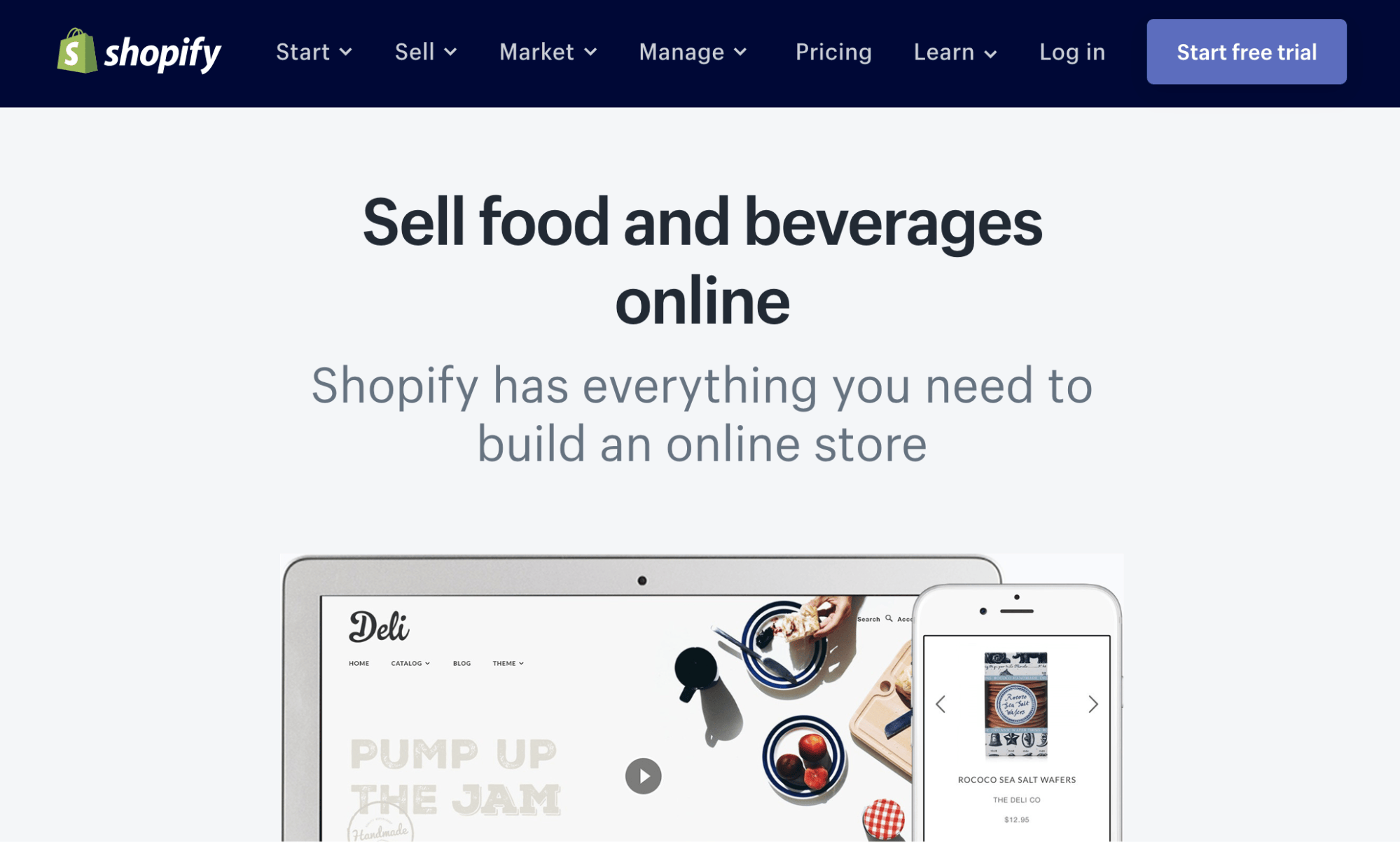
They’ll provide you with an easy to use interface, all the tools you need to track your orders, and professional templates that are specifically designed for selling food online.
If you’re not sold on Shopify, I’d recommend Wix and BicCommerce as alternative options.
Conclusion
There is a huge demand for online food. As ecommerce continues to grow and evolve, people are buying online more than ever before.
The online food industry is growing at a rapid rate. This is the perfect opportunity for you to take advantage of this situation.
But before you can start selling online, there are some preliminary steps that you need to take.
Educate yourself on the legal side of online food sales. Source a reputable supplier. Identify your target market. Create a brand. Learn how to properly package and label your products.
Once all of that has been taken care of, you’ll be ready to build an online store. After that’s set up, you’ll be able to sell food online with ease.
Read more: quicksprout.com
Cyber threats are having a significant impact on businesses — that much is clear. Budget and resources are being dedicated to securing infrastructure and applications, and educating staff on the dangers of phishing, malware and social engineering. For marketers, cyber security is quickly encroaching on brand protection as a whole, and rightly so. The lines between the two areas are blurring and in the future it is conceivable that the two disciplines are far more integrated than they are now.
But what about domains? How does domain security factor into wider online brand protection initiatives? While domain registration, renewal and management are an integral part of online brand protection, does security gain the same attention?
Regardless of the current approach, marketers should be focused on this aspect, especially seeing as the threat is increasing in the domain name system (DNS) space. Historically this wasn’t a target for cyber criminals or hackers, but as they become bolder and more sophisticated, nothing is off limits.
What’s the damage?
In an internet-enabled world, any issues with a brand’s website can have potentially devastating consequences, from loss of sales and revenue, to diminished customer trust. So how can hackers cause damage and disruption by launching a domain attack? Firstly, they can take your website offline. No website means no customers and no sales. Secondly, they can redirect traffic from your website to another one that may look like yours. In this way they can capture customer data, such as personal information or payment card details, or they can use the misdirection to sell counterfeit goods. Lastly, they could also possibly hack into your DNS account and transfer your domain away from your organisation.
Domain protection
Given the importance of domains, what should brands do to secure them and mitigate the risk?
Work with the right corporate registrar
Choosing the right corporate registrar is the first step in a domain security plan. The right register will have hardened security practices in place and an excellent understanding of the landscape, the threats and the ways to mitigate them. Such a registrar will also have specialised security features for preventing, detecting and responding to attacks against any domains, including:
Restricting access to a portal via an IP address Sending notifications on any name changes Avoiding automated emails as a primary means of communication Keeping activity logs to track all domain name updates Maintaining strong password management to force password changes Offering multiple levels of access Consolidate your portfolio
The best way of securing your domains is to know which ones you own — maintain careful records of all domain names across all your brands, offices and locations. Ideally, this should be a centralised, global view to ensure you’re always looking at the whole domain picture.
Monitor critical domains
It’s also important to constantly monitor the domains that are core to your brand. Again, working with the right registrar can help here, as they can monitor for differences between the nameservers stored at the registry compared to the nameservers stored in their databases. A mismatch could be the first sign someone has broken into a registry system and made an unauthorised update.
Use two-factor authentication as standard
When accessing a domain management portal or DNS management portal, use two-factor authentication because it provides an extra layer of security that requires not only a password and username, but also something that only the user can give, such as a one-time password via a physical token.
Use domain locking
To mitigate the threat of domain name hijacking, you should ensure your domains are locked. This means they can’t be transferred. Taking this a step further, you should also implement registrar locking, which is an elevated locking mechanism that freezes all domain configurations until the registrar unlocks them upon completion of a customer-specified security protocol. This should be applied to your most mission-critical domains such as transactional sites, email systems, intranets and site-supporting applications.
Moving forward
The threat that cyber criminals and hackers pose to brands shows no sign of abating. While the consequences of an attack could be severe for an organisation, there are ways to mitigate the risk, especially when it comes to domain security. Importantly, domain security needs to be considered as part of a much wider online brand protection strategy that also takes the cyber threat into account. As a result, working with the right partners and having the right processes in place can position your organisation to effectively deal with the threat.
Interested in hearing leading global brands discuss subjects like this in person?
Find out more about Digital Marketing World Forum (#DMWF) Europe, London, North America, and Singapore.
Read more: marketingtechnews.net
Posted by kelseyreaves
Editor's note: This post first appeared in December of 2015, but because SEO (and Google) changes so quickly, we figured it was time for a refresh!
The link building world is in a constant state of evolution. New tools are continually introduced to the market, with SEOs ready to discover what works best.
In 2015, I wrote an article for Moz about how our team switched over to a new email automation tool that drastically improved our overall outreach system — we increased our email reply rates by 187 percent in just one month. Which meant that our number of attainable backlinks also drastically increased. I wanted to see what's changed since I last wrote this post. Because in 2019, you need a lot more than new tools to excel in link building.
But first...
Looking back, it was pretty ingenious: Our link building program had automated almost every step in the outreach process. We were emailing hundreds of people a week, guest posting on numerous websites, and raking in 20–30 links per week. If anyone has been in the game long enough, you’ll know that’s an insane amount of links.
With its success at my first company, I took the concept and applied it to several freelance link building projects I was working on. It proved to work for those sites, too. Later on, I built out a similar system for the second startup I worked for. And again, it proved to be just as successful. Every link building project I took on, my thinking was: How can I scale this thing to get me 10x the number of links? How can I email 5x the number of people? How can I automate this as much as possible so I can create a link building machine that’s completely hands off?
Well...at least for a period of time.
While I had the best of intentions, this thinking is what ultimately got me in trouble and lead to the inevitable: I was hit with a manual action for participating in link schemes.
I remember opening up Search Console and reading that message. At that moment, I felt like a kid caught with their hand in the cookie jar. My stomach was in knots. I had heard of people getting manual actions before but didn’t think it was something that would happen to me.
In hindsight, this was probably one of the most important moments of my SEO/growth career. It sobered me up and pushed me into thinking about outreach in a whole different light, and taught me the most important lesson to date: building links isn’t about using automation to create processes that scale. It’s about building relationships — and value — that scales.
What outreach looked like in 2015
I’m not surprised I got away with what I was doing for so long. From 2015 to 2017, it seemed like everyone and their Mom was guest posting. During that time, this is what I noticed:
1. It was a numbers game
Most of the SEOs I talked to from 2015 to 2017 were using a similar strategy. It was all about finding tools that could help scale your guest posting program and contact as many people as possible. Most companies had some arbitrary link quota for their outreach teams to hit every month, mine included.
2. It promoted somewhat decent content that was templatized
In our outreach program, we were pitching the same three to four topics over and over again and while the content we wrote was always original, there was nothing novel about the articles we were putting out there. They were cute, engaging — but none of it was on the cutting edge or had a solid opinion. It’s what our friend John Collins from Intercom calls Happy Meal content:
“It looks good from a distance, but you’re left feeling hungry not long after you consume it.” 3. It idolized automation and processes
At the time, most outreach programs were about leveraging tools to automate processes and scale every step of the way. We were using several tools to scrape websites and hired virtual assistants off of Upwork to find email addresses of just about anyone associated with a company, whether they were actually the ideal person to contact or not.
This process had worked in 2015. But in 2019, there’s no way it could.
What outreach looks like in 2019
Since joining the team at OG Marketing this last fall, I’ve vastly altered the way I approach outreach and link building. Our strategy now focuses on three main concepts.
1. Helping editors cite good sources
The link building relationships I’ve built this year are almost entirely centered around editors and content managers of notable sites who only want to link to high-quality, relevant content.
And luckily for us, we work with some of the best content creators in the B2B SaaS-verse. We don’t have to go out and beg for links to mediocre (at best) content: We’re building authority to pages that truly deserve it. More importantly, we’re actually fulfilling a need by providing great sources of information for other quality content.
2. Understanding backlinks are only one piece to the puzzle
Link building is only one lever and shouldn’t be your whole SEO strategy. Depending on the site you’re working on, building links may be a good use of your time — or not at all.
In our strategy, we account for the fact that sometimes links aren’t always necessary. They will definitely help, but it’s possible to excel without them.
For example, Hotjar recently published an article on 5 ways to use scroll maps. Looking at the backlink profile for the top three results for “scroll map,” CrazyEgg has more referring domains than Hotjar, but is currently in position three. Omniconvert has zero backlinks and still ranks above CrazyEgg in position three. With only three referring domains, Hotjar has earned the 1st position and a coveted featured snippet.


2015 me would’ve had a knee jerk reaction to kick off an outreach campaign as soon as we hit publish on the new article. But considering the fact that you may not even need a ton of links to rank well, you can actually spend your time more efficiently elsewhere.
3. Creating quality content that earns links naturally
There’s definitely a tipping point when it comes to generating backlinks naturally. When your article appears on page one for the query you’re targeting, your chances of having that article cited by other publications with zero effort on your part just naturally goes up.
Why? Because people looking to add credible citations to their article will turn to Google to find that content.
This prompts our team to always ensure that each piece of content we create for our clients satisfies searcher intent. To do this, we start off by researching if the intent behind the keyword we want to rank for has purchase, consideration or informational intent.
For example, the keyword “best video conferencing camera” has consideration-based intent. We can determine this by looking at the SERPs. In the screenshot below, you can see Google understands users are trying to compare different types of cameras.

By seeing this, we know that our best bet for creating content that will rank well is by writing a listicle-style post comparing the best video cameras on the market. If we had instead created an informational article targeting the same keyword about why you should invest in a video conferencing camera without a list of product comparisons, the article probably wouldn’t perform well in search.
Therefore, if we start off on the right foot by creating the right type of content from the very beginning, we make it easier for ourselves down the road. In other words, we won’t have to build a million links just to get a piece of content to rank that wasn’t the right format, to begin with.
What we’ve found with our outreach strategy
Centering our strategy around creating the right content and then determining whether or not that content needs links, has helped us prioritize what articles actually need to be a part of an outreach campaign.
Once this is determined, we then call on our friends — or our content partners — to help us drive link equity quickly, efficiently, and in a way, that enhances the source content and makes sense for end users (readers).
A few months into building out our homie program, there are several things we noticed.
1. Response rates increased
Probably because it’s not as templatized and, generally, I care more deeply about the email I’m sending and the person I’m reaching out to. On average, I get about a 65–70 percent response rate.
2. Opt-in rates increased
Once I get a response, build the relationship, then ask if they want to become a content partner (“friend”), we typically see a 75 percent opt-in rate.
3. You get the same amount of links, using half the amount of work, in half the amount of time
I’m gonna repeat that: we generate the same, if not more, backlinks month over month with less effort, time and manpower than with the process I built out in 2015.
And the more partners we add, the more links we acquire, with less effort. Visually, it looks like this:

I (somewhat) paid attention during economics class in college, and I remember a chart with this trajectory being a really good thing. So, I think we’re on to something...
How our outreach process works (and how you can create your own)
Our current link building program still leverages some of the tools mentioned in my post from 2015, but we’ve simplified the process. Essentially, it works like this:
1. Identify your friends
Do you have friends or acquaintances that work at sites which touch on topics in your space? Start there!
I got connected to the CEO of Proof, who connected me with their Content Director, Ben. We saw that there was synergy between our content and each needed sources about what the other wrote about. He was able to connect me with other writers and content managers in the space, and now we’re all best of friends.
2. Find new friends
Typically we look for similar sites in the B2B SaaS space that we want to partner with and are relevant to our client sites. Then, we use several tools like Clearbit, Hunter.io, and Viola Norbert to identify the person we want to reach out to (usually SEO Managers, Marketing Directors or Content Managers) and find their email.
This step has been crucial in our process. In the past, we left this to the virtual assistants. But since bringing this in house, we’ve been able to better identify the right person to reach out to, which has increased response rates.
3. Reach out in an authentic way
In our outreach message, we cut to the chase. If you’ve identified the right person in the previous step, then they should know exactly what you’re trying to do and why it’s important. If the person you outreached to doesn’t get the big picture and you have to explain yourself, then you’re talking to the wrong person. Plain and simple.
Compared to 2015, our lists are much smaller (we’re definitely not using the spray and pray method) and we determine on a case by case basis what the best method for outreach is. Whether that be email, Linkedin, or at times, Instagram.
Here’s an example of a simple, straightforward message I send out:
 4. Share content priorities
Once someone expresses interest, I’ll find a place on their website using a site search where they can reference one of our client’s content priorities for the month. In return, I’ll ask them what content they’re trying to get more eyes on and see if it aligns with our other client sites or the other partners we work with.
If I think their content is the perfect source for another article, I’ll cite it. If not, I’ll share it with another partner to see if it could be a good resource for them.
5. See if they want to be a "friend"
Once we have that first link nailed down, I’ll explain how we can work together by using each other’s awesome content to enhance new blog articles or article contributions on other sites.
If they’re down to be content friends, I’ll share their priorities for the month with our other partners who will then share it with their wider network of websites and influencers who are contributing articles to reputable sites and are in need of content resources to cite. From there, the writers can quickly scan a list of URLs and cite articles when it makes sense to help beef up new content or improve existing content with further resources. It’s a win-win.
If the site is interested in being friends, I’ll send over a spreadsheet where we can track placements and our priorities for the month.
Here’s the link to a partner template you can download.
Unlike the guest posting programs I was doing over the last few years, with this process, we’re not leaving a digital footprint for Google to follow.
In other words, we don’t have our author bios mentioning our website plastered all over the internet, essential saying “Hey, Google! We guest posted here and inserted these links with rich anchor text to try and help our page rank. Oh, and we did the same thing here, and here, and here.”
With this process, we’re just offering a list of resources to well-known writers and other websites creating badass content. Ultimately, it’s their choice if they want to link to it or not. I’ll definitely make suggestions but in the end, it’s their call.
6. Grow the friend list
Now, if I’m looking to drive link equity to a certain page, I don’t have to build a new list, queue up a campaign, and kick off a whole automation sequence to an ungodly amount of people like I did in the past.
I just hit up one of our partners on our friend's list and voila! — quality citation in 0.45 seconds.
And on a personal note, waking up to emails in my inbox of new citations added with zero effort on my part feels like the Link Gods have blessed me time and time again.
 Results
With our friend network, the numbers speak for themselves. This last month, we were able to generate 74 links. In 2015, I was hitting similar monthly numbers, but link building was my full-time job.
Now, link building is something I do on the side (I’d estimate a few hours every week), giving me time to manage my client accounts and focus on everything else I need to do — like drive forward technical SEO improvements, conduct keyword research, optimize older pages, and use SEO as an overall means to drive a company’s entire marketing strategy forward.
Building out a friend network has also opened up the door to many other opportunities for our clients that I had never dreamed of when I viewed my link building relationships as one and done. With the help of our friends, we’ve had our clients featured on podcasts (shout out to Proof’s Scale or Die podcast!), round-ups, case studies, video content, and many, many more.
Final thoughts
As an instant-gratification junkie, it pains me to share the honest truth about building a friend network: it’s going to take time.
But think of the tradeoffs — everything I mentioned above and that in a way, you’re acting as a sort of matchmaker between high-quality content and sites who are open to referencing it.
I also believe that this type of outreach campaign makes us better marketers. Spamming people gets old. And if we can work together to find a way to promote each other's high-quality content, then I’m all for it. Because in the end, it’s about making a better user experience for readers and promoting content that deserves to be promoted.
How has your link building program evolved over the years? Have you been able to create a network of friends for your space? Leave a comment below!
Sign up for The Moz Top 10, a semimonthly mailer updating you on the top ten hottest pieces of SEO news, tips, and rad links uncovered by the Moz team. Think of it as your exclusive digest of stuff you don't have time to hunt down but want to read!
Read more: moz.com
Every great website needs a snappy, memorable domain name. Coming up with something new is a serious challenge, but once inspiration strikes, you'll need to register that name with a domain name registrar before you can use it online.
Registration isn't difficult, but first you must choose from the hundreds of companies competing for your business, and there are several things for you to consider before signing the virtual dotted line.
We’ve also rounded up the best overall web hosting services How to choose the perfect domain registrar Pricing structures can be complicated. A low headline figure could become expensive on renewal, for instance. Prices vary between domain extensions, too, so a registrar that offers great value for a .com domain might give you a poor deal on when it comes to .org.There may be extra costs for tasks like transferring your domain to another registrar, too. Read the small print before you sign up.Look for any bundled or optional extras. A Whois privacy service prevents your address, phone number and email address appearing as public contact details for the domain, something which could otherwise get you a significant amount of spam email and phone calls. We've seen this cost as much as $11.20 a year, but several registrars provide it for free.Many domain registrars offer hosting as an extra, but keep in mind that web hosting companies can also register domains. If you have an idea of which web host you'd like to use, check the details of its plans: you may be able to register a domain for free when you buy hosting, and that's often the cheapest option.Finally, take a look at the support a registrar offers. You may never need any help at all, but if anything critical crops up – maybe an issue which might cause a problem with renewal – it's important that your provider is on hand to ably assist. Balancing all these priorities can be tricky, so that's why we've created this list of top domain registrars to help point you in the right direction.
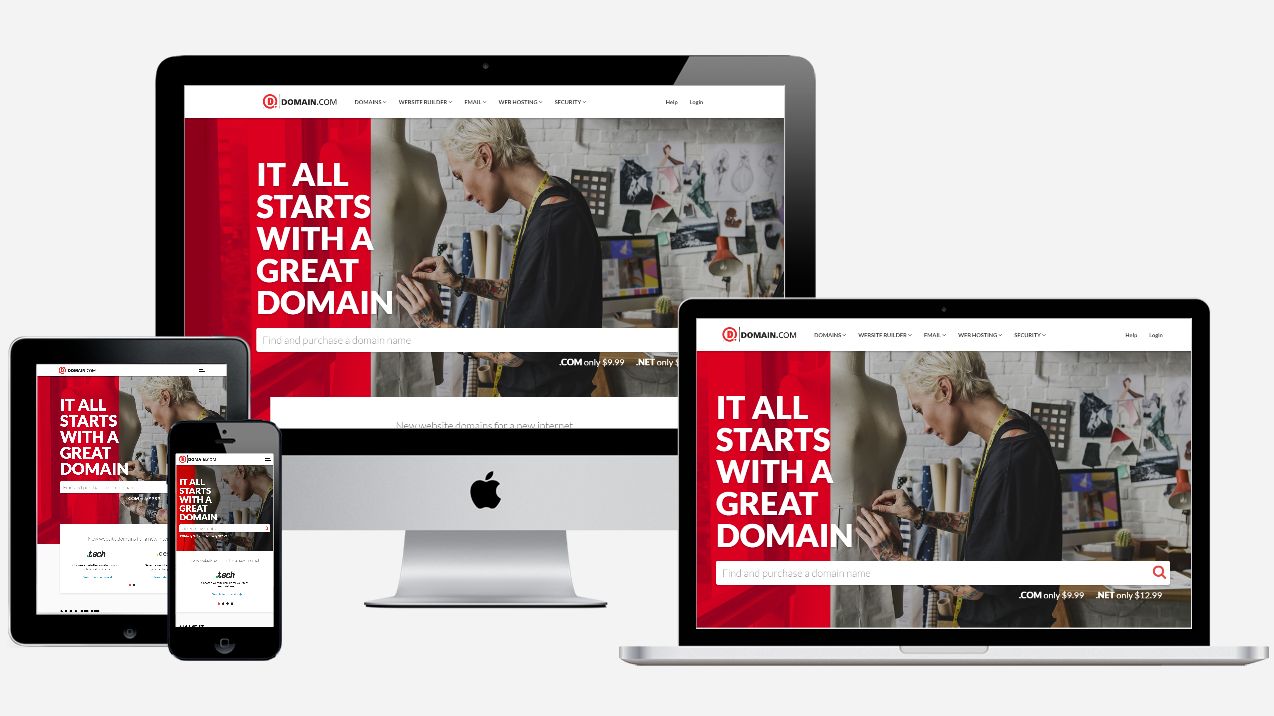
With a name like Domain.com, the EIG-owned brand, means business, focusing primarily on small and medium businesses. It offers most popular top level domains and over 25 country code top level domains and also sells premium domains as a broker.
With nearly two decades of online presence, the company - which is one of the world’s biggest domain name registrars - expanded in web hosting and now ranges a number of products including a website builder, a full design service and web hosting.
Domain.com prices tend to be average but we have managed to blag a 25% discount off almost everything in your cart*. Non-premium TLD (.Club, .Me, .Website etc) start from $2.99 for the first year ($2.24 with our code). In line with the rest of the industry, they rise significantly after the second year).
You need to pay for privacy protection, a reasonable $8.99, plus you can add email, web hosting, SSL certificates and malware protection, none of which is compulsory. You can stick with its basic website builder which is free with every domain: you get a drag and drop website builder, tons of mobile-friendly templates, up to six pages, SEO tools, Paypal integration and even access to stock image library.
Support is more than adequate with 24/7 chat, email and phone support. Domain.com may not have the cheapest prices but it provides with a very balanced offering.
*All renewals after the initial discounted period will be charged at the then current standard list price for the selected period. Coupon is not valid with sunrise registrations, landrush registrations, EAP registrations, pre-registrations, premium registrations, renewals, transfers, custom website design, other coupons, or special pricing.
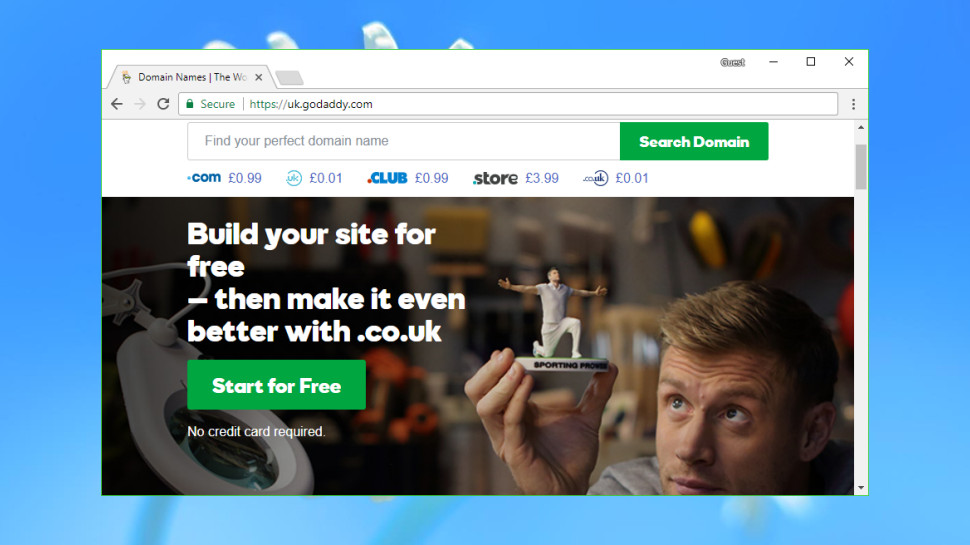
Web giant GoDaddy is the world's biggest domain registrar, currently managing more than 75 million domains for 17 million customers around the globe.
The company is well-known for its low headline prices, and it's the same story here, with .uk and .co.uk domains available for $0.99 in year one. On the other hand .com and .org are less impressive (though still apparently cheap) starting at $12.17. Beware, though: these aren't the bargains they initially seem.
The first catch is that GoDaddy's starting prices only apply if you pay for two years upfront, and the second year is significantly more expensive (.com rises to $18.17, .uk and .co.uk domains rise to $12, .org and .mobi are ridiculously high, $21.17 for .org and $26.17 for .mobi - at the moment, first year for .mobi is $7.17, due to an offer).
The second problem is that there are no bundled extras, so adding something like Whois privacy – a valuable service often included for free with other providers – costs $8 a month for year one, and $10 on renewal.
There's clearly much better value to be had elsewhere, but GoDaddy may still appeal to web beginners looking for a bundled hosting and domain registration deal. The company has an array of products covering every possible requirement, with telephone support if you need it, and buying your domain and hosting from the same provider will make life a little easier.
Just keep in mind that other providers can also combine hosting and domain registration, and GoDaddy may not provide the best package for you. Check out our various hosting guides for possible alternatives.
You can sign up for GoDaddy domain registration here
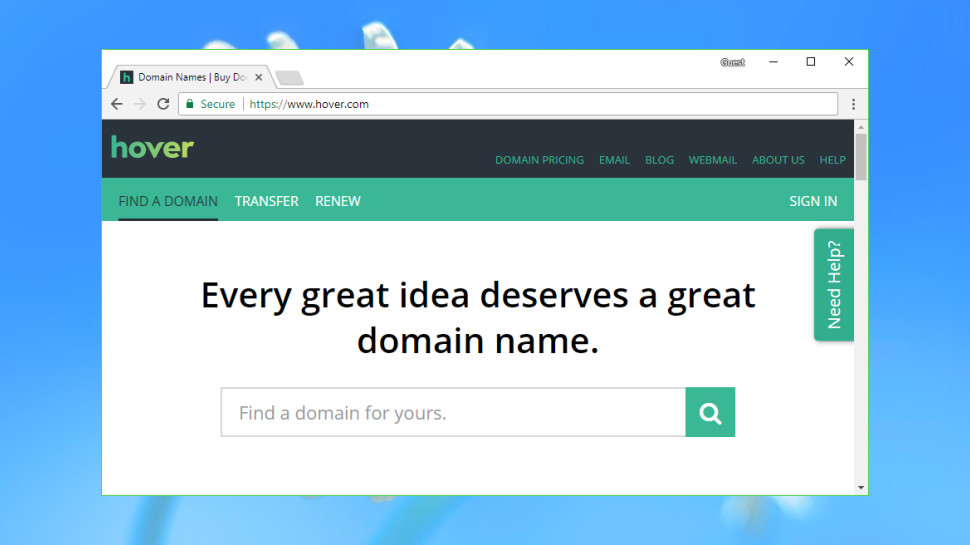
Hover is a popular domain name registrar owned by Tucows, which also operates eNom and the domain reselling platform OpenSRS.
Hover's website is clear and straightforward. A domain pricing page allows for checking registration costs before you start, or you can use the search box to immediately locate your preferred TLD (top-level domain).
By default the results page displays every domain you can register and their prices, giving you a lot to scroll through and read. But a handy sidebar allows filtering domains by categories including Personal, Businesses, Audio and Video, Food and Drink, and more. It's a neat touch which could help you spot an appealing domain that you otherwise might have missed.
Prices are very reasonable, with .com domains costing $12.99 for year one, .co.uk priced at $10.99, .org costing $13.99 and .mobi reaching $15.99. Shop around and you'll find slightly lower prices elsewhere, but Hover generally provides good value.
There's a welcome bonus in Whois Privacy, which comes free for as long as the domain is managed by Hover.
The company keeps upselling to a minimum, even in the final shopping cart stage. You're simply offered three email-related extras: email forwarding at $5 a year, a 10GB email account for $20, or you can opt for a 1TB inbox, file sharing, a calendar and more, for an annual $29.
If you have any questions, support is available via email and chat, although it's not 24/7. Working hours are 8am to 8pm (Eastern Time) Monday to Friday, and 12pm to 5pm at the weekend.
You can sign up for Hover domain registration here
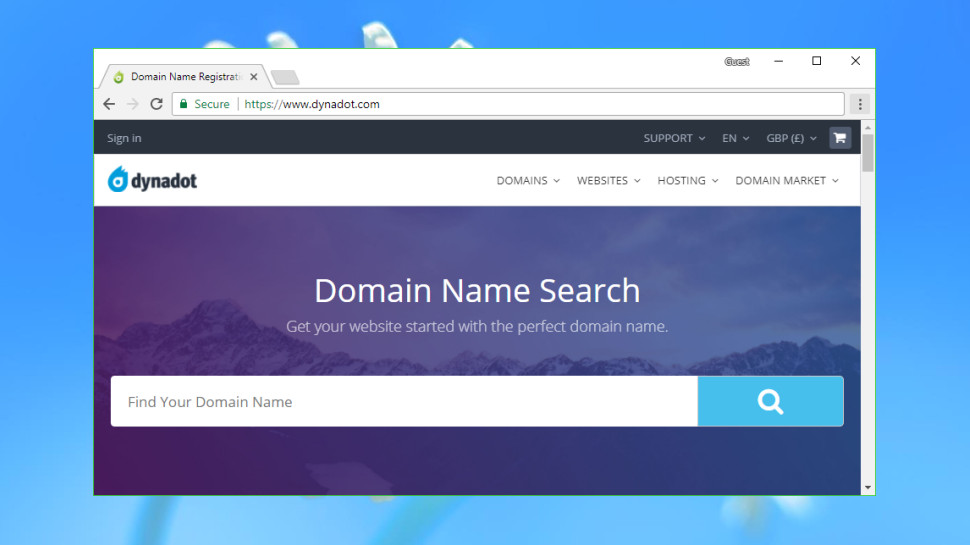
Most domain name registrars offer a simple identikit service with little to separate them from the competition, but Dynadot is an interesting exception which has some unusual advantages.
This starts right at the beginning, with your initial search. You can use the website much like any other – type your preferred domain, press Enter, read the results – but you also get Bulk and IDN (Internationalized Domain Name) search tools, and advanced options allow defining which domain extensions to include in your searches, as well as setting those as defaults for all future searches.
These searches can optionally return results from domain auctions, Dynadot's Marketplace (where other customers sell domains they no longer need) and other sources. There's also a Backorder option to try and grab a domain that isn't currently available, if it's not renewed.
Prices are on the low side, with Dynadot offering both special deals on some extensions and good value at renewal. .com sites are $7.99 initially, $8.99 on renewal. If you’re after a .co.uk domain, that’ll set you back $6.95, with .org costing $10.99, and .mobi domains are $4.25 initially, $13.99 on renewal.
That's just the start: Dynadot also piles on the free extras. A Website Builder allows you to build and host a simple one-page responsive website. There's free domain forwarding if you'd like to redirect visitors somewhere else. DNS support allows creating 50 subdomain records, 10 email addresses, and 5 each of MX and TXT records. There's even a Grace Deletion list which allows returning a domain if you change your mind.
This requires a small fee and won't always be allowed (the details on how it works are here), but it's still a welcome extra you'll rarely find with other registrars.
Dynadot's support wasn't always as impressive, with live chat being offline when we checked. But the website does have a publicly available forum, allowing anyone to browse common questions and see how happy (or otherwise) Dynadot's customers might be.
You can sign up for Dynadot domain registration here
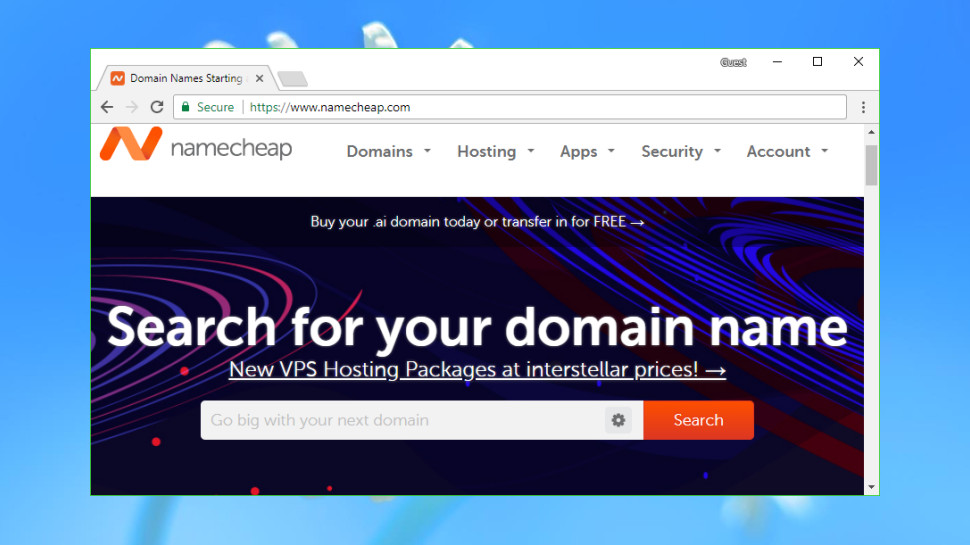
Founded in 2000, Namecheap is a popular domain name registrar and web host which now manages more than five million domains.
Namecheap's excellent website allows searching for individual domains, or in batches of up to 50.
If the domain is taken, you can view the Whois record or offer to buy the domain (via DomainAgents) from the current user.
If the domain is available, results are displayed across four tabs: Popular, New, Discounted and International. This is a neat approach which makes it easier to browse the list and find what you need.
Prices are generally very good at $8.88 (£6.8) for .com domains - $12.98 on renewal, $7.58(£5.8) for .co.uk - $9.58 on renewal, $12.98 (£10) for .org - $14.98 on renewal, and $16.88 (£13) for .mobi (at the moment, you can get .mobi for $2.88 for the first year). There are some special deals available, and Namecheap has an Agent 88 set of domains which are almost always available at $0.48 (£0.35) for the first year (these usually include the following: .site .website .space .pw .press .host .tech .online and .fun – but there may be others as well).
That would be good value all on its own, but Namecheap doesn’t stop there: you get WhoisGuard domain privacy thrown in for free.
Namecheap's billing is straightforward and honest, with current and renewal prices clearly described in your Namecheap shopping cart, and Auto-Renew turned off. But if there's something you don't understand, helpful FAQ pages and live chat are just a click or two away.
You can sign up for Namecheap domain registration here
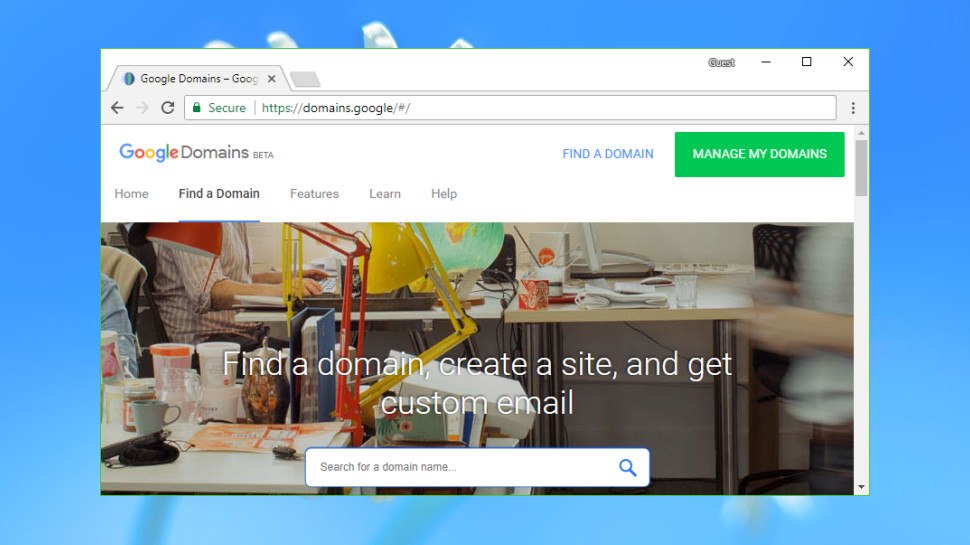
Shopping around for a domain registrar can involve a lot of hassle as you research companies you've never heard of, try to separate genuine bargains from marketing tricks, and browse the small print looking for hidden catches. With potential savings only amounting to a few pounds or dollars a year, at best, you might prefer to simply sign up with a big-name provider that you know will give you a reasonable service, even if it does cost a fraction more.
Enter Google Domains, Google's lightweight domain registration arm, a straightforward provider that puts speed and simplicity at the top of its priority list.
Google Domains doesn't confuse you with endless sales, or 'special' deals that turn out to be not so special after all. Upselling is kept to a minimum. Instead, it's all about making the purchase process as easy as any other online shopping site: search, click, and check out.
The difference is obvious from the moment you reach the site. There are no animated ads at the top of the page, no 'Sale!' banners, no low headline prices: just a search box where you enter a single domain.
The results page is equally straightforward, with prices listed for nine common top-level domains, and an All Endings tab listing every option in alphabetical order (domain.academy, domain.bargains, domain.camera).
One potential problem is that Google Domains doesn't support all the domain extensions you'll get elsewhere, and this includes some quite common examples (.mobi, .tv). If you think you might ever want to buy something beyond the most popular extensions, it’s a good idea to check that your likely choices are available before you buy.
Prices are standardized to whole numbers, so for example .com, .co.uk and .org domains are all priced at $12. That's a little above average overall, but better than some, especially as Google Domains throws in free Whois privacy for as long as you're registered. That's a valuable extra which could cost $2.80 to $11.20 a year elsewhere.
If you do have any questions, a Help link displays articles on common problems. If that's not enough, the Contact Us page enables talking to a support agent by email, live chat or telephone (Google calls you), the highest level of domain registrar support we've seen anywhere.
You can sign up for Google Domains domain registration here Check out the best website hosting services
Read more: techradar.com
SiteGround is one of the most popular web hosting services available on the market today. It’s a safe and reliable way to host your website in 2019.
More than 2 million active domains are hosted with SiteGround.
One of the reasons why this service is so popular is because they offer hosting options and plans suitable for a wide range of websites and businesses. Small personal websites, business websites, and large ecommerce sites alike can all use SiteGround.
For those of you who are looking to find a hosting provider for your new website, SiteGround is definitely a top option for you to consider.
It’s also a great choice for anyone who wants to switch hosting providers for their existing website since SiteGround has plans with a free site transfer. But we’ll talk about this in greater detail as we continue.
I’ll give you a better understanding of the plans, types of hosting, and top benefits offered by SiteGround. You can use this guide to make an informed decision to determine if SiteGround is the best web hosting plan for your needs.
SiteGround Web Hosting Plans
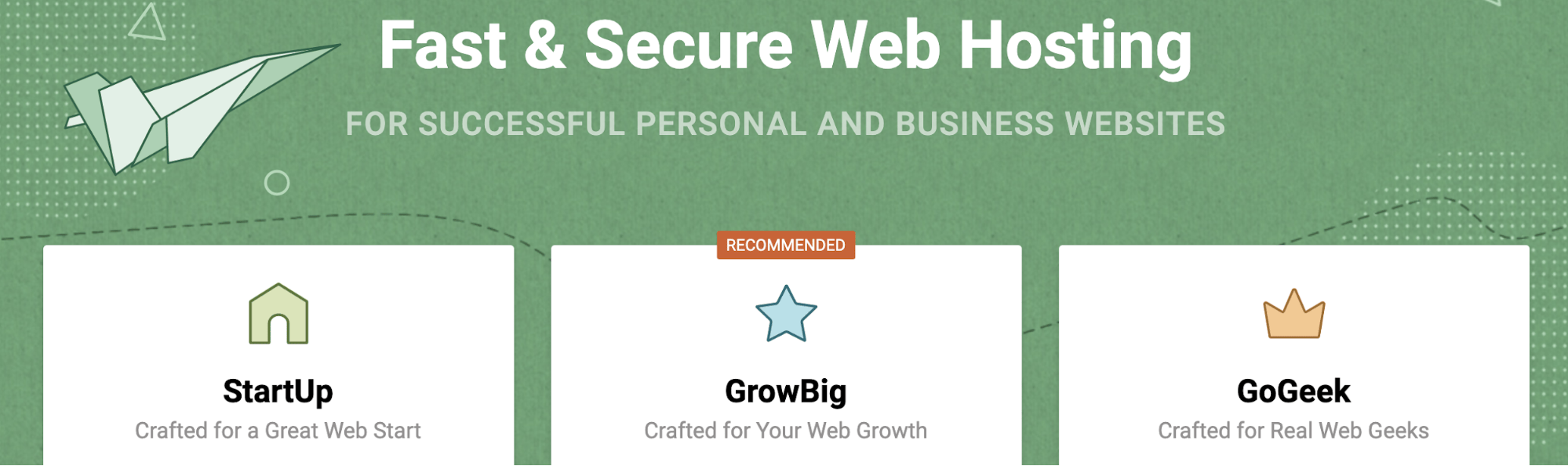
Like most web hosting services, SiteGround offers different plans for websites with varying needs. In this case, there are three tiers for most of their hosting types.
With the exception of cloud hosting and dedicated server hosting, the prices of these three plans will remain the same across the board for shared hosting, WordPress hosting, and Woocommerce hosting. We’ll dive deeper into those plans later in this guide.
For now, I’ll focus on the pricing and features of the three most popular plan options offered by SiteGround.
StartUp
As the name implies, the SiteGround StartUp plan is ideal for new websites. With rates starting at $3.95 per month, this plan is suitable for websites with less than 10,000 monthly visits.
You can only host one website with the StartUp plan, and it comes with 10 GB of web space. Other top features include:
Free site builder Free SSL and HTTPS Free email accounts Free CloudFlare CDN
It’s a basic plan, but definitely appropriate for new websites that are starting from scratch. For those of you who want more features and better performance, you’ll need to upgrade. You’ll also outgrow the StartUp plan as your traffic increases (which is a good thing).
GrowBig
The GrowBig plan starts at $5.95 per month. This is ideal for medium-sized websites averaging up to 25,000 monthly visits. GrowBig has 20 GB of web space and can host an unlimited number of sites.
Unlike the StartUp plan, GrowBig has enhanced caching ability. The SiteGround Supercacher has three levels.
Level 1 — Static content caching Level 2 — Dynamic data caching Level 3 — Database queries caching
StartUp only caches at the first level, but GrowBig caches on all three levels.
If you sign up for the middle-tier plan offered by SiteGround, you’ll also get free on-demand backups, a free site transfer, as well as a staging feature for WordPress and Joomla sites. I’d say that the GrowBig plan will be suitable for most of you who are reading this guide.
GoGeek
GoGeek can accommodate up to 100,000 monthly visits and has 30 GB of web space. Obviously, this plan is made for bigger websites with high volumes of traffic.
Rates for GoGeek start at $11.95 per month, but the plan comes with all of the bells and whistles. In addition to everything that’s available in the GrowBig plan, GoGeek offers:
Advanced priority support (expedited customer service to the most experienced agents) PCI compliant servers (necessary for those of you who process payments online) Git pre-installed (for creating repositories on your site)
The name for this plan was inspired by technology geeks. So it’s made for those of you who want more control of your site. If you don’t understand some of the tech lingo that’s being mentioned in the GoGeek plan, it’s probably not for you. The only other reason why you’d need to upgrade to GoGeek is if you’re getting tons of monthly site traffic.
WordPress hosting
SiteGround offers hosting options specifically designed for WordPress users. This will save you time since you won’t need to manually download, install, and configure WordPress.
With SiteGround, you can take advantage of their automated process that’s as simple as clicking a button. This plan also makes it easier for you to customize your WordPress site by choosing a theme, picking your site functionalities, and installing marketing tools.
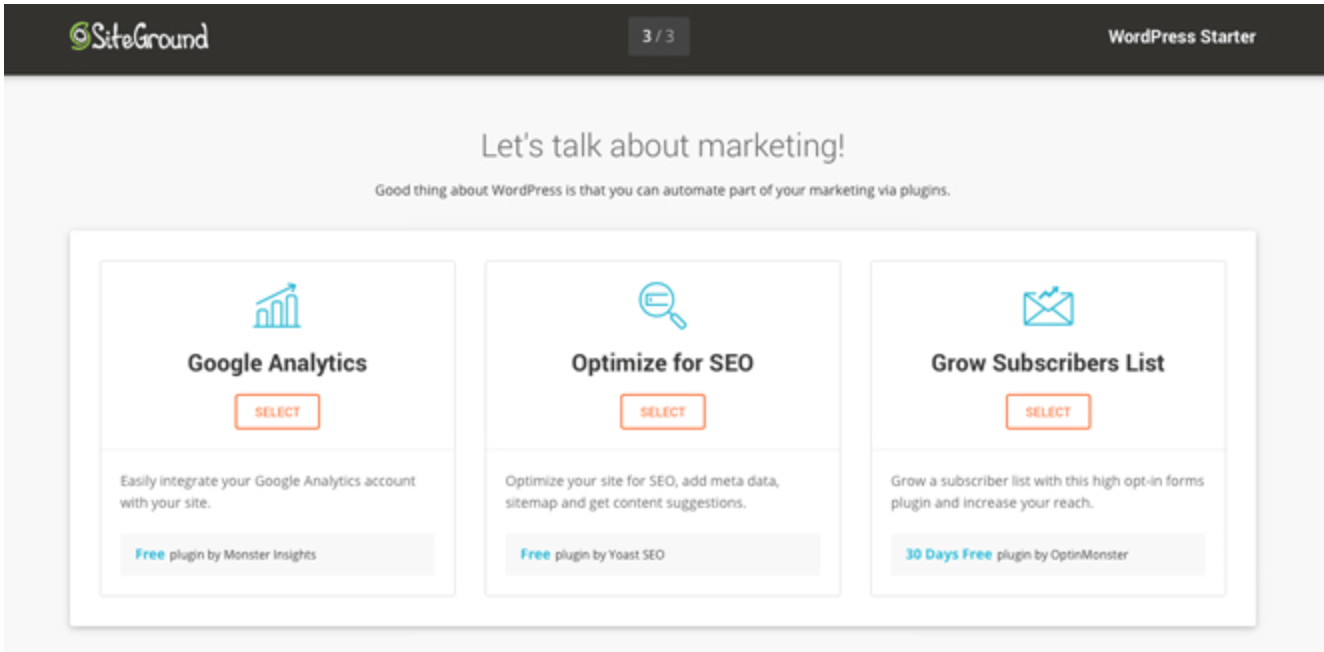
The WordPress Starter Kit from SiteGround is a great added feature for new WordPress sites. You don’t need any technical knowledge or experience to set this up.
If you have an existing WordPress site, SiteGround offers a free WordPress transfer. The SiteGround Migrator plugin takes care of everything for you. This is a secure way to transfer your site.
Alternatively, if you have a GrowBig or GoGeek plan, you can get your WordPress site migrated by one of the experts at SiteGround. This is a free service for one website before rates start at $30 per site.
WooCommerce hosting
SiteGround also has hosting options for ecommerce shops using WooCommerce.
The quick install and integration with WooCommerce is an easy way for you to create a professional theme for your online store. You can get the site up and running in minutes.
Just migrate your WooCommerce site using the migrator plugin. Just like WordPress hosting, WooCommerce migrations done by a SiteGround expert is free for one website if you’re on the GrowBig or GoGeek plan. Then you’ll have to pay $30 per each additional site.
If you have WooCommerce, you’re going to need to the GoGeek plan anyways, since that comes standard with PCI compliant servers.
Cloud hosting
Cloud hosting is a new way to host websites. The process uses multiple remote servers and is a great option for those of you who have websites that have outgrown the shared hosting plans.
With cloud hosting, SiteGround gives you guaranteed resources to meet your needs. Your own RAM and CPU won’t be shared with any other websites.
It’s also easy for you to scale your website with this type of web hosting.
You can upgrade your RAM, CPU, and disk space on-demand at any time. You don’t need to get approval to do this, and it happens without any website downtime.
Rather than always doing this manually, you can set up automatic scaling with SiteGround. It will adjust your CPU and RAM to meet the needs of unexpected traffic surges, but you still have control of all the parameters.
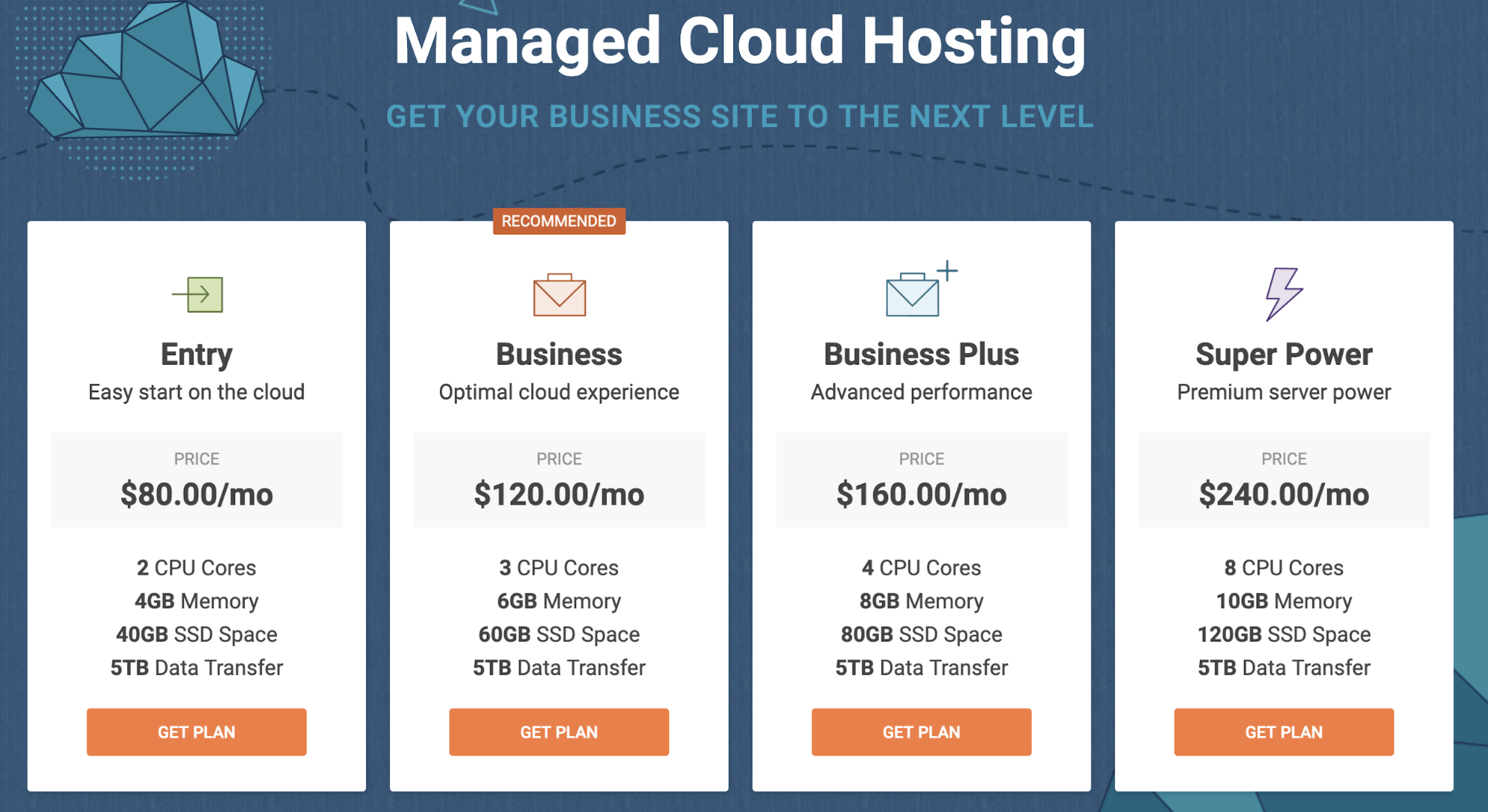
There are four plans for SiteGround Cloud hosting. As you can see from the image above, the plans range from $80 to $240 per month. So there’s definitely plenty of options to choose from.
I’d say that the business plan will likely be a suitable choice for most of you who are using a cloud hosting service for the first time.
Dedicated servers
For those of you who don’t want to use cloud hosting or shared hosting, SiteGround offers dedicated server options as well.
This is perfect if you don’t want any restrictions in terms of the software you use on your website. You’ll also be able to make changes directly to your server if you go with this route.
All servers are managed by the experts at SiteGround. They also offer software designed to boost the performance of your server and provide added functionality.
You can also choose the location of your data center.
United States Europe Asia-Pacific
There are three dedicated server plans offered by SiteGround:
Entry Server Power Server Super Power Server
These plans start at $269 per month, $349 per month, and $729 per month, respectively.
Benefits of SiteGround for web hosting
There is plenty of upside to using SiteGround as a web hosting service. I just want to quickly highlight and explain why this platform stands out from its competitors.
High uptimes
When it comes to measuring how good a web host is, uptime is the ultimate metric. By definition, this is the amount of time that a server stays up and running.
A recent study shows that SiteGround has exceptionally high uptimes, on average, over a twelve-month stretch.
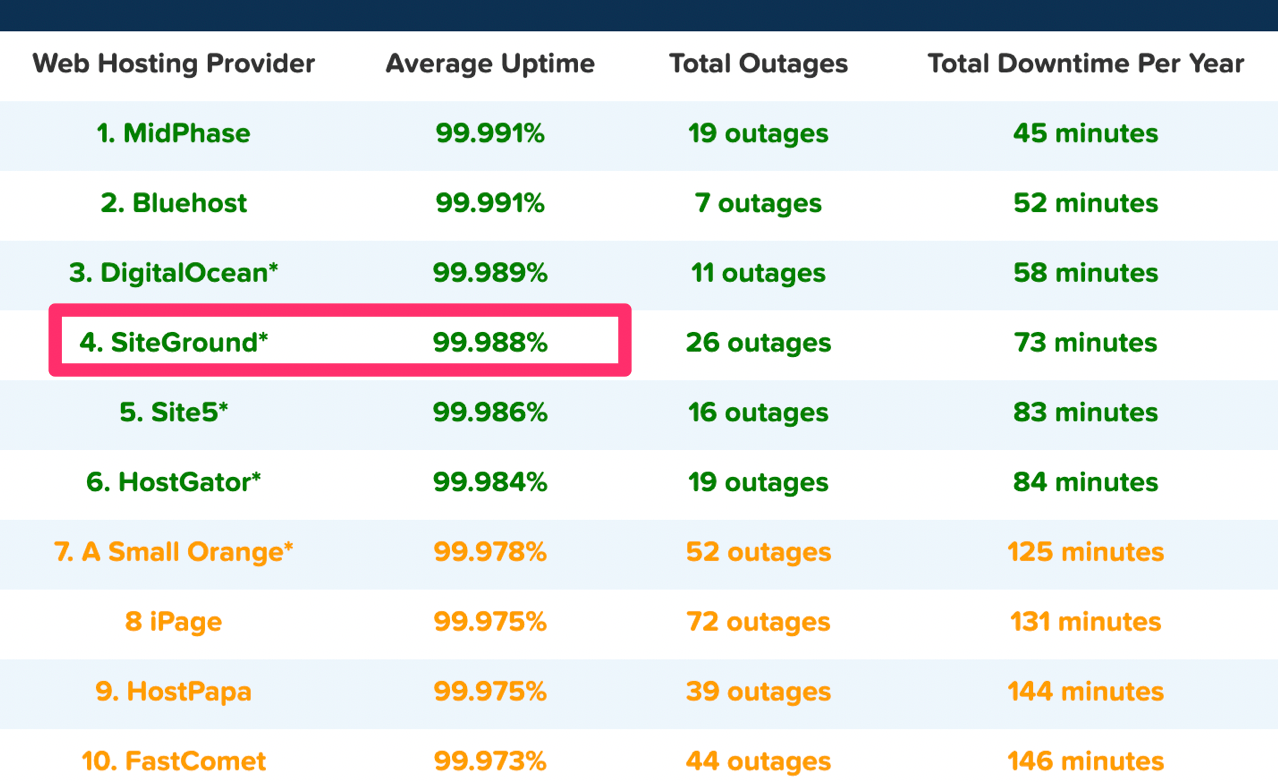
In 2018, SiteGround ranked fourth compared to other web hosts judging by average uptime. As you can see, they were just barely beat out for the third place spot by a one-thousandth percentage point.
Overall, the average uptime for the 32 shared web hosting services in the study was 99.59%. SiteGround was significantly higher than the average and near the top of the list.
High uptimes ensure that your site will nearly always be up and running around the clock.
Fast load times
Just because your site is up, it doesn’t always mean that it will be fast. But take a look at the response time for this SiteGround test website that was set up by Hosting Facts.
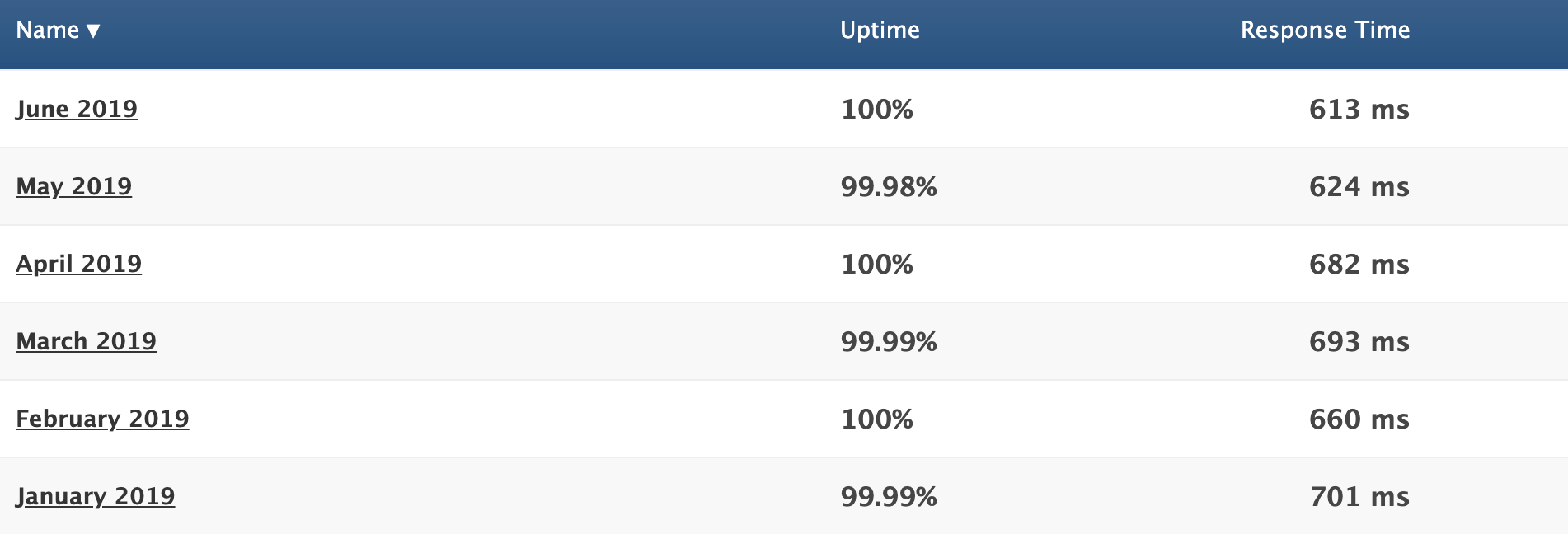
We already talked about the great uptime, but now you can refer to the response time column.
The average response time for the first six months of 2019 was 662 ms. That’s phenomenal. In addition to using a good web host, you should also know the other top principles that boost website loading times.
Great customer support
Hopefully, you don’t have any issues with SiteGround. But in the event that you run into a problem, have a question, or need some assistance, it’s nice to know that they provide excellent customer support.
You can access phone support as well as live chat 24/7. As I mentioned earlier, you’ll have priority support if you have a GoGeek plan. This means that you’ll be connected with the most experienced SiteGround technicians whenever you need help.
Free features
Web hosting services will always try to hit you with add-ons at an upcharge. But SiteGround throws in some great features at no extra charge.
Your membership comes with one free site migration. This can be done with their migrator plugin, which we talked about earlier. If you have the GrowBig or GoGeek plan, a SiteGround professional will do the migration for you.
SiteGround plans also come with a free CDN and free SSL certificate.
Cloudflare CDN keeps images, videos, and other large files off of your server. As a result, your server is always fast. Since SiteGround users servers all over the globe, the CDN makes sure that files are stored closer to website visitors for fast delivery.
The SSL certificate is required for all websites. It protects private information being transmitted between devices and websites. SiteGround throwing this in for free is a nice touch since you’d need to get one regardless.
Flexible
Nearly any website can be hosted on SiteGround.
It’s a great web hosting service for beginners and experienced users alike. You don’t need to be too tech-savvy to understand how the platform works and get your site hosted. But on the other hand, if you like to be more hands-on with the server and take advantage of certain features, SiteGround has plans with you in mind.
There are also enough options on SiteGround to accommodate different web hosting needs, such as shared hosting, dedicated server hosting, and cloud hosting.
They have plans suitable for a wide range of average site traffic as well. So as your website scales, you can always upgrade to a plan that will meet your needs.
Money back guarantee
SiteGround offers a 30-day money back guarantee for their shared hosting plans. This shows that they stand behind the services that are offered.
Dedicated servers and cloud hosting plans have a 14-day money back guarantee, which is still enough time to tell if you’re happy with your service.
SiteGround will also refund you if they fail to meet a 99.9% uptime rate. This is clearly written in their terms of service.
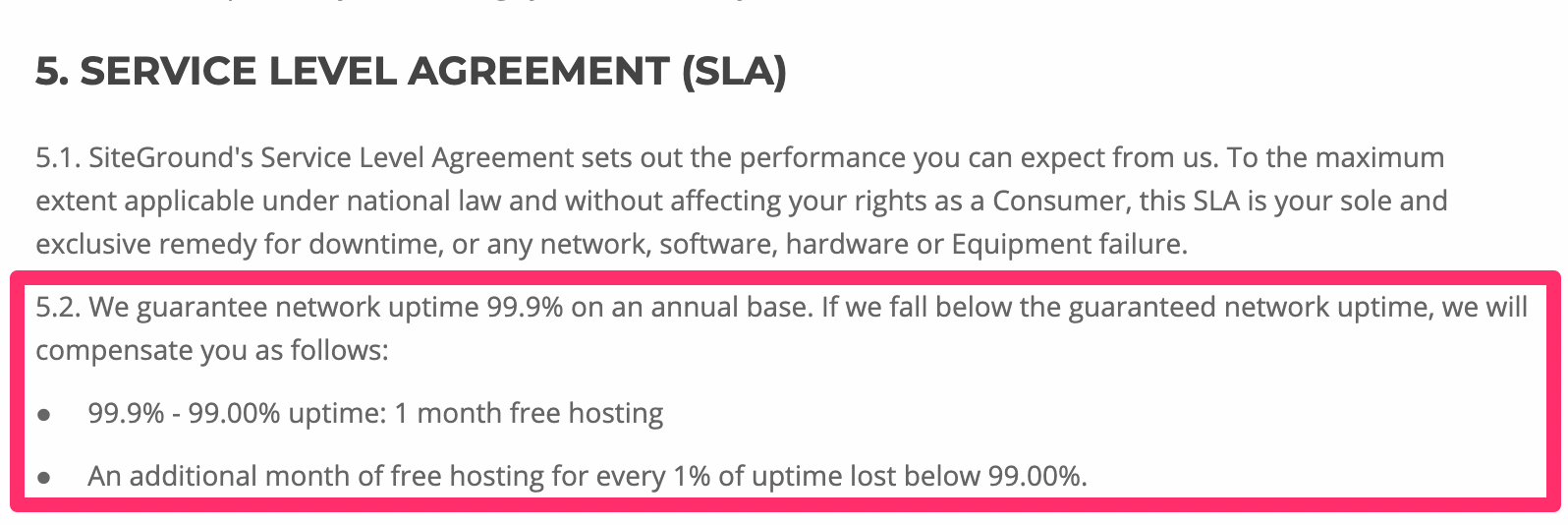
This relates back to what we talked about earlier, in terms of their high uptime rates. There’s a reason why it’s so high—SiteGround has a promise to stand behind.
Other considerations
There’s no such thing as a perfect web hosting service. While SiteGround is great, there are a few downsides that you should be made aware of before you proceed.
Setup fee
SiteGround charges a one-time setup fee for $14.95 with all of their plans. It’s not a deal breaker by any stretch, but it means you can’t just sign up for their lowest plan and be out the door for $3.95.
Renewal rates
At first glance, SiteGround’s pricing is very attractive. But those are only promotional rates.
When you renew, your rates will jump as follows:
$3.95 to $11.95 per month $5.95 to $19.95 per month $11.95 to $34.95 per month
The cost essentially triples across the board. So I’d recommend locking in the longest contract possible when you first sign up, which is 36 months. This will guarantee you a low rate for a while before you’re forced to renew.
Limited budget plan
For those of looking for the best cheap web hosting service, SiteGround’s StartUp plan for $3.95 per month is definitely attention-grabbing.
It’s a great choice for those of you with smaller websites, but it’s fairly limited for anyone who plans on getting more than 10,000 visitors per month. You may have to upgrade faster than you anticipated if you start with their lowest priced web hosting plan.
No free domains
While SiteGround throws in a fair amount of free features, a free domain isn’t on the list.
That’s a bit surprising, considering that this tends to be the standard with other reputable web hosting services. At the very least, the cost of the domain is covered for the first year. But again, SiteGround doesn’t offer that.
Conclusion
I’ll get straight to the point—I would definitely recommend SiteGround for web hosting.
This platform offers a wide range of hosting types and plans to accommodate the needs of nearly any website, large or small. SiteGround stacks up well compared to its competitors in terms of features and performance.
While the hosting service it’s perfect, it still gets the nod from us here at Quick Sprout. I’m confident that it will fulfill your web hosting needs.
Read more: quicksprout.com
Last updated on June 6, 2019 at 05:23 pm

Link building continues to be one of the most important SEO strategies. There is still a great correlation between the number of links and high organic rankings. This is why any SEO strategy could not be complete without link building.
Search engines, especially Google, have made link building a lot more difficult. This makes link building campaigns a lot more complicated. It requires careful planning and takes a lot of time and patience to execute.
It could quite be frustrating to launch a link building campaign for months and see no increase in your website’s traffic or rankings and one of these might be the reason why your link building efforts are not working.
Your Links are from Irrelevant Websites
Just like for content, relevance is important for any link building campaign. If your website’s niche is business and finance, it wouldn’t make sense for search engines if you get links from a medical website.
Link relevance is just as important as authority. Both of these are strong link-related ranking factors.
If you find irrelevant links on your Search Console Link Report, don’t disavow it just yet! If Google thinks a link is irrelevant, they are smart enough to devalue it. So unless you receive a manual action, don’t disavow immediately.
If you have guest blogging on the list of your strategies, plan it out and don’t just send emails to random webmasters. Create a list of websites in your niche that are not direct competitors where you could contribute articles that will provide value.
You’re Not Getting Referral Traffic
If you’re building links for the sake of just getting a backlink, then you’re stuck in the old ways and you need to catch up. Link building today goes hand in hand with content marketing. You create great content to get people to go to your website and read your content.
Before you build a link on a website, you need to ask yourself: “Would people click on my link?”. The more likely a person clicks on your link, the more a link is valued regardless if it’s NoFollow or DoFollow.
If you’re doing a link building campaign, check your Google Analytics account and go to your Acquisition report. Monitor and identify the websites you are getting clicks from to better plan your strategy.

Imbalance Between Links Built and Links Earned
Do you want to know the best way to build links? Earn them. The reality is, Google hates link building because it’s too manipulative that is why they have taken steps to make it more difficult. If all of your links are built and none of them are organic, then you have a bad link profile.
While a lot of common link building strategies still work, to Google, nothing beats more than acquiring links because of great content. That is why the most successful link building campaigns involve great blogs.
There is no doubt that to Google, content is king. Building links to your website is good but you need to have a balance in between. Create good content that people would love to read and link to and links will come without forcing it.
Not Enough Referring Domains
A backlink profile with thousands of referring pages might look great but what matters to Google more is the number of referring domains. Even if you get 10 links because you contributed 10 guest articles in a website, it will only count as one referring domain.
This was once abused before that is why link directories and link farms became a business in the 2000s. You place a link in a website and that website scatters your link in different pages inside giving you hundreds of referring pages from just website.
You could use Google Search Console’s link report to check if you have a good ratio between incoming links and linking website/referring domains.

If you’re building links, make sure you don’t get links from the same websites just because it’s easier. Focus on building relationships, connect with different webmasters, and refrain from buying links from link farms or PBNs because they just don’t work anymore!
Slow Link Velocity
Acquiring a link in a day is one thing, acquiring more links over time is another. Link velocity is about how slow or fast your website is acquiring backlinks. If you’re losing more links than your gaining, it might be a sign that people are losing trust on your website. At the same time, if you’re gaining links too fast, it might be a sign to Google that you’re doing something fishy.
You could use Ahrefs to check how the growth of your links looks like. Here’s what a great link velocity look like:

Make sure that you build links as natural as possible. You don’t have to build a thousand links in a month just to relax the next month. Never sacrifice quality for quantity. It is better for you to build 5 to 10 high-quality links in a month than produce a thousand random links.
Lost Backlinks
Losing backlinks can be caused by different things. It might be the website closed for good, the page was deleted, or maybe the webmaster decided to remove your links from a post. If you want to check for lost backlinks, you could use Ahrefs.
You could either check for Lost Backlinks or Lost Referring Pages. I usually prefer checking the Lost Backlinks report because it specifically says what page I was linked before.

A loss is a loss but you could still try to get them back. If you lost a backlink from a blog post that linked to you as a source, you could reach out to the webmaster and ask why your link was removed. It might be because your page was outdated or it returns a 404 Error. This could be an opportunity for you to update your content or fix errors and ask webmasters to link back to you again.
Competitors Have Better Links
If you’ve been building links for months and still haven’t overthrown your competitor who is at the top spot, then most likely they have better, more high-quality links.
Take note of “high-quality links”. Even if you check Ahrefs or other backlinks checker tools out there and see that you have more links than your competitor; quality will always have more value than quantity.
Do research on what your competition is doing. Competitive link building is one of the best ways to build links. Find out who is linking to your competitor and try to get them to link to you.
Other SEO Factors are Not Optimized
Link building is great but it is not everything. Google uses more than 200 ranking factors and links are just one of them. No website gets to be successful by relying on links alone so don’t give yourself too much headache.
There is always room for optimization. Aside from acquiring links on a regular basis, you should also focus on regularly producing high-quality content, making your website mobile-friendly, improving site speed, and many more.
Always remember that SEO should be holistic. Try to find a balance in everything. While you can’t do all ranking factors perfectly, try to find what works for you.
Key Takeaway
Link building has evolved and it continues to evolve. In my opinion, links will continue to be relevant. It might not be as powerful as before but to rank high organically will always involve high-quality links.
A great link building campaign is the one that follows Google’s guidelines and it goes hand in hand with other SEO strategies. If you see that your link building campaign does not work, learn how to step back, investigate, and restrategize.
Read more: seo-hacker.com
DNS (Domain Name System) is a system which translates the domain names you enter in a browser to the IP addresses required to access those sites.
Your ISP will assign you DNS servers whenever you connect to the internet, but these may not always be the best choice. Slow DNS servers can cause a lag before websites start to load, and if your server sometimes goes down, you may not be able to access any sites at all.
Switching to a free public DNS server can make a real difference, with more responsive browsing and lengthy 100% uptime records meaning there's much less chance of technical problems.
Some services can also block access to phishing or infected sites, and a few offer content filtering to keep your kids away from the worst of the web.
You need to choose your service with care - not all providers will necessarily be better than your ISP - but to help point you in the right direction, this article will highlight six of the best free DNS servers around.
We’ve rounded up the best website hosting services
OpenDNS
Founded in 2005 and now owned by Cisco, OpenDNS is one of the biggest names in public DNS.
The free service offers plenty of benefits: high speeds, 100% uptime, phishing sites blocked by default, optional parental controls-type web filtering to block websites by content type, along with free email support if anything goes wrong.
Commercial plans enable viewing a history of your internet activity for up to the last year, and can optionally lock down your system by allowing access to specific websites only. These aren't going to be must-have features for the average user, but if you're interested, they can be yours for around $20 (£14.30) a year.
If you're an old hand at swapping DNS, you can get started immediately by reconfiguring your device to use the OpenDNS nameservers.
If you're a newbie, that's okay too, as OpenDNS has setup instructions for PCs, Macs, mobile devices, routers and much, much more.
Cloudflare
Best known for its top-rated content delivery network, Cloudflare has extended its range to include a new public DNS service, the catchily-named 1.1.1.1.
The product doesn't have any of the extras you'll often see elsewhere. There's no anti-phishing, no ad-blocking, no content filtering or other attempts to monitor or control what you can access, and what you can't.
Instead, Cloudflare has focused much more on the fundamentals. These start with performance, and independent testing from sites like DNSPerf shows Cloudflare is the fastest public DNS service around.
Privacy is another major highlight. Cloudflare doesn't just promise that it won't use your browsing data to serve ads; it commits that it will never write the querying IP address (yours) to disk. Any logs that do exist will be deleted within 24 hours. And these claims aren't just reassuring words on a website. Cloudflare has retained KPMG to audit its practices annually and produce a public report to confirm the company is delivering on its promises.
The 1.1.1.1 website has some setup guidance, with simple tutorials covering Windows, Mac, Android, iOS, Linux and routers. These are very generic - you get one set of instructions for all versions of Windows, for instance - but there are some pluses (IPv6 as well as IPv4 details) and you should be able to figure it out.
If you have any problems, Cloudflare offers a community forum where you can ask questions or see what others are doing, a nice extra touch which we'd like to see followed by other providers.
Google Public DNS
Google has its fingers in most web-related pies, and DNS is no exception: it's free Public DNS is a simple and effective replacement for your own ISP's nameservers.
Privacy can't quite match the 'we don't keep anything' promises of Cloudflare, but it's not bad. The service logs the full IP address information of the querying device for around 24 to 48 hours for troubleshooting and diagnostic purposes. 'Permanent' logs drop any personally identifiable information and reduce location details to the city level, and all but a small random sample of these are deleted after two weeks.
There's a further benefit for experienced users in Google's detailed description of the service. If you'd like to be able to assess the significance of Google's privacy policy, for instance, you can read up on absolutely everything the service logs contain to find out for yourself.
Google's support site offers only very basic guidance targeted at experienced users, warning that "only users who are proficient with configuring operating system settings [should] make these changes." If you're unsure what you're doing, check the tutorials from a provider such as OpenDNS, remembering to replace its nameservers with Google's: 8.8.8.8 and 8.8.4.4.
Check out Google Public DNS here
Norton ConnectSafe
UPDATE: Norton ConnectSafe retired and the service isn't available anymore.
Norton ConnectSafe is a free DNS service which can automatically block access to fraudulent, phishing and malware-infested websites, as well as optionally filtering sites by content.
This is a familiar idea - OpenDNS and Comodo, amongst others, do much the same thing - but ConnectSafe has one important advantage. It takes its data from Norton Safe Web, a comprehensive database on more than 50 million websites in 23 languages. The service delivers probably the best web filtering performance around, and the ability to get it for free, without having to install any software, is a major safety plus.
Setting up the service requires choosing from three levels of protection.
The Security policy blocks malicious and fraudulent websites only, and uses the nameservers 199.85.126.10 and 199.85.127.10.
The Security and Pornography policy adds support for filtering sexually explicit material, and uses the nameservers 199.85.126.20 and 199.85.127.20.
The very strict Security and Pornography and Other scheme extends the filtering to block 'sites that feature mature content, abortion, alcohol, crime, cults, drugs, gambling, hate, sexual orientation, suicide, tobacco or violence' by using the nameservers 199.85.126.30 and 199.85.127.30.
That's likely to lock you out of a lot of content, but it might appeal as a way to protect young children, and you don't have to use this policy everywhere. You could lock down your kids' tablet with this policy, for instance, but stick with the plain Security policy for your own laptop.
There are only very basic setup instructions on the ConnectSafe site, but if you run into trouble, the tutorials on competitors such as OpenDNS may point you in the right direction. Just be sure to use Norton's nameserver IP addresses when you change your device settings.
Check out Norton ConnectSafe here
Comodo Secure DNS
Comodo Group is the power behind a host of excellent security products, so it's no surprise that the company also offers its own public DNS service.
Just as you'd expect, Comodo Secure DNS has a strong focus on safety. It doesn't just block phishing sites, but also warns if you try to visit sites with malware, spyware, even parked domains which might overload you with advertising (pop-ups, pop-unders and more). Furthermore, you can try out the Comodo Dome Shield service, which adds additional features to Comodo Secure DNS.
Comodo claims its service is smarter than average, too, detecting attempts to visit parked or 'not in use' domains and automatically forwarding you to where you really want to go.
Performance is key, of course, and the company suggests its worldwide network of servers and smart routing technology give it an advantage. DNSPerf's Comodo stats are less impressive, unfortunately. As we write, DNSPerf reports its average query time as around 72ms.
That said, Comodo may still be interesting if you're looking for an extra layer of web filtering, and the support website has some short but useful instructions on setting the service up on Windows PCs, Macs, routers and Chromebooks.
Check out Comodo Secure DNS here
Quad9
Quad9 is a young DNS outfit which has been providing a fast and free DNS service since August 2016.
The company sells itself on its ability to block malicious domains by collecting intelligence from 'a variety of public and private sources.' It's not clear what these sources are, but the website says Quad9 used 18+ 'threat intelligence providers' as of December 2018.
That's a little too vague for us, and we're not convinced that using a large number of threat intelligence providers will necessarily help – the quality of the intelligence is generally more important than the quantity.
There's no arguing about Quad9's performance, though. DNSPerf currently rates it seven out of ten for average worldwide query times, lagging behind Cloudflare and OpenDNS, but effortlessly outpacing contenders like Comodo.
Drilling down into the detail reveals some variations in speed - Quad9 is on the sixth place for North American queries - but overall the service still delivers better performance than most.
Setup guidance is a little limited, with tutorials for the latest versions of Windows and macOS only. They're well presented, though, and it's not difficult to figure out what you need to do.
Verisign
Verisign was founded in 1995 and through the years offered various services, including several security services, like managed DNS.
Verisign DNS service is free to use and the company highlights the three features they deem the most important and those are stability, security, and privacy. The service definitely delivers on that account, especially for the security and stability. As for the privacy, while you can never be 100% sure when it comes to the company claims, there weren't any issues and the company assures you that your public DNS data will not be sold to third parties.
Performance, however, wasn't that great when compared to some other providers. Still, it's decent and depending on your needs, you might not be bothered by this. At the moment, DNSPerf.com ranks the service at tenth place, worldwide.
On their website, you can find tutorials on how to set up their public DNS. Tutorials are available for Windows 7 and 10, Mac, Linux, and mobile devices. There is also a tutorial on how to configure DNS server settings on your router.
All in all, Verisign offers a good alternative to some other DNS providers, plus it's free so it's worth checking out.
Got further questions about DNS? Here are some common queries along with our answers.
What is DNS?
The Domain Name System (DNS) is a phonebook for the internet, a framework which translates domain names, like facebook.com or twitter.com, into the IP addresses necessary for devices to load those internet resources.
The mechanics of DNS can be quite complicated, as information isn't held in a single database, but rather distributed in a worldwide directory including a vast number of DNS servers.
Fortunately, the average internet user doesn't normally have to get involved in any of the low-level technical details. Your ISP automatically provides you with access to a DNS server whenever you go online, and whenever you enter a URL into your browser, this will find the relevant IP address for you.
Your ISP DNS isn't performing? Verisign is one of many big-name companies offering a free alternative
Why might DNS matter to me?
DNS servers can vary hugely in speed, particularly in areas which don't always have the best internet coverage (Africa, South America, Oceania.) To take an example of a single day when we tested, DNSPerf.com reported Cloudflare achieved an average 4.43ms query time for Oceania, while Yandex was left trailing at 350.24ms. That's potentially more than a third of a second in extra waiting time before your browser is able to access any new website.
This is an extreme example, to be fair. European or US lookups may see less than 30ms variation between most DNS services, and as your device or router will probably cache the address for reuse later, even this delay will only occur very occasionally. Still, a sluggish DNS server can noticeably slow down your browsing in some situations, and trying an alternative – especially as the best options are all free – is generally a good idea.
There's a second possible benefit in terms of uptime. If your ISP DNS server fails, you might not be able to access some or all of your favorite sites. Big-name providers such as OpenDNS claim they've had 100% uptime going back years.
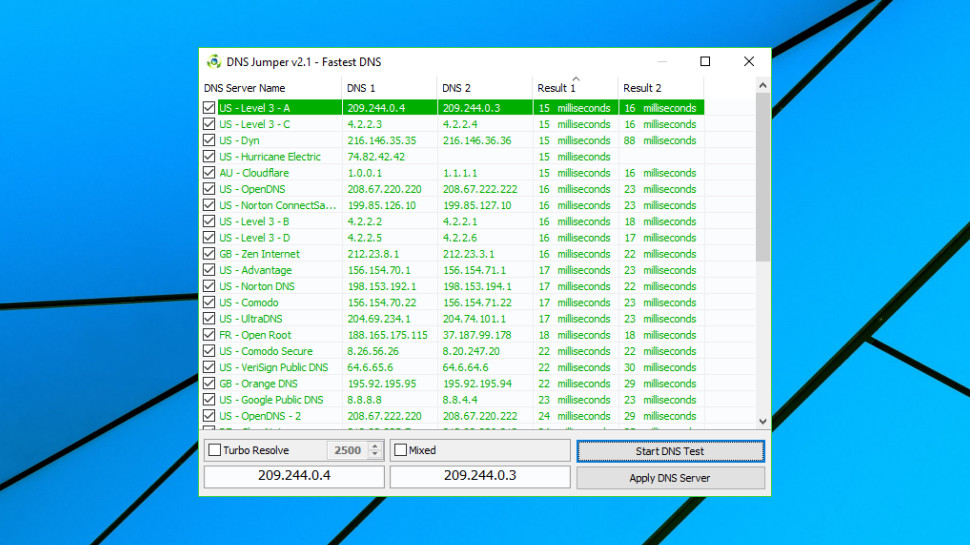
How can I find the fastest DNS service?
DNS speed depends on many factors, including your location, the distance to your nearest server, and that server having enough power and bandwidth to handle all the queries it receives.
DNS Jumper is a portable freeware tool which tests multiple public DNS services to find out which delivers the best performance for you.
The program has a lot of options, but isn't difficult to use. Launch it, click Fastest DNS > Start DNS Test, and within a few seconds you'll be looking at a list of DNS services sorted by speed.
DNS Jumper can be useful, in particular because it's checking how servers perform from your location, but it doesn't run enough tests over a long enough period to give you a definitive answer.
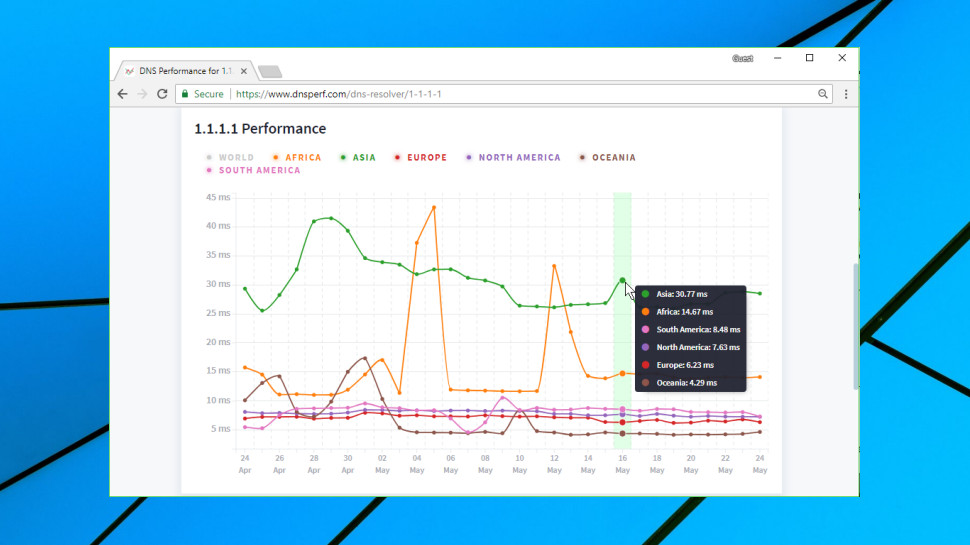
DNSPerf tests multiple DNS services every minute from 200+ locations around the world and makes the results freely available on its own website. This gives a very good general idea of performance, and also enables seeing how services compare on different continents, as well as assessing their uptime.
How can I switch DNS servers?
The steps involved in changing your DNS service vary according to your hardware and possibly your operating system version.
Generally, you must start by finding the primary and secondary nameservers for the DNS service you'd like to use. These IP addresses are normally displayed very clearly on the service website, so, for example, Cloudflare DNS uses 1.1.1.1 and 1.0.0.1.
The simplest approach for home users is to update their router to use the new addresses. Most other devices will then pick up the new DNS settings automatically, with no further work required.
To make this happen you must log in to your router (the default password may be printed on its base) and look for the current DNS primary and secondary nameservers. Make a note of the current values in case of problems, then replace them with the nameservers you'd like to use.
If you run into problems, check out your DNS service website for any setup guidance. Keep in mind that you can also use the tutorials of other DNS providers, as long as you remember to replace their nameserver IPs with your preferred options. OpenDNS, for instance, has specific guidance for many different router types on its support site.
If router tweaks aren't right for your situation, you may have to change the DNS configuration of each individual device. Cloudflare has short and simple guidance here, while the OpenDNS website goes into more depth.
How can I find my current DNS servers?
If you're troubleshooting your internet connection, or maybe thinking of switching DNS servers, it might be useful to check which DNS servers you're using at the moment.
The simplest way to do this is to visit DNSLeakTest.com and tap the Standard Test button. Within a few seconds the website will usually display your DNS server IP addresses, host names, and sometimes (if appropriate) the name of your ISP.
After that, life gets more complicated as there are several potential options. Your device could be set up to use specific DNS servers; it might ask your router to give it the best DNS servers every time it boots; or it might not know anything about DNS servers, and leave your router to handle everything.
On Windows, you could get started by entering IPCONFIG /ALL in a command line window. Look for your network adapter and you should see its DNS servers specified in the list.
If there's a single DNS IP address which points at your router – 192.168.x.x – that suggests the router is handling all DNS queries. Enter that IP address into your browser, log in to the router if necessary and your DNS servers should be listed amongst the settings.
How can I test a DNS service?
If your browser is telling you a website's 'server IP address could not be found', even though you're sure it's up and available, then this could be due to a problem with your DNS. But you might not want to go to the trouble of changing your DNS service to find out.
Windows users can use the command line tool nslookup.exe to look at the results of any DNS server without touching their system settings.
Run cmd.exe to open a command line window, then type:
nslookup website.com
Then press Enter (replace website.com with the address of whatever website you're trying to reach).
Nslookup uses your default DNS server to look for the IP address of website.com. If it tells you it 'can't find website.com', this means your DNS server doesn't have a record for that domain.
Next, tell the tool to use another DNS service by entering a command like:
nslookup website.com 8.8.8.8
The 8.8.8.8 address uses Google DNS – replace that with any DNS service you like, such as 1.1.1.1 for Cloudflare.
If nslookup returns errors using multiple servers, this doesn't look like a DNS issue. If one server returns an IP address and another doesn't, you might want to try setting up your system to use the working DNS and see if it makes any difference.
You might also want to look over our many web hosting guides:
Best WordPress hosting providers Best cloud hosting providersBest Linux web hosting servicesBest e-commerce hostingBest dedicated server hostingBest small business web hostingBest Windows hosting servicesBest managed web hostingBest business web hostingBest colocation hostingBest email hosting providersBest web hosting resellersBest VPS hosting providersBest shared web hostingBest cheap web hosting Check out the best website hosting services
Read more: techradar.com